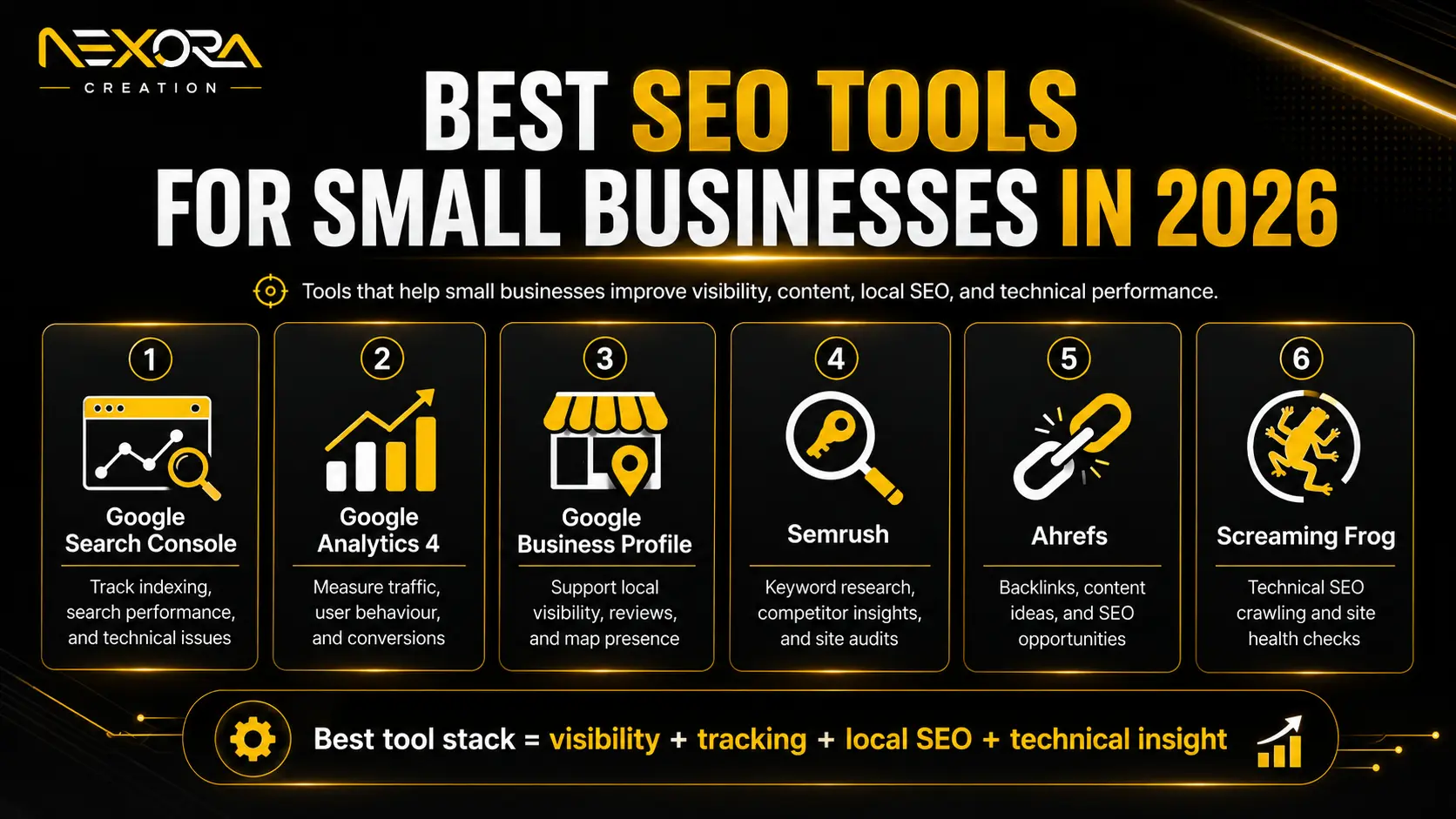
The best SEO tools for small businesses in 2026 are the tools that help you understand your visibility, fix website issues, improve content, track local rankings, monitor competitors, and measure leads.
But here is the important part:
SEO tools do not create results by themselves.
A tool can show you problems, opportunities, keywords, rankings, backlinks, content gaps, or AI visibility signals. But the results come from what you do with that data.
For small businesses, the goal is not to buy every SEO tool.
The goal is to choose the right tools for your stage.
A new small business may only need:
- Google Search Console
- Google Business Profile
- Google Analytics
- PageSpeed Insights
- A basic rank tracker
- A simple content planning system
A growing business may need:
- Semrush or Ahrefs
- Screaming Frog
- BrightLocal or similar local SEO tool
- Content optimization tools
- AI Search visibility tracking
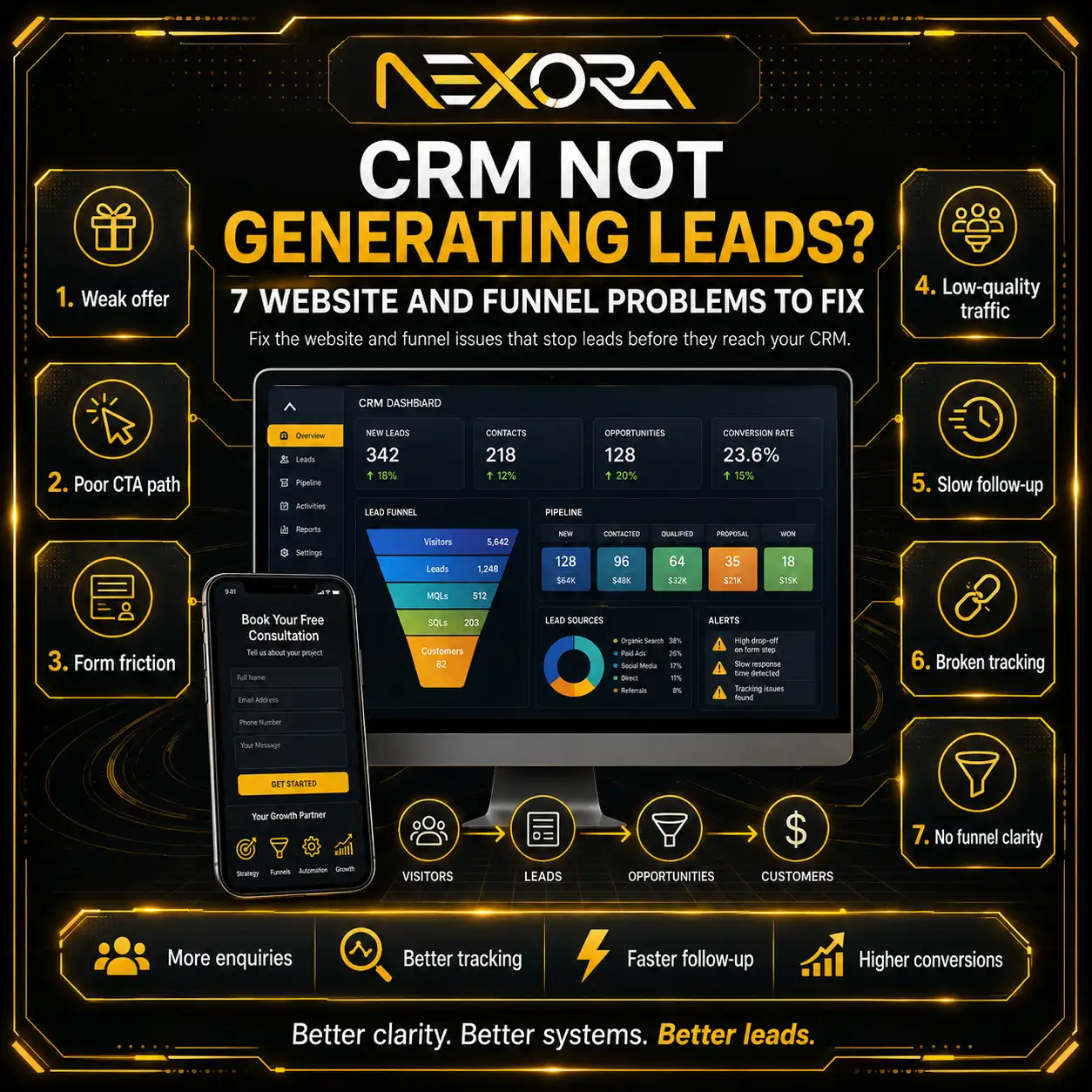
- CRM and lead tracking
In 2026, SEO is no longer only about rankings. Small businesses also need to think about AI Search, AEO, GEO, local SEO, service pages, internal links, website UX, and conversion tracking.
At Nexora Creation, we see SEO tools as support systems. They help you make better decisions, but your website still needs a strong strategy, helpful content, technical SEO, local optimization, and lead-focused conversion paths.
In this guide, we will explain the best SEO tools for small businesses in 2026, what each tool is best for, and how to choose the right stack without wasting money.
What should small businesses look for in SEO tools?
Small businesses should look for SEO tools that solve practical problems instead of tools with the most features.
Before choosing a tool, ask:
- Does it help me find SEO issues?
- Does it show what people search for?
- Does it track my local visibility?
- Does it help improve service pages?
- Does it support content planning?
- Does it show competitor gaps?
- Does it help with technical SEO?
- Does it track leads or only rankings?
- Is it affordable for my stage?
- Will I actually use it every month?
Many small businesses pay for expensive SEO tools but never use the data properly.
That wastes money.
A good SEO tool should help you make decisions such as:
- Which pages should we improve?
- Which keywords matter most?
- Which service pages are missing?
- Which blogs need updating?
- Which technical issues are hurting performance?
- Which competitors are ranking above us?
- Which content is generating leads?
- Which local SEO actions should we prioritize?
If a tool does not help you take action, it may not be worth the cost.
What are the best free SEO tools for small businesses?
The best free SEO tools for small businesses are the tools that show real website performance, indexing, traffic, speed, and local visibility.
Start with these before paying for advanced platforms.
Google Search Console
Google Search Console is one of the most important free SEO tools for any small business website.
It helps you understand how your website performs in Google Search.
You can use it to see:
- Search queries
- Clicks
- Impressions
- Average position
- Click-through rate
- Indexing issues
- Page experience signals
- Sitemap status
- Mobile usability issues
- Manual actions
- Core Web Vitals
- Pages that need improvement
Google Search Console is especially useful because it shows real data from your website.
For example, you may find that a blog gets many impressions but few clicks.
That means the title or meta description may need improvement.
Or you may find that a service page is indexed but not getting impressions.
That may mean the page needs better content, internal links, or keyword targeting.
Every small business serious about SEO should use Google Search Console.
Google Business Profile
Google Business Profile is essential for local SEO.
It helps your business appear on Google Search and Maps.
This is especially important for:
- Local service businesses
- Clinics
- Dentists
- Restaurants
- Roofing companies
- HVAC companies
- Plumbers
- Law firms
- Agencies
- Retail stores
- Home service businesses
Google Business Profile helps customers:
- Find your business
- Call you
- Get directions
- Visit your website
- Read reviews
- View photos
- See services
- Check business hours
- Book appointments
- Compare you with competitors
For small businesses, this is one of the highest-value free tools.
A complete profile should include:
- Correct business name
- Primary category
- Secondary categories
- Service areas
- Phone number
- Website link
- Business hours
- Services
- Photos
- Reviews
- Updates or posts
- Appointment link if relevant
If your business serves a local market, start here.
Google Analytics
Google Analytics helps you understand what users do after they visit your website.
Search Console shows search performance.
Google Analytics shows website behavior.
You can use it to track:
- Website traffic
- Traffic sources
- Landing pages
- User engagement
- Conversions
- Form submissions
- Button clicks
- Events
- Service page visits
- Blog performance
- Returning users
This matters because SEO should not only create traffic.
It should create business opportunities.
For example, if your blog gets traffic but users never visit your service pages, you may need better internal links and CTAs.
If your service page gets visits but no form submissions, you may need better copy, trust signals, or form placement.
PageSpeed Insights
PageSpeed Insights helps you check website speed and Core Web Vitals.
Speed matters because users leave slow websites.
It also affects user experience, especially on mobile.
PageSpeed Insights can help identify:
- Slow loading pages
- Large images
- Render-blocking resources
- Layout shift problems
- JavaScript issues
- Mobile performance issues
- Opportunities to improve page speed
For small businesses, speed is not only an SEO issue.
It is a lead-generation issue.
If your website loads slowly, potential customers may leave before contacting you.
Bing Webmaster Tools
Bing Webmaster Tools is useful because Bing also powers parts of search visibility across Microsoft ecosystems.
It can help with:
- Indexing
- Search performance
- SEO reports
- Backlink data
- Sitemap submission
- Crawl issues
- Keyword insights
Even if Google is your main focus, Bing data can still support your SEO decisions.
For small businesses, it is a useful free addition.
What are the best paid SEO tools for small businesses?
The best paid SEO tools for small businesses depend on budget, goals, and SEO maturity.
You do not need every tool.
Choose based on what you need most.
Semrush
Semrush is one of the most popular all-in-one SEO platforms.
It can help with:
- Keyword research
- Competitor analysis
- Site audits
- Rank tracking
- Backlink analysis
- Content ideas
- PPC research
- Local SEO
- Brand visibility
- AI search visibility features
Semrush is useful for small businesses that want one platform for many SEO tasks.
It is especially helpful if you need:
- Competitor keyword research
- Content planning
- Site health checks
- Ranking reports
- Local SEO support
- PPC and SEO comparison
However, Semrush may be expensive for very small businesses that are just starting.
If you cannot act on the insights, the tool may not be worth the monthly cost.
Ahrefs
Ahrefs is another powerful SEO platform.
It is especially known for:
- Backlink analysis
- Competitor research
- Keyword research
- Site Explorer
- Rank tracking
- Content research
- Technical site audits
- Brand and AI visibility features
Ahrefs is useful if your SEO strategy depends heavily on competitor analysis, content gaps, backlinks, and authority building.
It can help answer questions like:
- Which pages bring competitors traffic?
- Which keywords are competitors ranking for?
- Which websites link to competitors?
- Which content topics are missing from our site?
- Which pages need stronger links?
For small businesses, Ahrefs can be valuable if you are serious about SEO growth.
But like Semrush, it works best when someone knows how to turn data into action.
SE Ranking
SE Ranking is often a more budget-friendly SEO platform for small businesses and agencies.
It can help with:
- Rank tracking
- Website audits
- Keyword research
- Competitor analysis
- Backlink monitoring
- On-page SEO checks
- Reporting
For small businesses that need useful SEO features without the higher cost of some larger platforms, SE Ranking can be a practical option.
It is especially useful for tracking rankings and monitoring SEO progress.
Ubersuggest
Ubersuggest can be useful for beginners or small businesses that want simple SEO insights.
It can help with:
- Keyword ideas
- Content ideas
- Site audits
- Competitor overview
- Backlink data
- Basic rank tracking
It may not be as advanced as Semrush or Ahrefs, but it can be easier for beginners.
For small businesses with limited budgets, it can be a starting point.
What are the best technical SEO tools?
Technical SEO tools help you find problems that affect crawlability, indexability, page structure, redirects, broken links, and site health.
Screaming Frog SEO Spider
Screaming Frog SEO Spider is one of the best technical SEO tools.
It crawls your website like a search engine and helps identify common SEO issues.
It can help find:
- Broken links
- Missing title tags
- Duplicate titles
- Missing meta descriptions
- Redirect chains
- Canonical issues
- Noindex pages
- Thin pages
- Duplicate content
- Image issues
- H1 problems
- Internal link issues
- XML sitemap opportunities
Screaming Frog is especially useful for SEO professionals, agencies, and businesses with many pages.
The free version can crawl up to 500 URLs, which may be enough for many small business websites.
If your website has technical issues, Nexora Creation can review crawlability, indexing, speed, mobile UX, and website structure through its SEO and website development services.
Sitebulb
Sitebulb is another strong technical SEO auditing tool.
It is known for visual reports and clear issue explanations.
It can help with:
- Crawl audits
- Internal linking
- Indexability checks
- Structured data
- Performance checks
- Duplicate content
- Redirect issues
- Site architecture
- SEO recommendations
Sitebulb can be easier to understand visually compared to some crawler tools.
It may be useful for teams that want more guided technical SEO reports.
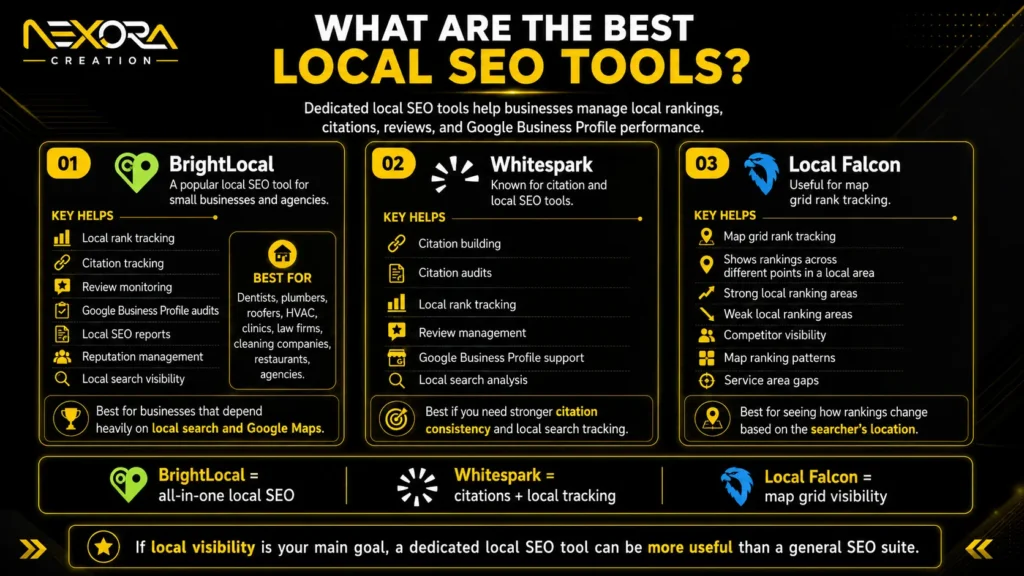
What are the best local SEO tools?
Local SEO tools help small businesses manage local rankings, citations, reviews, and Google Business Profile performance.
BrightLocal
BrightLocal is a popular local SEO tool for small businesses and agencies.
It can help with:
- Local rank tracking
- Citation tracking
- Review monitoring
- Google Business Profile audits
- Local SEO reports
- Reputation management
- Local search visibility
BrightLocal is especially useful for businesses that depend on local search and Google Maps.
Examples include:
- Dentists
- Plumbers
- Roofers
- HVAC companies
- Clinics
- Law firms
- Cleaning companies
- Restaurants
- Agencies
If local visibility is your main goal, a dedicated local SEO tool can be more useful than a general SEO suite.
Whitespark
Whitespark is known for local citation and local SEO tools.
It can help with:
- Citation building
- Citation audits
- Local rank tracking
- Review management
- Google Business Profile support
- Local search analysis
Whitespark is useful if your business needs better local citation consistency or local search tracking.
Local Falcon
Local Falcon is useful for map grid rank tracking.
It helps show how your business ranks across different points in a local area.
This is useful because local rankings can change based on the searcher’s location.
A business may rank well near its office but poorly a few miles away.
Local Falcon can help identify:
- Strong local ranking areas
- Weak local ranking areas
- Competitor visibility
- Map ranking patterns
- Service area gaps
For local service businesses, map grid tracking can be very useful.
What are the best content SEO tools?
Content SEO tools help you plan, optimize, and improve content for search intent, topics, headings, and readability.
Surfer SEO
Surfer SEO helps optimize content based on top-ranking pages and topic coverage.
It can help with:
- Content briefs
- Keyword usage
- Topic suggestions
- Content scoring
- On-page optimization
- SERP analysis
- AI-assisted content workflows
Surfer can be useful for teams that publish SEO content regularly.
But small businesses should avoid blindly following content scores.
A high score does not automatically mean helpful content.
You still need expertise, examples, brand voice, internal links, and conversion strategy.
Frase
Frase helps with content briefs, topic research, and question-based content planning.
It can help you:
- Research SERPs
- Create outlines
- Find FAQs
- Compare competitor content
- Build content briefs
- Improve existing pages
Frase is useful for AEO-style content because it helps identify questions users ask.
This can support blog posts, service pages, and FAQ sections.
Clearscope
Clearscope is a content optimization tool often used by content teams.
It helps with:
- Topic coverage
- Content grading
- Related terms
- Content improvement
- Search intent alignment
It can be powerful, but it may be expensive for smaller businesses.
It is usually better for businesses publishing content at scale.
Grammarly
Grammarly is not a traditional SEO tool, but it helps improve readability, grammar, and clarity.
Good SEO content should be easy to read.
If content is confusing, users may leave.
Grammarly can help polish:
- Blog posts
- Service pages
- Meta descriptions
- Outreach emails
- Social posts
- Website copy
It is useful for small teams that publish content regularly.
What are the best AI SEO tools in 2026?
AI SEO tools are becoming more important because search now includes AI Overviews, AI Mode, ChatGPT-style answers, Perplexity, Gemini, and other AI-powered discovery platforms.
AI SEO tools may help with:
- AI visibility tracking
- Brand mention monitoring
- Prompt tracking
- AI citation analysis
- Content gap analysis
- AEO/GEO planning
- AI search reporting
- Competitor visibility in AI answers
Examples of AI visibility or AI SEO tool categories include:
- AI Overview tracking tools
- Brand visibility tools
- Prompt monitoring platforms
- GEO tools
- AEO content tools
- AI-assisted content optimization tools
Small businesses should be careful here.
AI SEO tools can be useful, but they are not magic.
They are worth it when you already have:
- Strong SEO foundation
- Helpful content
- Clear service pages
- Internal links
- Trust signals
- Budget for ongoing optimization
- A plan to act on the data
If your website is weak, AI SEO tools may only show that you are not visible.
They will not fix the foundation by themselves.
What are the best reporting and tracking tools?
SEO reporting should measure business impact, not only rankings.
Looker Studio
Looker Studio can help create SEO dashboards using data from tools like Google Search Console, Google Analytics, Google Ads, and other sources.
It can help report:
- Organic traffic
- Keyword clicks
- Landing page performance
- Conversion events
- Local actions
- Campaign trends
- Lead sources
For agencies and growing businesses, dashboards make reporting easier.
Microsoft Clarity
Microsoft Clarity is useful for understanding how users behave on your website.
It can show:
- Heatmaps
- Session recordings
- Click behavior
- Scroll behavior
- Rage clicks
- Dead clicks
- User experience problems
This is useful because SEO traffic only matters if users can convert.
If users are clicking but not submitting forms, Clarity may help identify friction.
CRM and lead tracking tools
A CRM is not always called an SEO tool, but it is important for measuring SEO success.
SEO should generate leads, not only traffic.
A CRM can help track:
- Lead source
- Form submissions
- Phone enquiries
- Follow-up status
- Lead quality
- Closed customers
- Revenue attribution
- Missed opportunities
For small businesses, CRM tracking can show whether SEO is creating real business value.
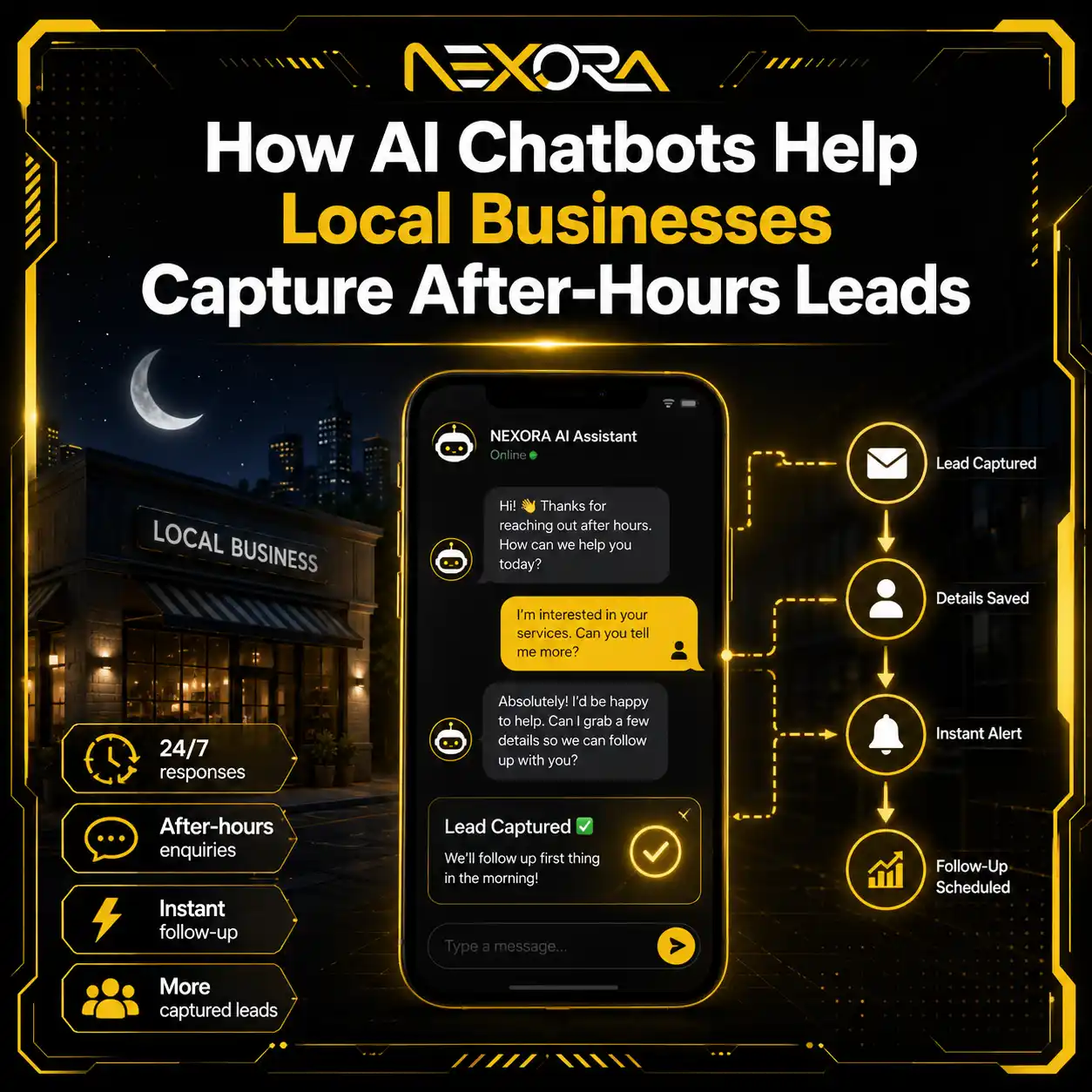
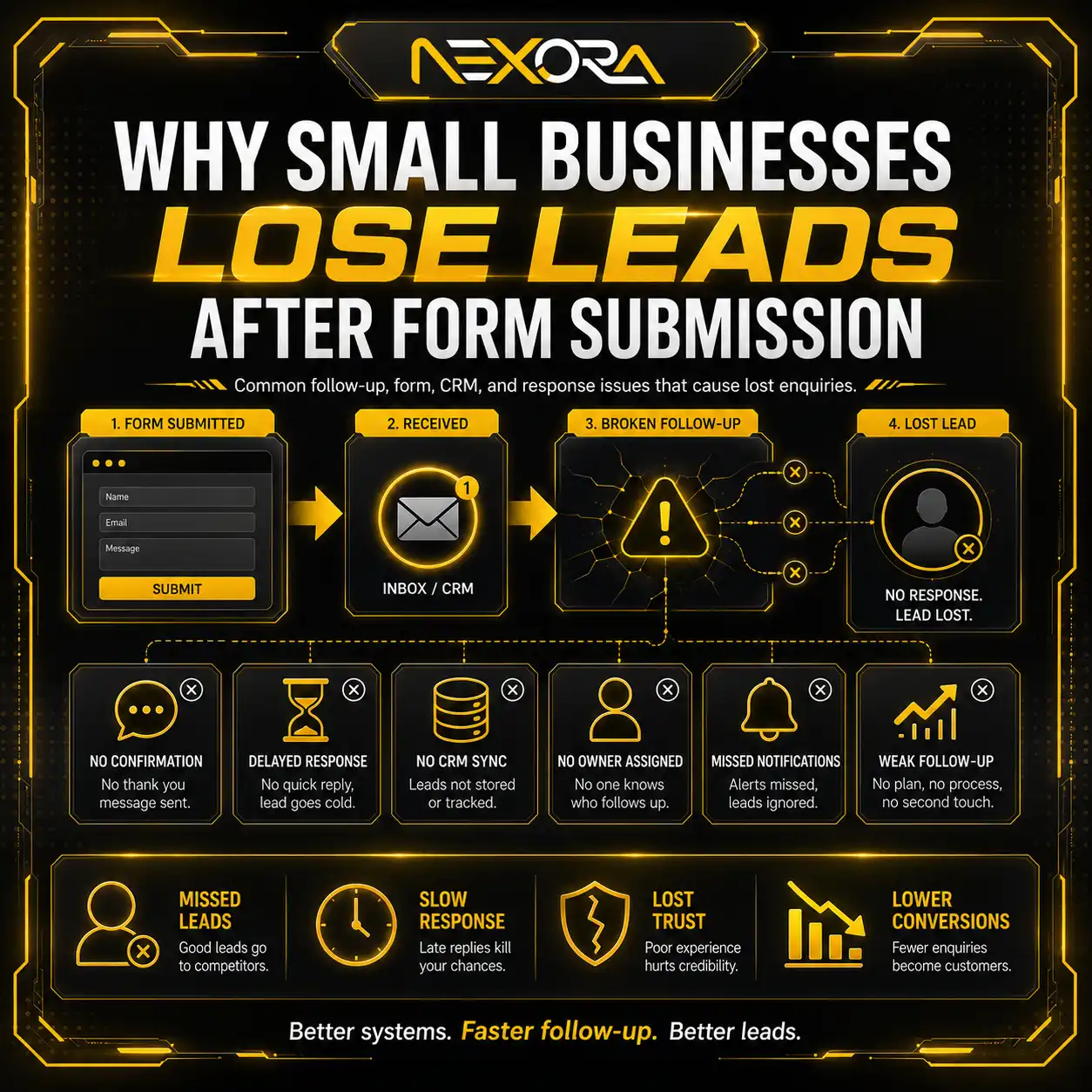
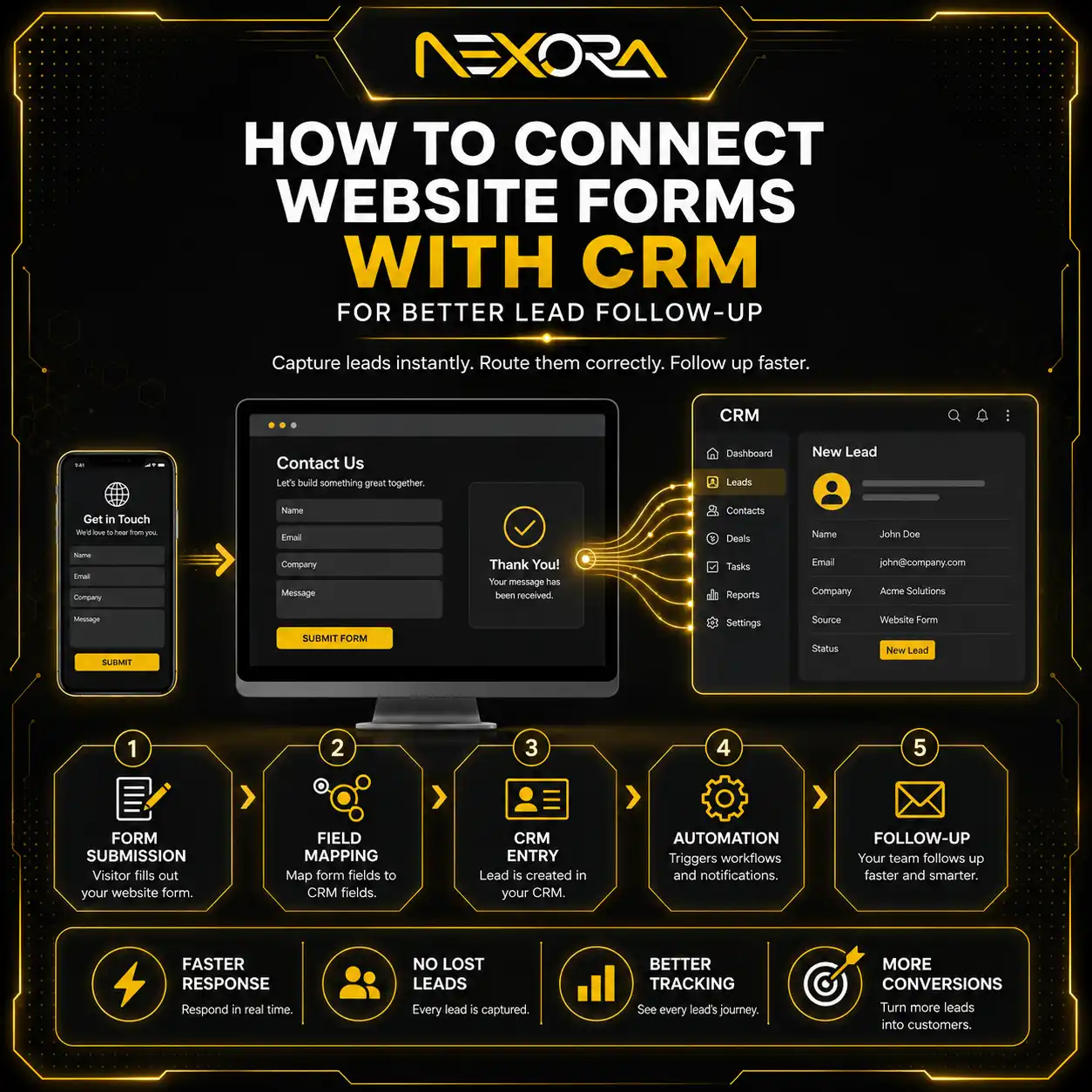
If your SEO generates enquiries but you are losing leads during follow-up, Nexora Creation can help connect website forms, landing pages, and lead sources with CRM automation.
What SEO tools should beginners start with?
Beginners should start with free tools before paying for advanced platforms.
A simple beginner SEO stack can include:
- Google Search Console
- Google Business Profile
- Google Analytics
- PageSpeed Insights
- Bing Webmaster Tools
- Microsoft Clarity
- Screaming Frog free version
- A simple spreadsheet for keyword and content planning
This stack can help you understand:
- What queries bring traffic
- Which pages are indexed
- Which pages need improvement
- How users behave
- Whether your site is slow
- Whether your local profile is active
- Which technical issues exist
For many small businesses, these free tools are enough to start.
The problem is usually not lack of tools.
The problem is lack of action.
What SEO tools should growing small businesses use?
Growing small businesses may need a more complete tool stack.
A stronger stack may include:
- Google Search Console
- Google Analytics
- Google Business Profile
- Semrush or Ahrefs
- Screaming Frog
- BrightLocal or Local Falcon
- Surfer SEO or Frase
- Microsoft Clarity
- Looker Studio
- CRM tracking
This stack helps with:
- Technical SEO
- Keyword research
- Competitor analysis
- Content planning
- Local rankings
- AI Search readiness
- User behavior
- Lead tracking
- Reporting
But do not buy everything at once.
Start with the tool that solves your biggest problem.
If your main issue is local visibility, invest in local SEO tools.
If your main issue is technical SEO, use a crawler.
If your main issue is content planning, use a content tool.
If your main issue is competitors outranking you, use Semrush or Ahrefs.
What SEO tools are best for local businesses?
Local businesses should prioritize tools that improve Google Maps visibility, reviews, and service page performance.
A good local SEO stack may include:
- Google Business Profile
- Google Search Console
- Google Analytics
- BrightLocal
- Local Falcon
- Whitespark
- Microsoft Clarity
- PageSpeed Insights
- CRM tracking
This stack helps local businesses track:
- Local rankings
- Profile actions
- Reviews
- Citations
- Website visits
- Calls
- Forms
- Service page performance
- Map visibility
For local SEO, tools are useful, but they must support real actions.
You still need:
- Complete profile
- Correct categories
- Reviews
- Service pages
- Local content
- Fast mobile website
- Clear CTAs
- Tracking
What SEO tools are best for content marketing?
For content marketing, small businesses can use:
- Google Search Console
- Semrush or Ahrefs
- Frase
- Surfer SEO
- Grammarly
- Google Trends
- AnswerThePublic
- ChatGPT or Claude
- Microsoft Clarity
These tools can help with:
- Topic ideas
- Search intent
- Content outlines
- FAQs
- Content optimization
- Existing content refresh
- Internal link ideas
- User behavior analysis
But content tools should not control the full strategy.
A good content strategy should come from:
- Customer questions
- Service priorities
- Search intent
- Business goals
- Competitor gaps
- Lead-generation opportunities
The best content does not only rank.
It helps users make decisions.
Can ChatGPT and Claude be SEO tools?
Yes, ChatGPT and Claude can be useful SEO support tools.
They can help with:
- Topic ideas
- Outlines
- Content drafts
- FAQs
- Meta descriptions
- Internal link suggestions
- Content refreshes
- AEO-friendly headings
- Schema ideas
- SEO checklists
- Competitor summaries
But they should not replace SEO tools that provide real data.
AI tools can suggest ideas, but they may not always know:
- Real search volume
- Ranking difficulty
- Current SERPs
- Your Search Console data
- Your conversion data
- Your local competitors
- Your website technical issues
- Lead quality
Use ChatGPT or Claude as assistants.
Use SEO tools and business data to make final decisions.
What SEO tools should small businesses avoid?
Small businesses should avoid SEO tools that look impressive but do not help them take action.
Be careful with tools that:
- Promise guaranteed rankings
- Focus only on vanity scores
- Create low-quality AI content at scale
- Sell fake backlinks
- Use private blog networks
- Provide vague recommendations
- Do not show useful data
- Are too expensive for your stage
- Require expertise you do not have
- Do not connect to leads or business goals
The best tool is not always the most expensive.
The best tool is the one you can use consistently to improve your website.
How should small businesses choose the right SEO tool stack?
Small businesses should choose SEO tools based on their biggest SEO problem.
Use this simple guide:
If you need search performance data
Use Google Search Console.
If you need local visibility
Use Google Business Profile, BrightLocal, or Local Falcon.
If you need technical audits
Use Screaming Frog or Sitebulb.
If you need competitor research
Use Semrush or Ahrefs.
If you need content optimization
Use Surfer SEO, Frase, or Clearscope.
If you need user behavior insights
Use Microsoft Clarity.
If you need reporting
Use Looker Studio.
If you need lead tracking
Use a CRM.
The right stack depends on your stage.
Do not buy a premium tool just because competitors use it.
Buy it when you have a clear plan to use it.
How can SEO tools support lead generation?
SEO tools support lead generation when they help you improve pages that bring qualified visitors and guide them toward action.
For example:
Google Search Console may show that a blog gets impressions for:
“why is my website not generating leads”
That blog can be improved with:
- Better answer in the introduction
- Clearer headings
- Website conversion examples
- Internal links to website development services
- CTA to request an audit
- FAQs
- Service page links
This turns search data into lead-generation content.
A rank tracker may show that your service page is ranking on page two.
You can improve it with:
- Better content
- FAQs
- Internal links
- Reviews
- Local relevance
- Strong CTA
A technical audit may show that your site is slow.
You can fix speed to improve user experience and conversion rate.
Tools do not generate leads alone.
They show where to improve.
Strategy turns insights into results.
How can Nexora Creation help with SEO tools and strategy?
Nexora Creation helps small businesses choose the right SEO tools, understand the data, and turn insights into actions that support visibility and lead generation.
Many businesses have access to tools but do not know what to do next.
We help connect the full SEO system, including:
- Technical SEO audits
- Google Search Console review
- Google Business Profile optimization
- Keyword research
- Competitor analysis
- Local SEO
- Service page optimization
- Blog strategy
- Internal linking
- AI Search readiness
- AEO/GEO content structure
- Website UX improvement
- Conversion tracking
- CRM automation
If your SEO tools show traffic but your website is not generating leads, the issue may be your service pages, CTAs, internal links, UX, or follow-up system.
What is the best SEO tool stack for small businesses in 2026?
The best SEO tool stack for most small businesses in 2026 is:
- Google Search Console for search performance
- Google Business Profile for local visibility
- Google Analytics for website behavior
- PageSpeed Insights for performance
- Screaming Frog for technical audits
- Semrush or Ahrefs for competitor and keyword research
- BrightLocal or Local Falcon for local SEO
- Frase or Surfer SEO for content optimization
- Microsoft Clarity for user behavior
- CRM software for lead tracking
But you do not need all of these on day one.
Start with the free tools.
Then add paid tools when you have:
- A clear SEO strategy
- Enough content to optimize
- A website worth auditing
- Competitors to analyze
- Leads to track
- Budget for implementation
The best SEO tool is the one that helps you take the next right action.
Conclusion
The best SEO tools for small businesses in 2026 are not always the most expensive tools.
They are the tools that help you understand your website, improve your visibility, fix problems, create better content, track local search, and measure leads.
Start with free essentials:
- Google Search Console
- Google Business Profile
- Google Analytics
- PageSpeed Insights
- Bing Webmaster Tools
- Microsoft Clarity
Then add paid tools when your SEO strategy is ready.
Use Semrush or Ahrefs for competitor research.
Use Screaming Frog or Sitebulb for technical SEO.
Use BrightLocal, Whitespark, or Local Falcon for local SEO.
Use Frase, Surfer SEO, or Clearscope for content optimization.
Use a CRM to track leads.
But remember this:
SEO tools do not replace SEO strategy.
Tools show data.
Strategy turns data into rankings, traffic, leads, and customers.
FAQs
What is the best free SEO tool for small businesses?
Google Search Console is one of the best free SEO tools because it shows real search queries, clicks, impressions, indexing issues, and page performance data from Google Search.
What is the best local SEO tool for small businesses?
Google Business Profile is the essential free local SEO tool. For paid local SEO tracking, tools like BrightLocal, Whitespark, and Local Falcon can help with rankings, citations, reviews, and map visibility.
Is Semrush worth it for small businesses?
Semrush can be worth it if your business needs keyword research, competitor analysis, site audits, rank tracking, and content planning. It may not be worth it if you do not have time or strategy to act on the data.
Is Ahrefs worth it for small businesses?
Ahrefs can be worth it for businesses that need strong competitor research, backlink analysis, keyword research, content gap analysis, and authority tracking.
Do small businesses need paid SEO tools?
Not always. Many small businesses should start with free tools first. Paid tools become useful when you have a clear SEO strategy and enough budget to implement improvements.
Can ChatGPT or Claude be used for SEO?
Yes, ChatGPT and Claude can help with topic ideas, outlines, FAQs, meta descriptions, internal links, and content drafts. But they should not replace real SEO data or expert review.
What tool should I use for technical SEO?
Screaming Frog SEO Spider is a strong technical SEO crawler. It can find broken links, metadata issues, redirects, canonical problems, duplicate content, and crawl issues.
What SEO tools help track leads?
Google Analytics, Google Tag Manager, CRM software, call tracking tools, and Looker Studio dashboards can help track leads from SEO traffic.