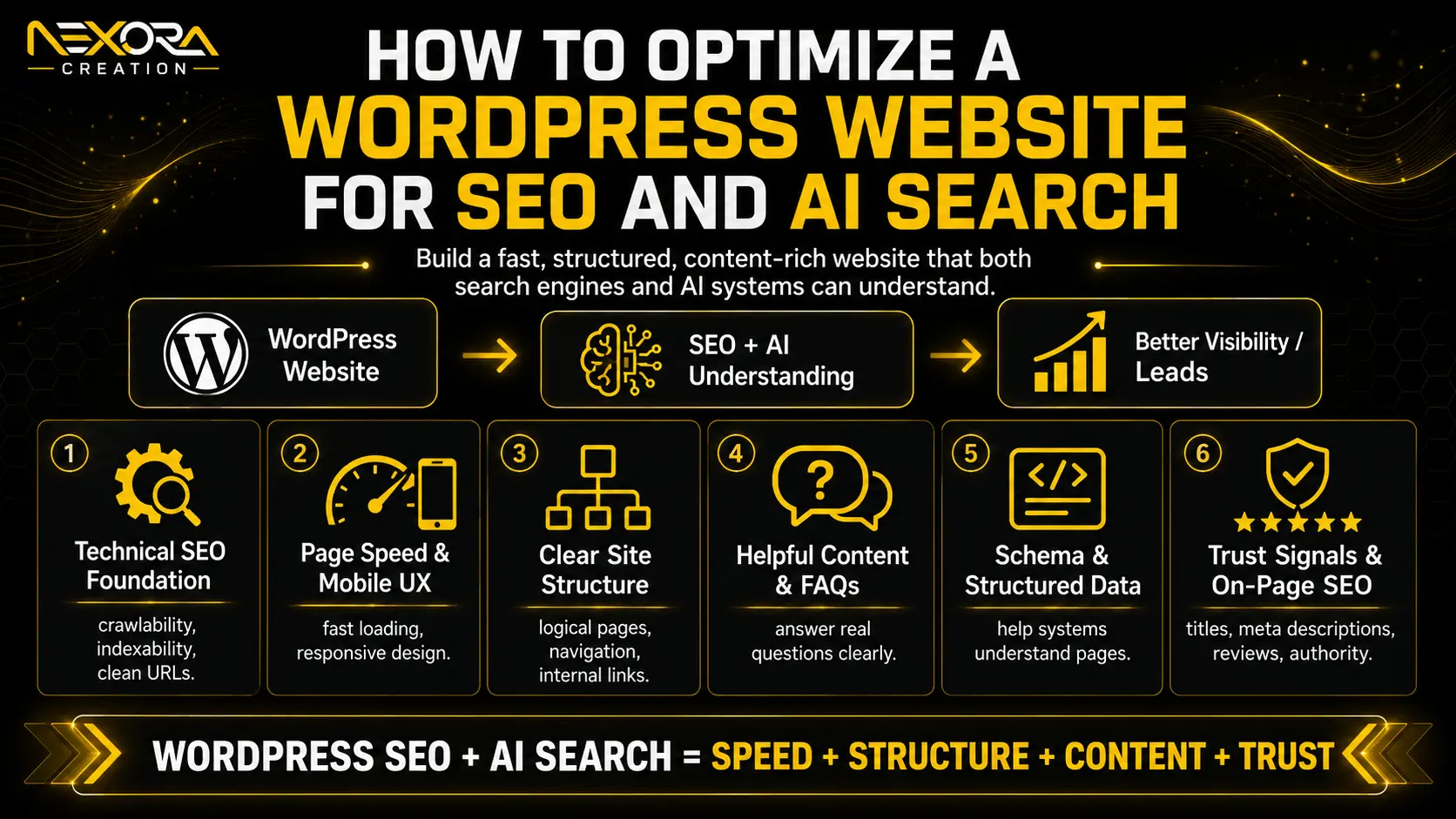
To optimize a WordPress website for SEO and AI Search, you need more than an SEO plugin.
A strong WordPress SEO strategy should make your website easy to crawl, easy to understand, fast to load, mobile-friendly, helpful for users, structured for answers, and built to convert visitors into leads.
In 2026, WordPress SEO is not only about ranking pages on Google.
Your website also needs to be ready for:
- Google Search
- Google AI Overviews
- Google AI Mode
- Featured snippets
- People Also Ask
- Voice search
- ChatGPT-style browsing
- Perplexity
- Gemini
- Copilot
- Local search
- AI-powered discovery
That does not mean traditional SEO is gone.
It means your WordPress website needs a stronger foundation.
A WordPress website should have:
- Clean technical SEO
- SEO-friendly URLs
- Fast loading speed
- Mobile-friendly design
- Proper headings
- Helpful content
- Clear service pages
- Schema markup
- Internal links
- Optimized images
- Strong CTAs
- Trust signals
- Lead tracking
- CRM or automation support
At Nexora Creation, we look at WordPress SEO and AI Search optimization as one connected system. The website should not only get traffic. It should help people understand your services, trust your business, and take action.
In this guide, we will explain how to optimize a WordPress website for SEO and AI Search in a practical way.
Is WordPress good for SEO and AI Search?
Yes, WordPress can be very good for SEO and AI Search when it is set up properly.
WordPress gives you control over:
- Page titles
- Meta descriptions
- URLs
- Headings
- Internal links
- Blog structure
- Categories
- Tags
- Images
- Schema plugins
- SEO plugins
- Speed optimization
- Mobile design
- Landing pages
- Service pages
- Forms
- Tracking
- CRM integrations
But WordPress is not automatically SEO-friendly just because the website is built on WordPress.
A poorly built WordPress website can still have:
- Slow loading speed
- Too many plugins
- Poor mobile layout
- Weak content
- Missing service pages
- Duplicate pages
- Broken links
- No schema
- Bad internal links
- Thin blog posts
- Unclear CTAs
- Poor tracking
WordPress gives you the tools.
You still need the right strategy.
What is the difference between WordPress SEO and AI Search optimization?
WordPress SEO focuses on helping search engines crawl, index, understand, and rank your website.
AI Search optimization focuses on making your content easy for AI-powered systems to understand, summarize, and potentially reference.
They are connected.
WordPress SEO includes:
- Technical SEO
- On-page SEO
- Keyword targeting
- Content optimization
- Internal linking
- Site speed
- Mobile usability
- Schema
- Local SEO
- Backlinks
- Search Console tracking
AI Search optimization includes:
- Answer-first content
- Question-based headings
- Helpful explanations
- FAQs
- Topic depth
- Trust signals
- Clear service information
- Structured content
- Updated pages
- Crawlable content
- Good page experience
The best approach is not SEO vs AI Search.
The best approach is SEO plus AI Search readiness.
A strong WordPress website should rank in traditional search and be easy for AI systems to understand.
Relevant Blog: Google Ads Landing Page Experience: How to Improve It
What WordPress SEO plugin should you use?
A WordPress SEO plugin helps manage important SEO settings, but the plugin alone does not do SEO for you.
Popular WordPress SEO plugins include:
- Rank Math
- Yoast SEO
- All in One SEO
- SEOPress
A good SEO plugin can help with:
- Meta titles
- Meta descriptions
- XML sitemaps
- Schema markup
- Canonical tags
- Robots meta settings
- Breadcrumbs
- Social previews
- Redirects, depending on plugin
- On-page SEO suggestions
- Indexing controls
But remember:
An SEO plugin is a tool.
It cannot automatically create helpful content, improve your service pages, fix poor UX, build topical authority, or generate leads.
For small businesses, choose one reliable SEO plugin and configure it properly.
Do not install multiple SEO plugins at the same time because they can create conflicts.
How should WordPress permalinks be set for SEO?
WordPress permalinks should be clean, readable, and keyword-friendly.
A good URL helps users and search engines understand the page topic.
Better URL:
/local-seo-services/
Weak URL:
/?page_id=123
For most WordPress websites, the “Post name” permalink structure is usually the best option.
Good URLs should be:
- Short
- Descriptive
- Easy to read
- Lowercase
- Relevant to the page
- Free from unnecessary numbers
- Free from random dates unless needed
Examples:
- /website-development/
- /seo-services/
- /google-ads-landing-page/
- /local-seo-for-small-businesses/
- /optimize-wordpress-website-seo-ai-search/
Avoid changing old URLs without redirects.
If a page already has rankings, links, or traffic, changing the URL can hurt SEO unless you set proper 301 redirects.
How can you make WordPress crawlable and indexable?
Your WordPress website must be crawlable and indexable before it can rank or support AI Search visibility.
Crawlability means search engines can access your pages.
Indexability means search engines can include those pages in search results.
Check these areas:
- WordPress reading settings
- Robots.txt
- SEO plugin index settings
- XML sitemap
- Canonical tags
- Noindex tags
- Password-protected pages
- Broken links
- Redirect errors
- Orphan pages
- Server errors
In WordPress, make sure the “Discourage search engines from indexing this site” option is not enabled after launch.
Also check your SEO plugin settings.
Sometimes important pages are accidentally set to noindex.
Your important pages should be indexable, including:
- Homepage
- Service pages
- Location pages
- Important blog posts
- Contact page
- Main landing pages
If your pages are blocked, no SEO or AI Search strategy can work properly.
How should you structure WordPress pages for SEO?
WordPress pages should be structured around clear topics, services, and user intent.
A strong small business WordPress website should include:
- Homepage
- About page
- Services page
- Individual service pages
- Location pages, if needed
- Blog section
- Case studies or portfolio
- Contact page
- FAQ sections
- Landing pages
- Privacy policy and basic trust pages
Do not rely on one generic services page for everything.
If your business offers multiple services, create focused pages.
For example, Nexora Creation may have separate pages for:
- Website Development Services
- SEO Services
- UI/UX Design Services
- CRM Automation Services
- AI Voice Agent & Chatbot Services
Each service page should explain the service clearly and include a CTA.
If your WordPress website has a weak structure, Nexora Creation can help improve your service pages, internal links, CTAs, and SEO setup through its website development services.
How should WordPress service pages be optimized?
WordPress service pages should be optimized for both search visibility and conversions.
A service page should not only say what you offer.
It should explain why the visitor should trust you and what they should do next.
A strong WordPress service page should include:
- Clear H1
- Service-focused introduction
- Who the service is for
- Problems the service solves
- Benefits
- Process
- Features or deliverables
- Trust signals
- FAQs
- Internal links
- CTA buttons
- Contact form or booking option
- Schema where relevant
For example, an SEO service page should explain:
- Technical SEO
- Local SEO
- Content strategy
- Service page optimization
- Internal linking
- AI Search readiness
- Reporting
- Lead tracking
A weak service page says:
“We provide SEO services.”
A strong service page explains what the service includes, who it helps, and what business outcome it supports.
Service pages are often more important than blogs because they connect visibility to leads.
How can WordPress blogs be optimized for AI Search?
WordPress blogs should be written around real questions and structured for easy understanding.
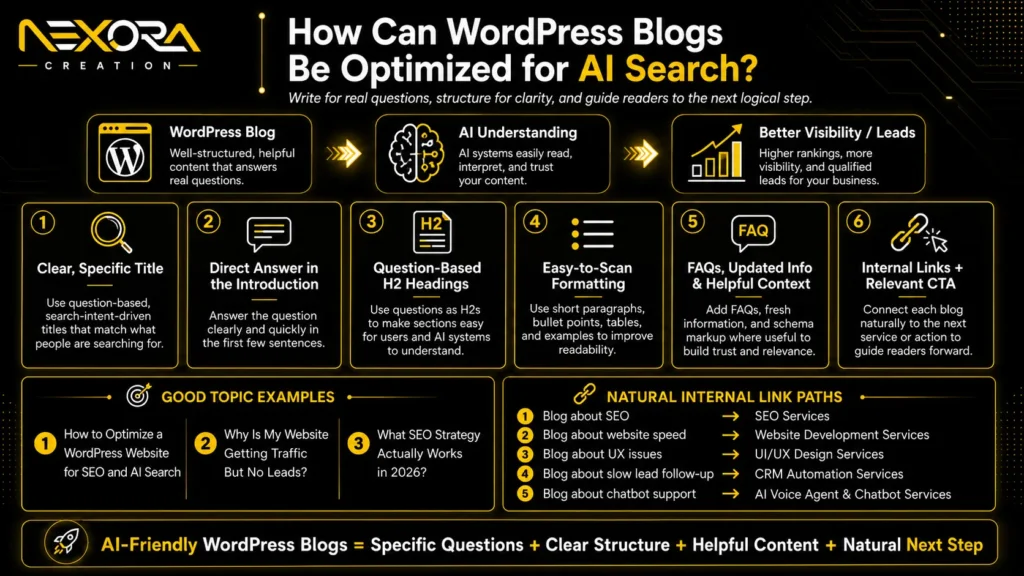
A strong AI Search-friendly blog should include:
- Clear title
- Direct answer in the introduction
- Question-based H2 headings
- Short paragraphs
- Bullet points
- Examples
- FAQs
- Internal links
- Relevant CTA
- Updated information
- Suggested schema where useful
For example, instead of writing a blog titled:
“Marketing Tips”
write something specific like:
“How to Optimize a WordPress Website for SEO and AI Search”
or:
“Why Is My Website Getting Traffic But No Leads?”
or:
“What SEO Strategy Actually Works in 2026?”
These topics answer real customer questions.
AI Search and users both prefer useful, specific content.
Every blog should also connect naturally to a service.
For example:
- Blog about SEO → link to SEO Services
- Blog about website speed → link to Website Development Services
- Blog about UX issues → link to UI/UX Design Services
- Blog about slow lead follow-up → link to CRM Automation Services
- Blog about AI chatbot support → link to AI Voice Agent & Chatbot Services
Internal links should guide the reader toward the next logical step.
How should headings be used in WordPress?
Headings should organize the page clearly.
A WordPress page should usually have one H1.
Then use H2 and H3 headings to organize sections.
Good heading structure helps:
- Users scan the page
- Search engines understand the content
- AI systems identify questions and answers
- Featured snippets and answer results
- Accessibility
For AI Search and AEO, question-based headings often work well.
Examples:
- How can you optimize WordPress for SEO?
- What WordPress SEO plugin should you use?
- How can WordPress blogs be optimized for AI Search?
- Why does page speed matter for WordPress SEO?
- How can internal links improve WordPress SEO?
Avoid using headings only for design.
Do not use H1 or H2 just to make text bigger.
Headings should show content hierarchy.
How can internal linking improve WordPress SEO?
Internal linking helps users, search engines, and AI systems understand how your WordPress content connects.
A good internal linking strategy connects:
- Blog posts to service pages
- Service pages to related services
- Location pages to service pages
- Case studies to services
- FAQs to helpful pages
- Homepage to main services
- Old blogs to updated content
Internal links help distribute authority and guide users to the next step.
For lead generation, internal links are especially important.
A blog should not leave the reader with information only.
It should guide them toward a solution.
For example:
If a reader is learning how to optimize a WordPress website for SEO but does not have time to fix technical issues, that is a natural place to link to SEO services or website development.
A good internal link appears where the reader has a problem and needs help.
Do not add links randomly.
How can WordPress speed affect SEO and AI Search?
WordPress speed affects SEO, user experience, and conversion rate.
A slow WordPress website can hurt your results because users may leave before reading or contacting you.
Common WordPress speed problems include:
- Heavy themes
- Too many plugins
- Large images
- Unoptimized videos
- Poor hosting
- No caching
- Too many scripts
- Bloated page builders
- Large fonts
- Unused CSS
- Too many tracking tags
To improve WordPress speed:
- Use good hosting
- Choose a lightweight theme
- Compress images
- Use WebP images
- Enable caching
- Use a CDN if needed
- Remove unused plugins
- Reduce scripts
- Optimize fonts
- Avoid oversized sliders
- Test with PageSpeed Insights
Speed matters even more for mobile visitors.
If users discover your site through search or AI tools but the page loads slowly, they may leave before converting.
How can you optimize WordPress images for SEO?
WordPress images should be optimized for speed, accessibility, and search understanding.
Image optimization includes:
- Compressing images before upload
- Using WebP format where possible
- Giving images descriptive file names
- Adding meaningful alt text
- Using correct image dimensions
- Avoiding oversized images
- Lazy loading below-the-fold images
- Using real images where possible
Good file name:
wordpress-seo-service-page-example.webp
Weak file name:
IMG_3482.jpg
Good alt text:
WordPress SEO service page structure showing headings, CTA, FAQs, and internal links.
Weak alt text:
image
Alt text should describe the image naturally.
Do not stuff keywords into alt text.
For service businesses, real images can also build trust.
Use team photos, project screenshots, portfolio images, client work examples, or process visuals where relevant.
How can schema markup help WordPress SEO?
Schema markup helps search engines understand your content more clearly.
WordPress SEO plugins can often add schema automatically or help you configure it.
Useful schema types include:
- Organization schema
- LocalBusiness schema
- Article schema
- FAQ schema
- Breadcrumb schema
- Service schema
- Product schema
- Review schema, where eligible
Schema does not guarantee rankings or AI visibility.
But it supports clarity.
For example:
- Organization schema helps define your business.
- Article schema helps explain blog content.
- FAQ schema helps structure questions and answers.
- Breadcrumb schema helps show page hierarchy.
- LocalBusiness schema helps local business details.
Schema should match visible content.
Do not add fake reviews, fake ratings, or misleading structured data.
How can WordPress categories and tags be used correctly?
WordPress categories and tags should organize content clearly.
Categories are broad topics.
Tags are more specific labels.
For example, Nexora Creation blog categories could include:
- SEO
- Website Development
- Google Ads
- AI Search
- Local SEO
- CRM Automation
- UI/UX Design
Tags could include:
- AEO
- GEO
- WordPress SEO
- Landing Pages
- Technical SEO
- Lead Generation
- AI Chatbots
Avoid creating too many tags.
Too many tags can create thin archive pages.
Use categories and tags only when they help users and search engines understand content structure.
If tag pages are thin and not useful, you may choose to noindex them through your SEO plugin.
The goal is clarity, not clutter.
How can WordPress menus improve SEO and conversions?
WordPress menus help users and search engines understand your website structure.
A good menu should make important pages easy to find.
Main navigation can include:
- Home
- About
- Services
- Portfolio or Case Studies
- Blog
- Contact
Service dropdowns can include:
- Website Development
- SEO Services
- UI/UX Design
- CRM Automation
- AI Voice Agents & Chatbots
Avoid hiding important service pages too deep.
If a service page is important for business, it should be easy to reach.
Menus also affect conversions.
Add clear CTA buttons such as:
- Get a Free Audit
- Book a Consultation
- Request a Quote
- Contact Us
The menu should help users move toward action.
How can WordPress forms be optimized for leads?
WordPress forms should be simple, fast, and easy to complete.
SEO traffic is only valuable if visitors can contact you.
A good form should ask for only necessary information.
Useful fields include:
- Name
- Phone number
- Service needed
- Website URL, if relevant
- Short message
Avoid long forms unless necessary.
Also make sure forms:
- Work on mobile
- Send email notifications
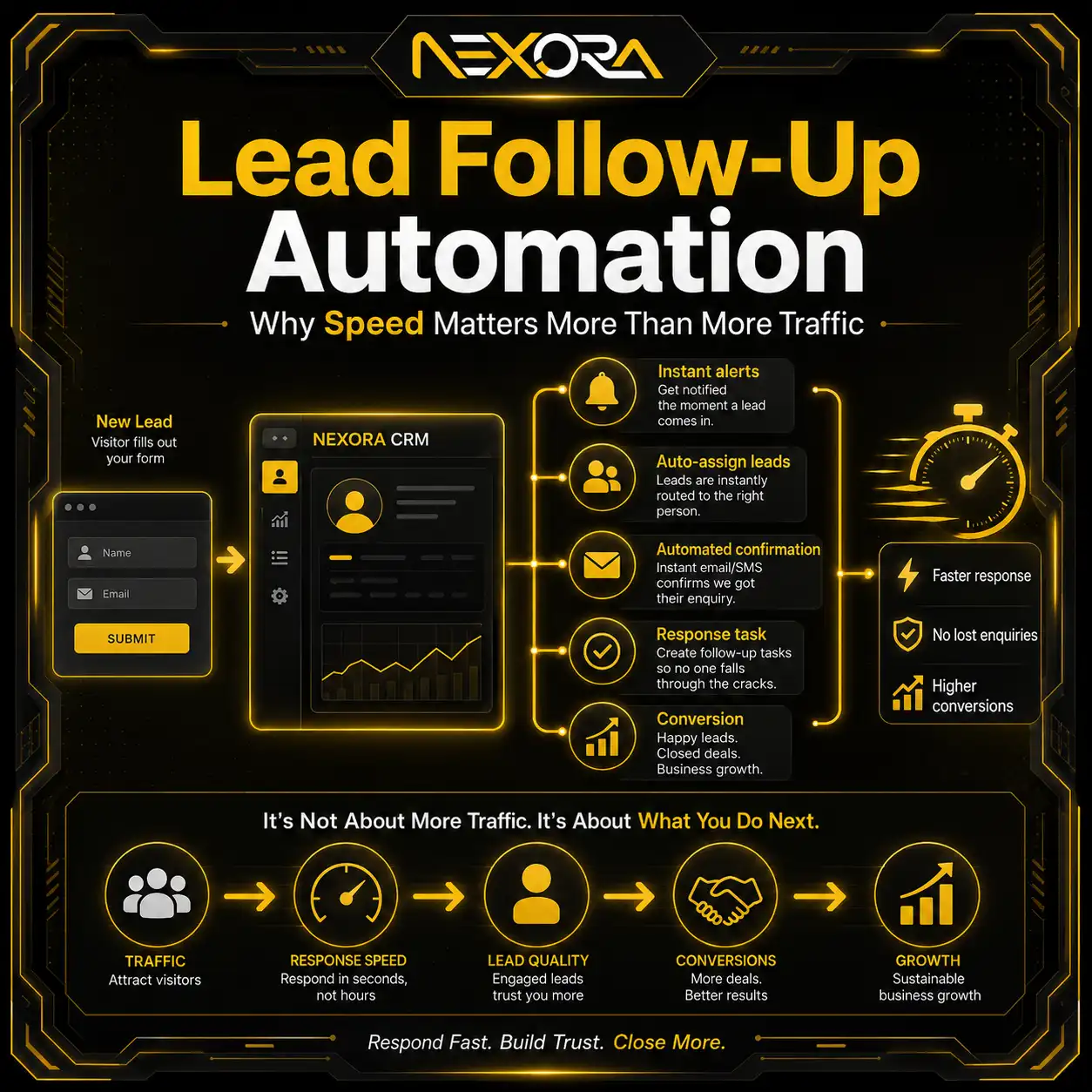
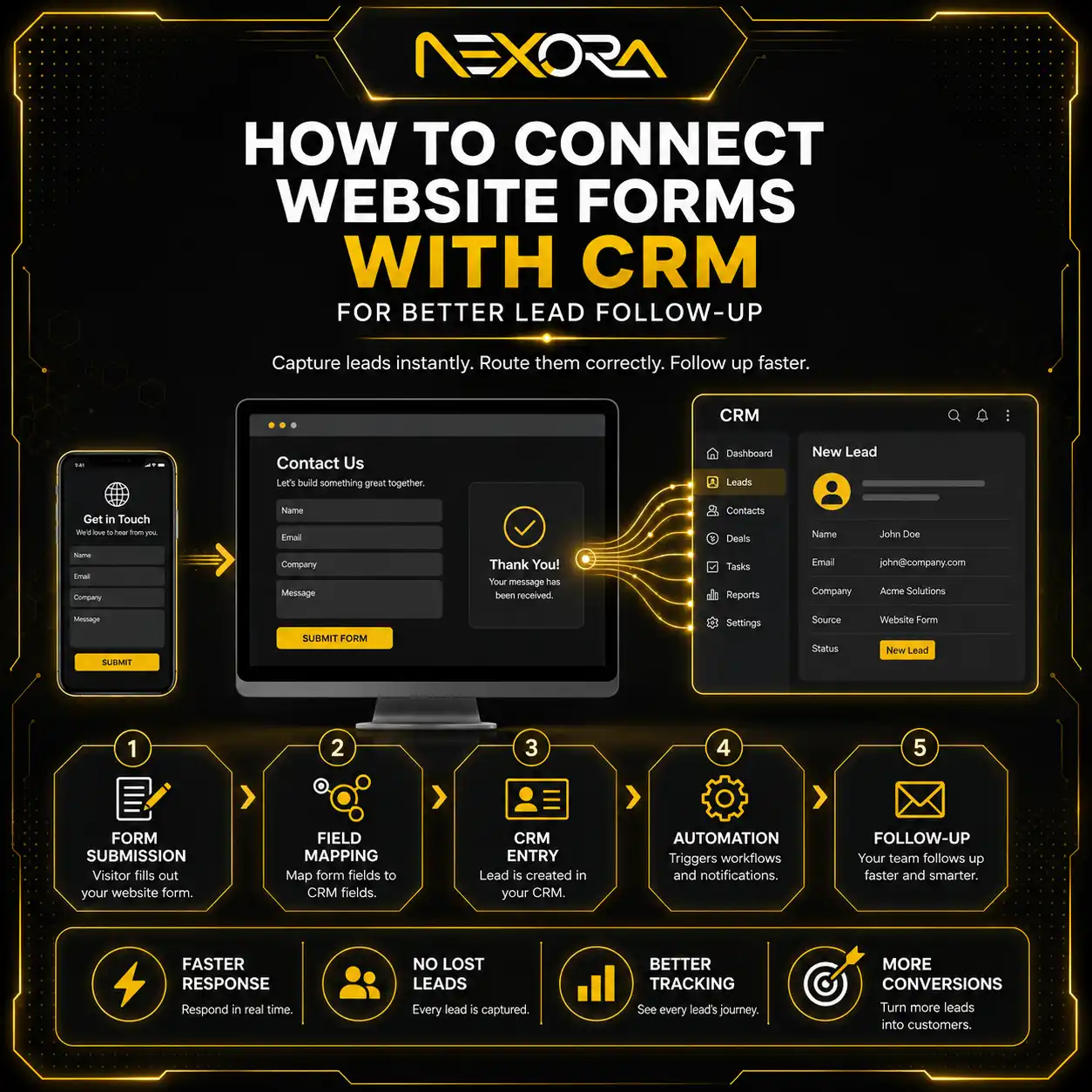
- Connect to CRM if possible
- Show confirmation messages
- Track submissions
- Have spam protection
- Load quickly
- Are easy to find
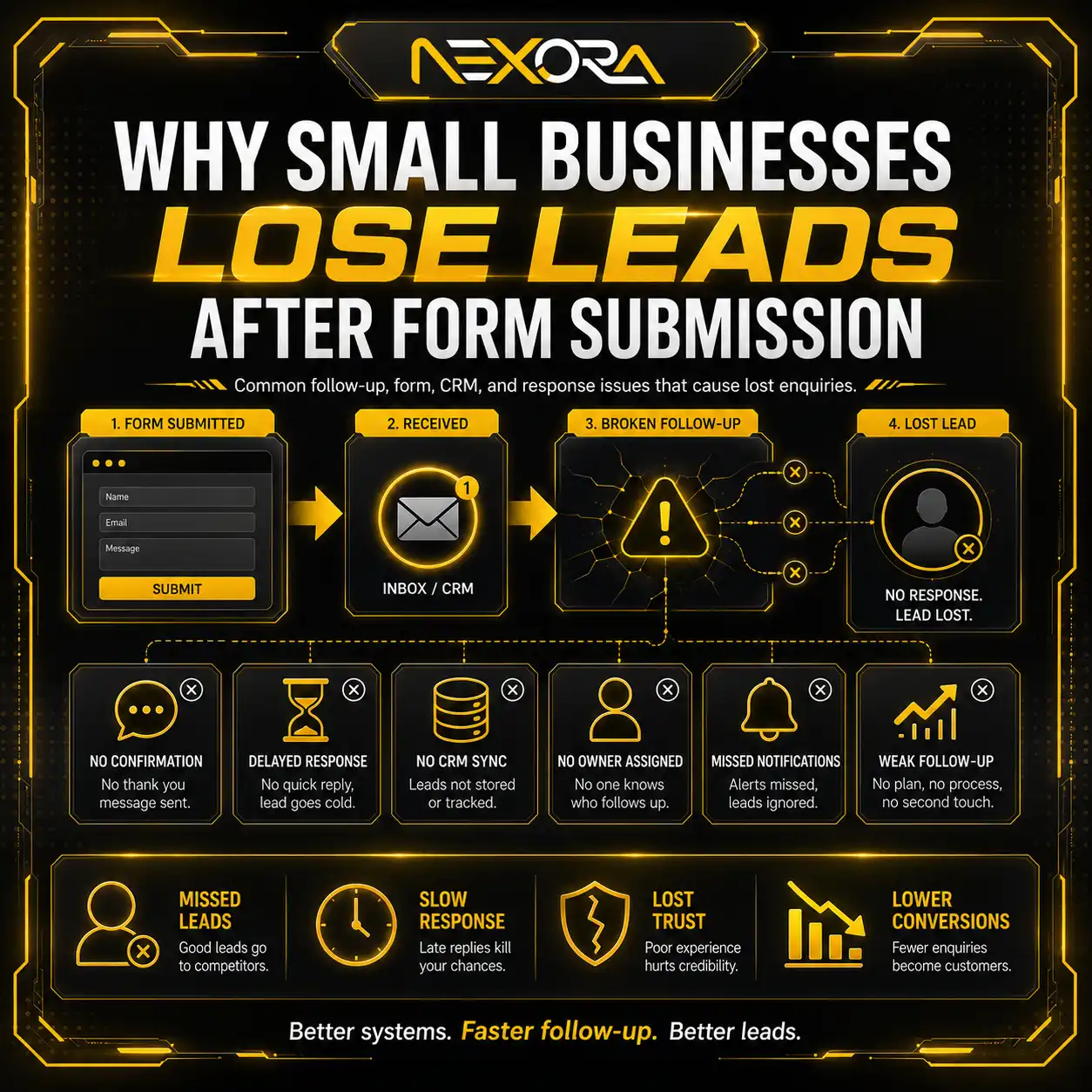
If forms are broken or hard to use, your SEO traffic may not turn into leads.
If your WordPress website gets traffic but leads are not being captured properly, Nexora Creation can help connect forms with CRM automation and lead tracking.
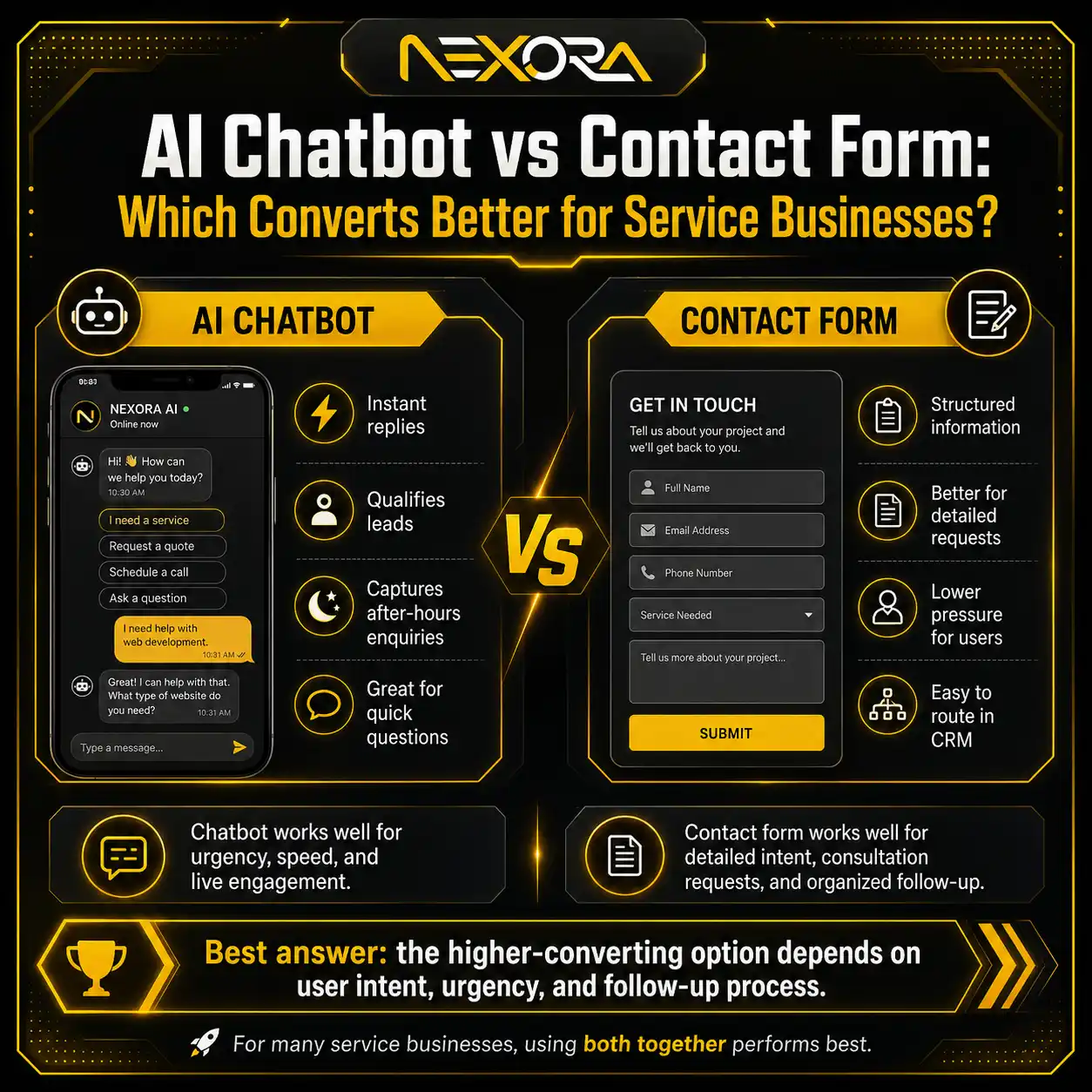
How can AI chatbots help WordPress SEO traffic convert?
AI chatbots can help convert WordPress SEO traffic by answering questions and guiding visitors toward action.
A visitor may land on a blog but not be ready to fill out a form.
An AI chatbot can help answer:
- Do you offer this service?
- How much does it cost?
- Can I book a consultation?
- What happens after I contact you?
- Do you work with my type of business?
- Can someone review my website?
A chatbot can also qualify leads by asking:
- What service do you need?
- What is your website URL?
- What is your goal?
- What is your budget range?
- How soon do you need help?
- What is your contact information?
For WordPress websites, chatbots should support the user journey.
They should not replace clear service pages, CTAs, or forms.
AI Voice Agent & Chatbot Services
How can WordPress websites support local SEO?
WordPress websites can support local SEO by clearly showing local services, locations, and trust signals.
For local businesses, WordPress pages should include:
- Business name
- Address, if applicable
- Service area
- Phone number
- Google Business Profile link
- Local service pages
- Local FAQs
- Reviews
- Testimonials
- Local schema
- Contact details
- Location-based headings
- Local project examples
For example:
A roofing company should have pages like:
- Roof Repair Services in Tampa
- Emergency Roof Leak Repair in Tampa
- Roof Replacement Services in Tampa
A digital agency may have pages targeting local or niche services.
Local SEO works best when Google Business Profile and website content support each other.
If your WordPress site does not clearly show what you do and where you serve, local SEO becomes harder.
How should WordPress content be updated for AI Search?
WordPress content should be updated regularly to stay accurate, useful, and aligned with search behavior.
Old blogs may need updates if they have:
- Outdated examples
- Weak introductions
- Missing FAQs
- No internal links
- Generic headings
- Broken links
- Thin content
- Old screenshots
- No CTA
- No connection to services
To update old WordPress content for AI Search:
- Add a direct answer in the introduction
- Rewrite vague headings into questions
- Add current examples
- Add FAQs
- Add internal links
- Improve formatting
- Add trust signals
- Update meta title and description
- Add relevant CTA
- Check page speed
- Check indexing
Old content can become a strong SEO asset when updated properly.
Do not only change the date.
Improve the content.
How can WordPress websites build trust for SEO and AI Search?
Trust signals help users and search systems understand that your business is credible.
A WordPress website should include:
- About page
- Team information
- Client testimonials
- Reviews
- Case studies
- Portfolio
- Contact details
- Real business information
- Service process
- FAQs
- Clear policies
- Secure HTTPS
- Author information for blogs
- Updated content
- Consistent brand identity
For service businesses, trust is essential.
Visitors want to know:
- Who is behind the business?
- Have they done this before?
- Can I contact them easily?
- Do they understand my problem?
- Are their claims believable?
- What happens after I submit a form?
Trust signals support both SEO and conversions.
What WordPress SEO mistakes should you avoid?
Common WordPress SEO mistakes include:
- Relying only on an SEO plugin
- Using slow hosting
- Installing too many plugins
- Using heavy themes
- Ignoring mobile design
- Leaving pages noindexed
- Using poor permalink structure
- Publishing thin blogs
- Missing service pages
- No internal linking
- No schema
- Duplicate title tags
- Missing meta descriptions
- Broken links
- No image optimization
- No Google Search Console setup
- No lead tracking
- Weak CTAs
- Not updating old content
These mistakes can limit both traditional SEO and AI Search visibility.
The fix is to build a strong foundation and improve over time.
What WordPress SEO checklist should small businesses follow?
Use this WordPress SEO and AI Search checklist:
1. Set clean permalinks
Use readable URLs.
2. Install one SEO plugin
Use Rank Math, Yoast, AIOSEO, or SEOPress.
3. Check index settings
Make sure important pages are indexable.
4. Submit XML sitemap
Add your sitemap to Google Search Console.
5. Improve page speed
Compress images, use caching, and reduce bloat.
6. Optimize mobile UX
Make the website easy to use on phones.
7. Build clear service pages
Create focused pages for key services.
8. Use question-based content
Structure blogs and FAQs around real questions.
9. Add schema
Use accurate schema where relevant.
10. Build internal links
Link blogs to service pages naturally.
11. Optimize images
Use alt text, compression, and WebP.
12. Add trust signals
Use testimonials, case studies, reviews, and clear business details.
13. Add CTAs
Guide visitors toward contact, booking, or audit pages.
14. Track conversions
Track forms, calls, bookings, and CRM leads.
15. Update old content
Refresh old blogs for AI Search and user intent.
This checklist helps your WordPress website support SEO, AI Search, and lead generation.
How can Nexora Creation help optimize WordPress websites?
Nexora Creation helps businesses build and optimize WordPress websites that are designed for SEO, AI Search, and lead generation.
A strong WordPress website should not only look professional.
It should support:
- Technical SEO
- Fast loading speed
- Mobile-friendly design
- Service page structure
- SEO-friendly content
- AEO-friendly headings
- GEO content planning
- Internal linking
- Schema setup
- Blog optimization
- Trust signals
- CTA placement
- Contact forms
- CRM automation
- AI chatbot integration
- Conversion tracking
If your WordPress website is not ranking, not appearing in AI Search, or not generating leads, the issue may be your full website system.
What is the best way to optimize WordPress for SEO and AI Search?
The best way to optimize WordPress for SEO and AI Search is to combine technical SEO, helpful content, clear structure, and conversion-focused design.
Start with:
- Clean technical setup
- Fast hosting
- SEO plugin configuration
- Indexable pages
- Clear service pages
- Helpful blog content
- Question-based headings
- FAQs
- Schema markup
- Internal links
- Image optimization
- Mobile UX
- Trust signals
- CTAs
- Lead tracking
Do not rely on one plugin or one tool.
WordPress SEO works best when the entire website is built around visibility, usefulness, trust, and conversion.
Conclusion
Optimizing a WordPress website for SEO and AI Search requires more than installing an SEO plugin.
Your website needs to be technically strong, fast, mobile-friendly, easy to crawl, helpful for users, structured for answers, and clear enough for search engines and AI systems to understand.
For small businesses, the goal is not only to rank.
The goal is to turn visibility into leads.
That means your WordPress website should include:
- Strong technical SEO
- Clear service pages
- Helpful blogs
- Question-based headings
- FAQs
- Internal links
- Schema
- Optimized images
- Fast speed
- Trust signals
- CTAs
- Forms
- CRM or lead tracking
SEO and AI Search are not separate from business growth.
They should help people find your website, understand your services, trust your business, and contact you.
That is how a WordPress website becomes a real growth asset.
FAQs
Is WordPress good for SEO?
Yes, WordPress can be very good for SEO when it is set up properly with clean URLs, fast performance, helpful content, internal links, schema, mobile design, and proper indexing.
Which WordPress SEO plugin is best?
Popular options include Rank Math, Yoast SEO, All in One SEO, and SEOPress. The best plugin depends on your needs, but you should use only one main SEO plugin to avoid conflicts.
How do I optimize WordPress for AI Search?
Optimize WordPress for AI Search by using answer-first content, question-based headings, FAQs, schema, helpful service pages, clear internal links, fast speed, trust signals, and crawlable content.
Does page speed affect WordPress SEO?
Yes, page speed affects user experience, conversions, and SEO performance. A slow WordPress website can reduce engagement and lead generation.
Should WordPress blogs use FAQs?
Yes, FAQs can help answer specific user questions, improve readability, support AEO, and make content easier for AI systems to understand.
Does schema help WordPress SEO?
Schema helps search engines understand content more clearly. It does not guarantee rankings, but it can support clarity for articles, FAQs, local businesses, breadcrumbs, and services.
How often should WordPress content be updated?
Important WordPress content should be reviewed every 6 to 12 months. SEO, AI Search, tools, and platform-related topics may need more frequent updates.
Can a WordPress website generate leads from SEO?
Yes, a WordPress website can generate leads from SEO if it has clear service pages, helpful content, strong CTAs, trust signals, forms, internal links, and lead tracking.