A service page ranks and converts when it clearly explains one specific service, matches the search intent behind that service, builds trust, answers buyer questions, and gives visitors a simple next step to contact, book, call, or request a quote.
A service page is not just a digital brochure.
It is one of the most important lead-generation assets on a business website.
A strong service page should help Google understand:
- What service you offer
- Who the service is for
- What problem the service solves
- Which location or audience the page targets
- Which related pages support the topic
- Which questions the page answers
- Why the page deserves to rank
A strong service page should also help users understand:
- What you do
- Why they need it
- What is included
- How your process works
- Why they should trust you
- What makes your offer different
- What to do next
Many service pages fail because they are too thin, too generic, too broad, or too focused on the business instead of the customer.
A weak service page may say:
“We provide professional services. Contact us today.”
That is not enough.
A page that ranks and converts needs structure, search intent, helpful content, internal links, trust proof, CTAs, user experience, and lead tracking.
At Nexora Creation, I build service pages as SEO and conversion systems. The goal is not only to rank. The goal is to attract the right visitors and turn them into qualified leads.
In this guide, I will show you how to create service pages that rank on Google and convert visitors into enquiries.
What is a service page?
A service page is a dedicated website page that explains one specific service your business offers.
Examples include:
- SEO Services
- Website Development Services
- CRM Automation Services
- AI Voice Agent and Chatbot Services
- Local SEO Services
- WordPress Website Design
- Landing Page Development
- Google Ads Landing Page Design
- Technical SEO Audit
- Website Conversion Optimization
A service page should not only list the service name.
It should explain the problem, solution, benefits, process, proof, FAQs, and next step.
A strong service page works like a sales conversation.
It helps the visitor move from:
- “I have a problem”
- “This service can solve it”
- “This business understands my situation”
- “I trust them”
- “I should contact them”
That is why service pages matter for SEO and conversions.
Why are service pages important for SEO?
Service pages are important for SEO because they target commercial-intent keywords.
Commercial-intent keywords are searches from users who may be close to hiring, booking, comparing, or requesting help.
Examples include:
- SEO services for small businesses
- Website development services
- CRM automation agency
- AI chatbot service for business
- Local SEO services
- WordPress website design company
- Landing page design service
- Technical SEO audit service
Blogs often attract informational traffic.
Service pages attract business traffic.
That is why every important service needs a dedicated page.
A strong service page can rank for:
- Main service keywords
- Long-tail service keywords
- Local service keywords
- Problem-aware keywords
- Comparison keywords
- Industry-specific keywords
- Buyer-intent queries
If your service pages are weak, your website may get traffic but not leads.

Why do many service pages fail to rank?
Service pages fail to rank when Google cannot clearly understand the page or when the page does not satisfy search intent.
Common SEO problems include:
- Thin content
- Generic copy
- Weak title tag
- Weak meta description
- Poor H1
- No keyword intent match
- No clear service focus
- Multiple services on one page
- No supporting content
- No internal links
- No FAQs
- No location relevance
- Poor URL structure
- No trust signals
- Duplicate content
- Weak technical SEO
- Slow page speed
- Poor mobile experience
- No schema-ready structure
A service page that only has 200 words and one contact button may not be enough for competitive searches.
Google needs enough context to understand the page.
Users need enough information to trust the business.
Why do many service pages fail to convert?
Service pages fail to convert when visitors do not feel clear, confident, or motivated to take action.
Common conversion problems include:
- Weak headline
- No clear value proposition
- CTA is hidden
- Form is too long
- No trust proof
- No reviews
- No process explanation
- No pricing guidance
- No FAQs
- No examples
- No portfolio
- No service benefits
- No urgency
- No mobile CTA
- Page loads slowly
- Page feels generic
- Visitor does not know what happens next
A page may rank and still fail.
Ranking brings visitors.
Conversion turns visitors into leads.
A high-performing service page needs both.
Should each service have its own page?
Yes, each important service should have its own dedicated page.
One page should not try to rank for every service.
For example, a digital agency should not combine all services into one page only.
Instead, it should have separate pages for:
- Website Development
- SEO Services
- CRM Automation
- AI Voice Agents and Chatbots
- UI/UX Design
- Graphic Design
- Landing Page Development
Each service has different:
- Search intent
- Keywords
- Problems
- Benefits
- FAQs
- CTAs
- Proof
- Buyer concerns
- Internal link opportunities
A dedicated service page gives Google and users a clearer answer.
How do you choose the right keyword for a service page?
Choose a keyword that matches what buyers search when they need that service.
Do not choose only broad keywords.
Focus on keywords that show service intent.
Good service-page keywords include:
- SEO services
- SEO services for small businesses
- Website development services
- WordPress website development
- CRM automation services
- AI chatbot services
- Local SEO services
- Landing page design services
- Technical SEO audit services
Avoid making the main service page target only informational keywords like:
- What is SEO?
- What is CRM?
- What is website design?
- How does SEO work?
- What is a chatbot?
Those topics are better for blogs.
A service page should target users who may be ready to compare, hire, book, or request a quote.
How do you match search intent on a service page?
Search intent means what the user expects to find when they search.
A service page must match buyer intent.
For a service keyword, users usually want to know:
- What the service includes
- Who provides the service
- How the service solves their problem
- How the process works
- What results they can expect
- Whether the provider is trustworthy
- How to contact the provider
- Whether the service fits their business
- What makes the provider different
To match intent, include:
- Service explanation
- Benefits
- Process
- Deliverables
- Proof
- FAQs
- Clear CTA
- Related services
- Contact options
Do not make the page too educational only.
A service page should educate and sell.
What should the ideal service page structure include?
A service page that ranks and converts should include a clear structure.
Use this layout:
- Hero section
- H1 heading
- Value proposition
- Primary CTA
- Problem section
- Service explanation
- Benefits
- What is included
- Process
- Why choose us
- Proof or portfolio
- Related services
- FAQs
- Final CTA
- Contact path
This structure helps both SEO and conversions.
Google gets clear content.
Users get clear answers.
The page feels organized instead of confusing.
How should the hero section be written?
The hero section is the first thing users see.
It should quickly explain the service and the outcome.
A strong hero section includes:
- Clear H1
- Short benefit-driven paragraph
- Primary CTA
- Secondary CTA, if useful
- Trust signal
- Relevant visual or service graphic
Weak hero:
“Professional Digital Solutions”
Better hero:
“SEO Services That Turn Search Traffic Into Qualified Leads”
Weak hero paragraph:
“We provide SEO services for all businesses.”
Better hero paragraph:
“We help small businesses improve Google visibility, fix technical SEO issues, create helpful content, and turn organic traffic into measurable enquiries.”
Strong CTA examples:
- Request an SEO Audit
- Schedule a Consultation
- Get a Website Review
- Request a Quote
- Improve Your Lead Flow
The hero should answer the user’s main question quickly.
How should the H1 be written for a service page?
The H1 should clearly describe the service and the value.
A good H1 is specific.
Examples:
- SEO Services for Small Businesses
- Website Development Services Built for Lead Generation
- CRM Automation Services That Reduce Lost Leads
- AI Voice Agent and Chatbot Services for Service Businesses
- Local SEO Services That Help Businesses Get More Calls
Avoid vague H1s like:
- Our Services
- Solutions
- What We Do
- Digital Growth
- Professional Support
The H1 should make the page topic obvious.
A clear H1 helps users and search engines understand the page faster.
How should the introduction answer buyer intent?
The introduction should immediately explain what the service does and why it matters.
A strong service-page intro should answer:
- What is the service?
- Who is it for?
- What problem does it solve?
- What result does it support?
- Why should the user keep reading?
Example:
“Our Website Development Services help small businesses build fast, mobile-friendly, SEO-ready websites that clearly explain services, improve trust, and guide visitors toward calls, forms, bookings, and quote requests.”
This is stronger than:
“We build professional websites for businesses.”
The intro should not waste time.
It should give clarity immediately.
How do you write the problem section?
The problem section shows the visitor that you understand their situation.
It should describe the pain points your service solves.
For a Website Development service page, problems may include:
- Website looks outdated
- Visitors leave quickly
- Contact forms do not convert
- Mobile layout is poor
- Page speed is slow
- Services are unclear
- SEO structure is weak
- CTAs are hidden
- Leads are not tracked
- Users do not trust the website
For an SEO service page, problems may include:
- Website is not ranking
- Organic traffic is dropping
- Keywords are lost
- Content is outdated
- Service pages are weak
- Technical SEO issues exist
- Local visibility is low
- Blogs bring traffic but no leads
- Google Search Console data is confusing
The problem section should make the reader think:
“This is exactly what we are dealing with.”
How do you explain the service clearly?
After the problem section, explain what the service includes.
Do not use vague language.
Be specific.
For example, an SEO service page can explain:
- Keyword intent research
- Technical SEO audit
- Google Search Console analysis
- On-page SEO
- Service-page optimization
- Content strategy
- Internal linking
- Local SEO
- Content refreshes
- SEO reporting
- Conversion tracking
A Website Development page can explain:
- Website planning
- UX structure
- Responsive design
- WordPress development
- Speed optimization
- Service-page creation
- Contact form setup
- SEO-friendly structure
- CRM integration
- Conversion-focused layout
The clearer the service, the easier it is for users to trust the offer.
How do you write benefits that convert?
Benefits explain why the service matters.
Do not only list features.
A feature is what you do.
A benefit is what the client gets.
Feature:
- Technical SEO audit
Benefit:
- Find issues that block rankings, indexing, and organic traffic.
Feature:
- CRM automation
Benefit:
- Reduce missed leads and improve follow-up speed.
Feature:
- Mobile-friendly website
Benefit:
- Make it easier for visitors to call, book, or submit forms from their phones.
Strong service-page benefits include:
- Better visibility
- More qualified traffic
- Stronger trust
- Clearer user journey
- More service-page visits
- More form submissions
- Faster follow-up
- Better lead tracking
- Higher conversion rate
- Improved local presence
Benefits should connect the service to business outcomes.
How do you show what is included?
A “What’s Included” section helps users understand deliverables.
This section is useful for SEO and conversions.
Example for SEO Services:
- SEO audit
- Keyword research
- Competitor analysis
- Technical SEO fixes
- On-page optimization
- Content planning
- Internal linking
- Google Search Console review
- Local SEO improvements
- Reporting
Example for Website Development:
- Website strategy
- Page structure
- UI/UX layout
- WordPress development
- Mobile optimization
- Speed optimization
- Service pages
- Contact forms
- Basic SEO setup
- CRM-ready lead capture
Example for CRM Automation:
- Lead capture setup
- Form integration
- Pipeline creation
- Follow-up automation
- Lead source tracking
- Notifications
- Task reminders
- Reporting dashboard
- Booking integration
- Workflow testing
This section reduces uncertainty.
It also gives Google more service context.
How do you explain your process?
A process section builds trust because users know what happens after they enquire.
A simple process can include:
How does the service process start?
Start with discovery.
You learn about:
- Business goals
- Current website
- Main problems
- Target audience
- Services
- Lead sources
- Competitors
- Current tools
- Tracking setup
How do you create the strategy?
Build a plan based on:
- Search intent
- Website structure
- Service priorities
- User journey
- Technical SEO
- Content needs
- Conversion path
- CRM or automation needs
How do you implement the work?
Implementation may include:
- Page updates
- Website development
- SEO fixes
- Content creation
- Internal links
- CTA improvements
- Form setup
- CRM integration
- Chatbot setup
How do you measure results?
Track:
- Rankings
- Impressions
- Clicks
- Service-page visits
- Form submissions
- Calls
- Chatbot leads
- CRM leads
- Booked consultations
A clear process makes the service feel safer and more professional.
How do you build trust on a service page?
Trust is one of the biggest conversion factors.
Users need proof before contacting a business.
Add trust signals such as:
- Testimonials
- Reviews
- Case studies
- Portfolio examples
- Before-and-after examples
- Screenshots
- Industry experience
- Process clarity
- Team expertise
- Certifications, if available
- Clear contact information
- Transparent expectations
- Real examples
- FAQs
A service page without trust proof feels risky.
A service page with proof feels credible.
Trust signals should appear near:
- Hero section
- Problem section
- CTA sections
- Form section
- Final CTA
Do not hide all proof at the bottom.
Place it where users may feel doubt.
How do case studies improve service-page conversions?
Case studies show that your service has worked in real situations.
A service-page case study can include:
- Client type
- Problem
- Solution
- Work completed
- Results
- Timeline
- Screenshots or visuals
- Testimonial
- Related service
- CTA
A short case study block can work well.
Example structure:
- “The Challenge”
- “What We Fixed”
- “The Result”
- “What This Means for Similar Businesses”
You do not need to exaggerate results.
Honest, specific examples work better than generic claims.
Case studies build confidence.
They help visitors imagine the same result for their business.
How do testimonials help service pages convert?
Testimonials reduce hesitation.
A good testimonial should mention:
- Problem before the service
- What improved
- What the client liked
- Specific service
- Trust or communication
- Outcome, if possible
Weak testimonial:
“Great company. Highly recommended.”
Better testimonial:
“Our old website looked outdated and did not bring many enquiries. After the redesign, our service pages became clearer, mobile experience improved, and customers started using the contact form more often.”
Specific testimonials are more persuasive.
Place testimonials near CTAs.
They support the decision to contact you.
How do you write service-page CTAs?
A service-page CTA should be clear, specific, and action-focused.
Weak CTAs include:
- Submit
- Learn more
- Click here
- Contact us
- Read more
Better CTAs include:
- Request a Website Review
- Schedule an SEO Consultation
- Get a Service Page Audit
- Request a Quote
- Fix Your Lead Flow
- Book a Strategy Call
- Improve Your Website Conversion
- Automate Your Lead Follow-Up
CTA wording should match the service.
For SEO:
- Request an SEO Audit
- Review My Rankings
- Improve Search Visibility
For Website Development:
- Get a Website Review
- Build a Lead-Generating Website
- Improve My Website Structure
For CRM Automation:
- Automate My Follow-Up
- Fix Lost Lead Tracking
- Connect My Forms to CRM
For AI Chatbots:
- Add AI Chatbot Lead Capture
- Reduce Missed Website Leads
- Capture After-Hours Enquiries
The CTA should tell users what happens next.
Where should CTAs appear on a service page?
CTAs should appear throughout the page, not only at the bottom.
Useful CTA placements include:
- Hero section
- After problem section
- After benefits section
- After process section
- Near testimonials
- Near case studies
- FAQ section
- Final section
- Sticky mobile button, if useful
A long service page needs multiple conversion points.
Some users are ready early.
Some need more information.
Use both:
- Primary CTA
- Secondary CTA
Example:
Primary CTA:
- Schedule a Consultation
Secondary CTA:
- View Related Services
This gives users options without creating confusion.
How do forms affect service-page conversion?
Forms can help or hurt conversion.
A form should be easy to complete.
Ask only for information needed to start the conversation.
A good service-page form may ask:
- Name
- Phone
- Website URL
- Service needed
- Main problem
- Preferred contact method
Avoid asking too much too soon.
Long forms can reduce submissions.
But extremely short forms can reduce lead quality.
Balance ease and qualification.
Good form practices include:
- Clear labels
- Mobile-friendly fields
- Short form length
- Trust text near form
- Clear submit button
- Confirmation message
- CRM connection
- Spam protection
- Tracking setup
A form should never feel like a barrier.
It should feel like the next step.
How does CRM automation improve service-page performance?
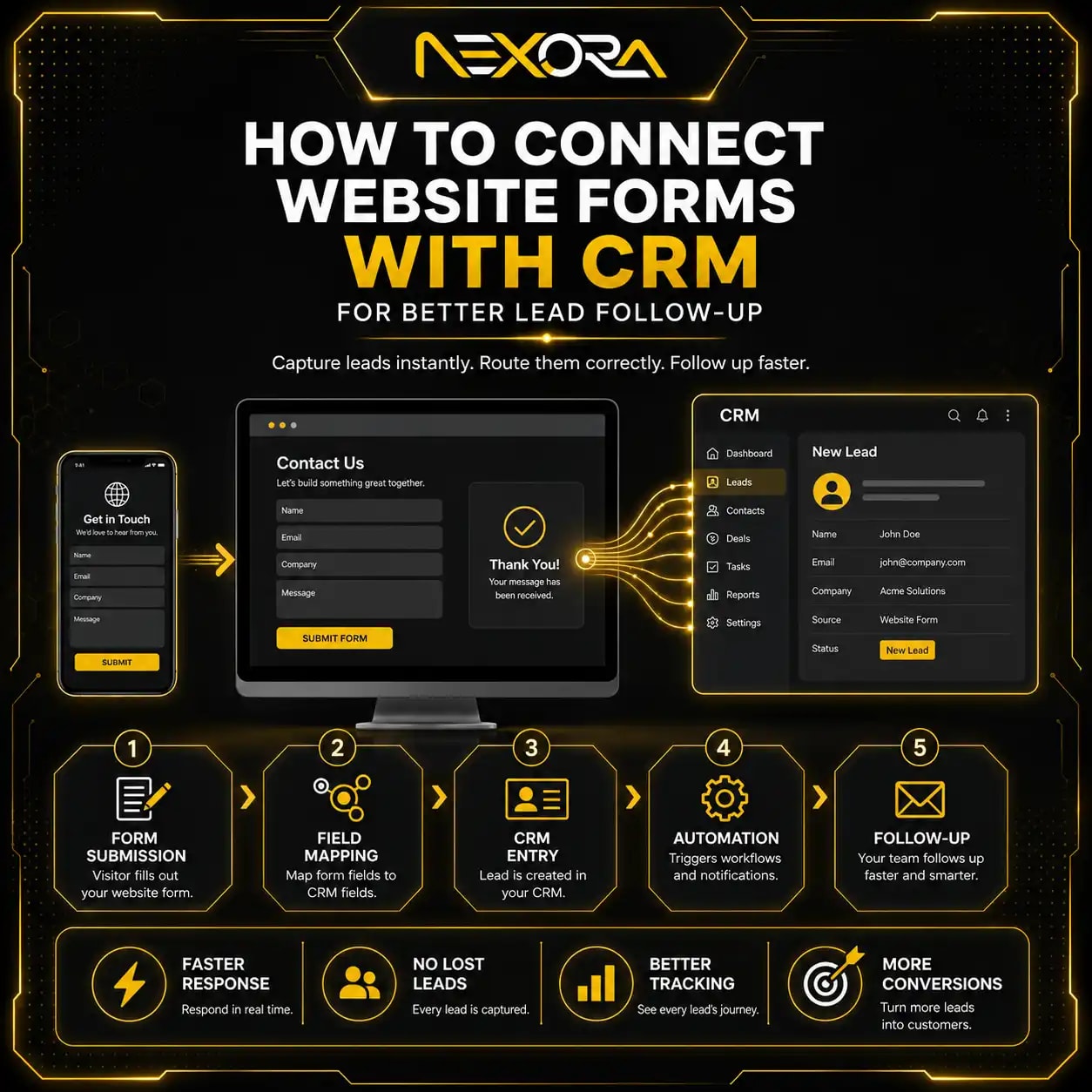
CRM automation helps make sure service-page leads are captured, tracked, and followed up.
A service page may generate enquiries.
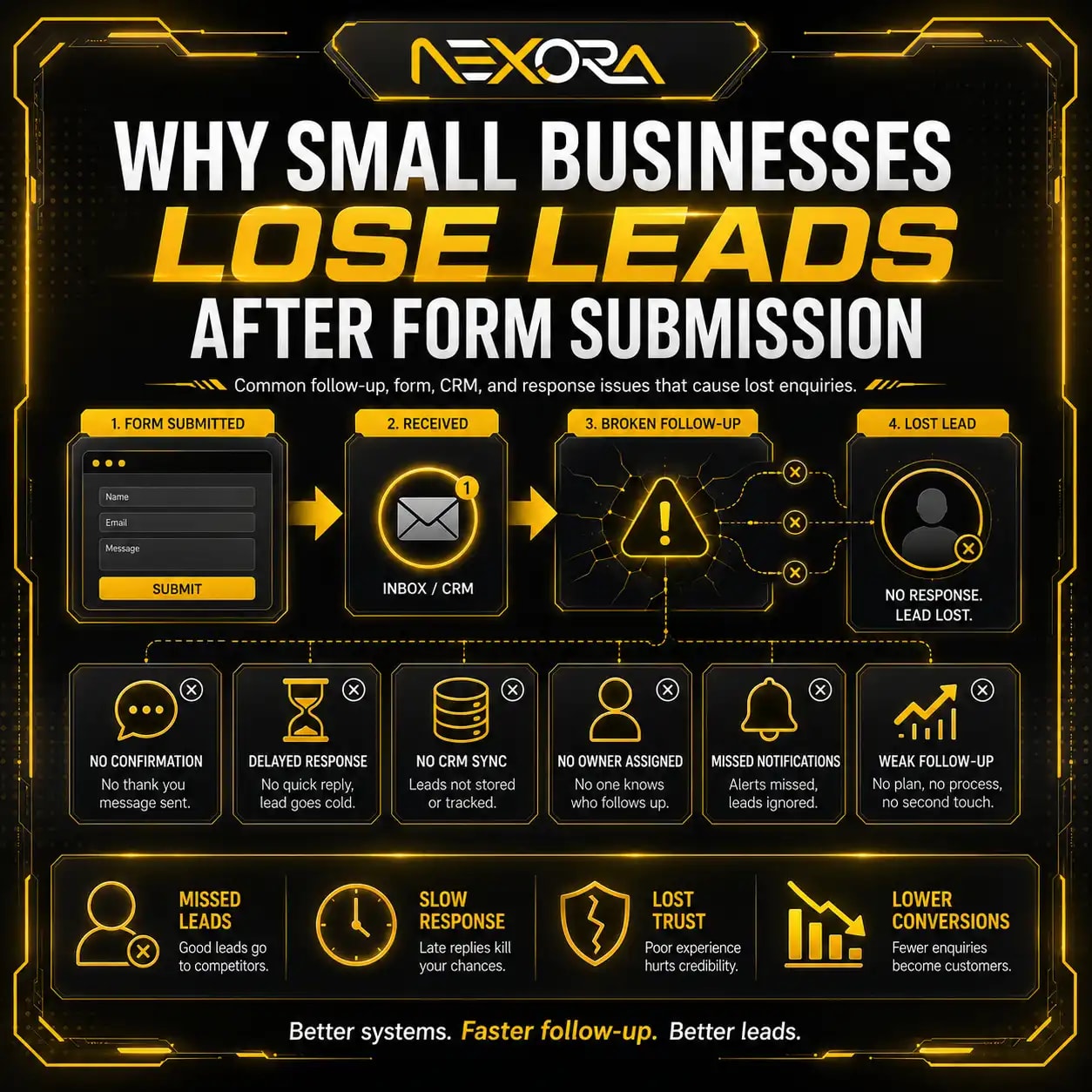
But if those enquiries are not handled quickly, leads can be lost.
CRM automation can help with:
- Capturing form submissions
- Tagging lead source
- Tagging service interest
- Sending notifications
- Assigning leads to team members
- Creating follow-up tasks
- Sending confirmation emails
- Tracking deal stage
- Tracking booked calls
- Measuring lead quality
- Following up automatically
For example, a visitor submits a form on a Website Development page.
The CRM can automatically tag:
- Source: Website
- Page: Website Development
- Interest: Website redesign
- Status: New lead
This helps your team respond faster.
If your service pages generate leads but follow-up is inconsistent, Nexora Creation can help connect forms, calls, chatbot leads, and CRM automation.
Can AI chatbots help service pages convert?
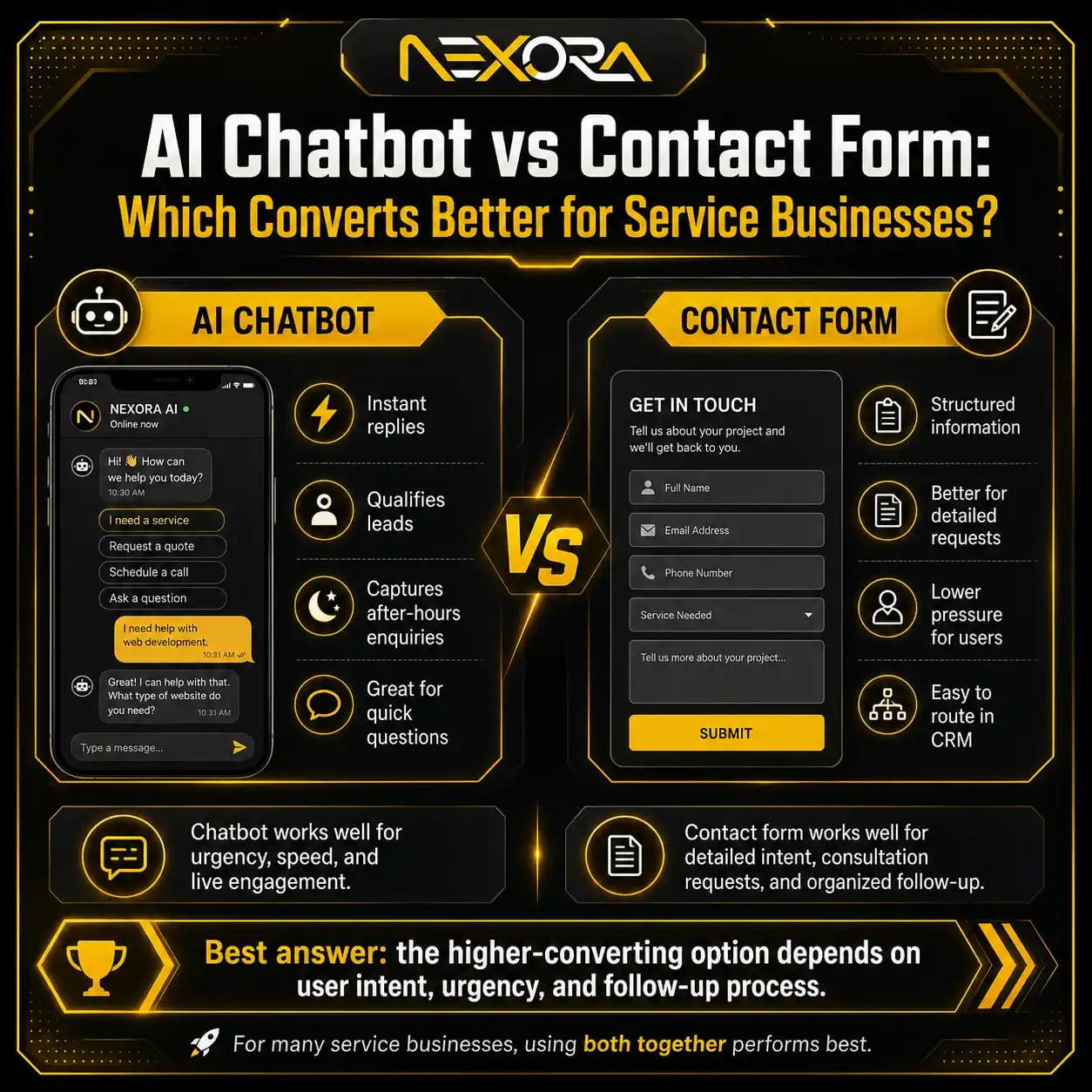
Yes, AI chatbots can help service pages convert by answering questions and capturing leads before visitors leave.
Many visitors are not ready to fill out a form immediately.
They may want to ask:
- Do you offer this service?
- Can you help my type of business?
- How does the process work?
- How soon can we start?
- What information do you need?
- Can I request a quote?
- Do you work with local businesses?
- What happens after I contact you?
An AI chatbot can guide users to:
- Relevant service pages
- Contact page
- Booking page
- Quote request
- Consultation form
It can also collect:
- Name
- Phone
- Website URL
- Service interest
- Main problem
- Preferred contact time
This improves lead capture, especially after hours.
AI Voice Agent & Chatbot Services
How should service pages use internal links?
Internal links help service pages rank and convert.
A service page should link to:
- Related services
- Supporting blog posts
- Case studies
- Contact page
- Location pages
- FAQs
- Portfolio examples
- Lead capture pages
For example, an SEO Services page can link to:
- Content Decay SEO
- Technical SEO Issues
- Lost Keywords in Google Search Console
- SEO Recovery Checklist
- Internal Linking Strategy
- Contact Us
A Website Development page can link to:
- SEO Website Structure
- Website Not Generating Leads
- Landing Page vs Website
- Google Ads Landing Page Experience
- CRM Automation Services
- Contact Us
Internal links should not be random.
They should guide users to the next useful page.
How should blogs support service pages?
Blogs should support service pages by answering related questions and linking back to the service page.
For example, a service page about SEO can be supported by blogs like:
- Lost Keywords in Google Search Console
- Content Decay SEO
- Technical SEO Issues That Cause Ranking Loss
- SEO Recovery Checklist
- How to Compare GSC Data During an SEO Drop
- Internal Linking Strategy
- SEO Website Structure
A service page about Website Development can be supported by blogs like:
- Why Your Website Is Not Generating Leads
- SEO Website Structure
- Landing Page vs Website for Google Ads
- Service Page Design
- Website Redesign SEO Checklist
Blogs build topical authority.
Service pages capture demand.
Internal links connect both.
How do headings help service pages rank?
Headings help Google and users understand the page structure.
A service page should use:
- One clear H1
- Helpful H2 sections
- H3 subsections where needed
- Natural keywords
- Clear service language
- Buyer-focused questions
- Easy-to-scan sections
Good H2 examples:
- What is included in our SEO service?
- Who needs this service?
- How does our process work?
- Why choose our team?
- What problems does this service solve?
- How do we measure results?
- What happens after you contact us?
Avoid vague headings like:
- Overview
- More Info
- Details
- Solutions
- Benefits
Clear headings improve readability.
They also support AI search and featured-answer style visibility.
How do FAQs help service pages rank and convert?
FAQs help service pages answer buyer objections.
They also add useful search intent coverage.
Good service-page FAQs include:
- What is included in this service?
- How much does it cost?
- How long does it take?
- Who is this service for?
- Do you work with small businesses?
- Can this service generate leads?
- What do you need from us?
- What happens after we submit the form?
- How do you measure results?
- Can you work with our existing website?
FAQs should be specific.
They should help users decide.
Do not add generic FAQs only for SEO.
Add questions real buyers ask before contacting you.
How should service pages use local SEO?
Local service businesses should add local relevance to service pages.
This can include:
- City or service area mention
- Local problems
- Areas served
- Local reviews
- Local FAQs
- Google Business Profile connection
- Local case studies
- Location-specific CTAs
- Map or service area section, if useful
For example:
A local SEO service page may mention:
- Businesses served in the target city
- Local search visibility
- Google Business Profile optimization
- Local reviews
- Map pack rankings
- Service-area pages
Avoid stuffing city names.
Local relevance should feel natural and useful.
How do visuals improve service-page conversion?
Visuals help users understand the service faster.
Useful visuals include:
- Process graphics
- Before-and-after examples
- Screenshots
- Website mockups
- Dashboard screenshots
- Case study graphics
- Icons for benefits
- Portfolio examples
- Service workflow diagrams
- Team or brand photos
Visuals should support the content.
Do not add random stock images that do not explain anything.
For service pages, the best visuals show:
- What you do
- How your process works
- What the result looks like
- Why users should trust you
A strong visual can reduce confusion and increase trust.
How does page speed affect service-page conversion?
Page speed affects both user experience and conversion.
If a service page loads slowly, visitors may leave before reading the offer.
Slow pages can reduce:
- Engagement
- Form submissions
- Phone clicks
- Service-page visits
- Trust
- Mobile conversions
- Google Ads landing page performance
- Organic results quality
Common speed issues include:
- Large images
- Too many scripts
- Heavy page builders
- Poor hosting
- Unoptimized fonts
- Too many animations
- Slow plugins
- No caching
- Render-blocking CSS
- Third-party tracking scripts
A service page should be fast, especially on mobile.
Speed is not only a technical issue.
It is a conversion issue.
How does mobile UX affect service-page leads?
Many visitors view service pages on mobile.
A mobile service page should make action easy.
Check:
- Is the text readable?
- Are buttons easy to tap?
- Is the form easy to complete?
- Is the phone number clickable?
- Is the CTA visible?
- Does the page load quickly?
- Is the menu easy to use?
- Are sections easy to scan?
- Are images optimized?
- Is the form too long?
- Do popups block content?
A mobile visitor should not struggle to contact you.
Use:
- Click-to-call button
- Short form
- Sticky CTA, if useful
- Clear section spacing
- Fast loading
- Simple navigation
- Strong headline
- Easy contact path
Service-page conversion often depends on mobile experience.
How do title tags and meta descriptions help service pages rank?
Title tags and meta descriptions influence how your service page appears in search results.
A strong title tag should include:
- Main service keyword
- Business value
- Location, if relevant
- Clear wording
- No keyword stuffing
Examples:
- SEO Services for Small Businesses | Nexora Creation
- Website Development Services Built for Lead Generation
- CRM Automation Services for Growing Businesses
A strong meta description should explain:
- What the service does
- Who it helps
- What outcome it supports
- Why the user should click
Example:
“Get SEO services that improve search visibility, fix technical issues, strengthen content, and turn organic traffic into qualified business leads.”
Avoid vague meta descriptions like:
“We offer professional services for all businesses. Contact us today.”
The snippet should match search intent.
How should service-page URLs be structured?
Service-page URLs should be short, clear, and stable.
Good examples:
/services/search-engine-optimization//services/website-development//services/crm//services/ai-voice-agents-chat-bot//services/local-seo//services/landing-page-development/
Weak examples:
/page-id-123//service1//best-seo-services-company-cheap-ranking//new-final-service-page//what-we-do/seo-page/
A good URL should be:
- Short
- Descriptive
- Lowercase
- Hyphen-separated
- Service-focused
- Easy to read
- Stable over time
Do not change service-page URLs without a strong reason.
URL changes can create SEO risk if redirects are not handled properly.
How can schema support service pages?
Schema markup can help search engines understand page context.
Useful schema types may include:
- Service
- Organization
- LocalBusiness
- FAQPage
- BreadcrumbList
- Review, when valid
- WebPage
Schema does not replace strong content.
It supports clear content.
Use schema honestly.
Do not add fake reviews or markup content that users cannot see.
For service pages, schema can help clarify:
- Business name
- Service type
- Location
- FAQs
- Breadcrumbs
- Contact information
- Organization details
Schema should support the page structure.
How do you avoid keyword cannibalization with service pages?
Keyword cannibalization happens when multiple pages compete for the same search intent.
For service pages, this can happen when you create too many similar pages.
Example problem:
- SEO Services
- SEO Agency
- SEO Company
- SEO Consultant
- Search Engine Optimization Service
If all pages say the same thing, Google may not know which one to rank.
Fix this by giving each page a unique role.
Examples:
- SEO Services: main commercial service page
- Local SEO Services: local ranking service page
- Technical SEO Audit: technical diagnostic service page
- SEO Recovery Checklist: blog guide
- Content Decay SEO: blog guide
Each page should have different intent.
Do not create duplicate service pages just to target keyword variations.
How do you measure if a service page is ranking?
Use Google Search Console to track service-page SEO performance.
Check:
- Clicks
- Impressions
- CTR
- Average position
- Queries
- Pages
- Countries
- Devices
- Search appearance
For each service page, monitor:
- Main service keyword
- Long-tail variations
- Local queries
- Problem-aware queries
- Branded queries
- Non-branded queries
- Service-page impressions
- Ranking changes
- CTR changes
Also check indexing.
A service page cannot rank if it is not indexed.
Use URL Inspection to confirm:
- Page is indexed
- Crawl allowed
- Indexing allowed
- Correct canonical
- Sitemap discovery
- Last crawl date
How do you measure if a service page is converting?
Use analytics and CRM data to measure conversions.
Track:
- Form submissions
- Phone clicks
- Booking clicks
- Quote requests
- Chatbot leads
- Consultation requests
- Contact page visits
- CTA clicks
- Scroll depth
- Engagement
- CRM lead source
- Booked calls
- Closed deals
A service page may rank but not convert.
In that case, check:
- CTA clarity
- Form length
- Trust proof
- Mobile UX
- Page speed
- Service explanation
- Offer clarity
- Testimonials
- Process section
- Pricing guidance
- Follow-up speed
Ranking without conversion is incomplete.
Conversion without tracking is invisible.
How often should you update service pages?
Service pages should be reviewed regularly.
Review high-value service pages every:
- 3 months for competitive services
- 6 months for active service pages
- 12 months for stable evergreen services
- Immediately after major service changes
- Immediately after ranking drops
- Immediately after redesigns
- Immediately after new offers or pricing changes
Update service pages when:
- Search intent changes
- Competitors improve
- Rankings drop
- CTR drops
- Leads decline
- Service details change
- New FAQs appear
- New proof becomes available
- Internal links need updating
- Design feels outdated
- Page speed worsens
A service page should not be published and forgotten.
It should be maintained like a business asset.
What service-page mistakes should you avoid?
Avoid these common mistakes:
- One page for all services
- Thin content
- Generic copy
- No search intent match
- Weak H1
- Weak title tag
- No internal links
- No FAQs
- No CTA above the fold
- No trust signals
- No reviews
- No process section
- No service details
- Too many services on one page
- Duplicate service pages
- No lead tracking
- Long confusing forms
- Slow loading
- Poor mobile UX
- No CRM connection
- No supporting blogs
- No local relevance, if local
- No conversion path
A service page should not leave users guessing.
It should clearly answer, explain, prove, and guide.
How can Nexora Creation help create service pages?
Nexora Creation helps businesses create service pages that are structured for SEO, user experience, and lead generation.
For service pages, we can help with:
- Service-page strategy
- Search intent research
- SEO page structure
- Website copy planning
- Service-page design
- WordPress development
- CTA placement
- Internal linking
- FAQ planning
- Technical SEO setup
- Page speed improvement
- Mobile UX optimization
- CRM lead tracking
- AI chatbot lead capture
- Conversion tracking
- Content refreshes
- Service-page audits
The goal is not only to make a page look good.
The goal is to create a page that Google can understand, users can trust, and leads can come through.
If your service pages are not ranking or visitors are not converting, the problem may be structure, content, UX, trust, CTA flow, or tracking.
What is the best service-page structure for SEO and conversions?
The best service-page structure combines ranking signals and conversion signals.
Use this framework:
What should appear above the fold?
Include:
- Clear H1
- Service value proposition
- Primary CTA
- Secondary CTA
- Trust signal
- Short benefit-focused intro
What should explain the problem?
Include:
- Customer pain points
- Common mistakes
- Business impact
- Why the service matters
What should explain the solution?
Include:
- Service overview
- What is included
- Benefits
- Process
- Deliverables
- Related services
What should build trust?
Include:
- Testimonials
- Case studies
- Portfolio examples
- Reviews
- Process clarity
- FAQs
- Real examples
What should drive action?
Include:
- CTA buttons
- Short form
- Click-to-call option
- Contact page link
- Chatbot option
- CRM-connected lead capture
This structure helps the page rank and convert.
Conclusion
A service page that ranks and converts needs more than a service name and contact button.
It needs a clear strategy.
A strong service page should include:
- Clear keyword intent
- Strong H1
- Helpful introduction
- Problem section
- Service explanation
- Benefits
- What is included
- Process
- Trust proof
- Case studies
- Testimonials
- FAQs
- Internal links
- Strong CTAs
- Fast page speed
- Mobile-friendly layout
- Lead tracking
- CRM connection
Google needs clarity.
Users need trust.
Your business needs leads.
When a service page explains the service clearly, answers buyer questions, connects to related content, and guides users toward action, it becomes more than a page.
It becomes a lead-generation asset.
FAQs
What is a service page?
A service page is a dedicated website page that explains one specific service, who it is for, what problem it solves, what is included, and how visitors can take the next step.
How do I make a service page rank on Google?
Match search intent, use a clear title and H1, write helpful service content, add FAQs, improve internal links, optimize technical SEO, and support the page with related blogs.
How do I make a service page convert?
Use a strong headline, clear benefits, trust signals, testimonials, case studies, visible CTAs, short forms, mobile-friendly layout, and a clear contact path.
Should every service have its own page?
Yes. Every important service should have its own dedicated page because each service has different search intent, keywords, benefits, FAQs, and conversion paths.
How long should a service page be?
A service page should be long enough to answer buyer questions clearly. The goal is not word count. The goal is usefulness, clarity, trust, and conversion.
What should a service page include?
A strong service page should include a hero section, problem section, service explanation, benefits, what is included, process, trust proof, FAQs, CTAs, and contact options.
Do service pages need FAQs?
Yes. FAQs help answer buyer objections, improve topical coverage, support AI search visibility, and help users decide before contacting you.
Should service pages link to blogs?
Yes. Service pages should link to supporting blogs when users may need more education. Blogs should also link back to relevant service pages.
Can internal links help service pages rank?
Yes. Internal links help Google understand page importance, connect related topics, support service-page authority, and guide visitors toward the next step.
Why is my service page getting traffic but no leads?
Your page may have weak CTAs, poor trust signals, unclear service copy, long forms, poor mobile UX, slow speed, no proof, or broken lead tracking.
How often should I update service pages?
Review important service pages every 3 to 6 months, after ranking drops, after service changes, after redesigns, or when competitors improve.
What is the biggest service-page mistake?
The biggest mistake is creating thin, generic service pages that do not explain the problem, solution, benefits, proof, process, or next step.