HVAC website design in Phoenix needs to do one thing fast:
Turn urgent heatwave visitors into phone calls, quote requests, and booked AC repair jobs.
Phoenix homeowners do not browse HVAC websites the same way they browse normal business websites.
When the temperature is high and an AC system stops working, the visitor is usually stressed, impatient, and ready to call someone who looks reliable.
That means your website has only a few seconds to answer:
- Do you offer emergency AC repair?
- Do you serve Phoenix and nearby areas?
- Can I call you now?
- Are you trusted by local homeowners?
- Can someone help today?
- Is the website easy to use on mobile?
If your HVAC website is slow, confusing, outdated, hard to use on mobile, or missing a clear call button, you may lose that visitor to another contractor.
For Phoenix HVAC companies, website design is not only about looking professional.
It is about speed, trust, urgency, and lead capture.
At Nexora Creation, we look at HVAC websites as conversion systems. A good website should support SEO, Google Ads, local search, emergency AC repair intent, and fast follow-up.
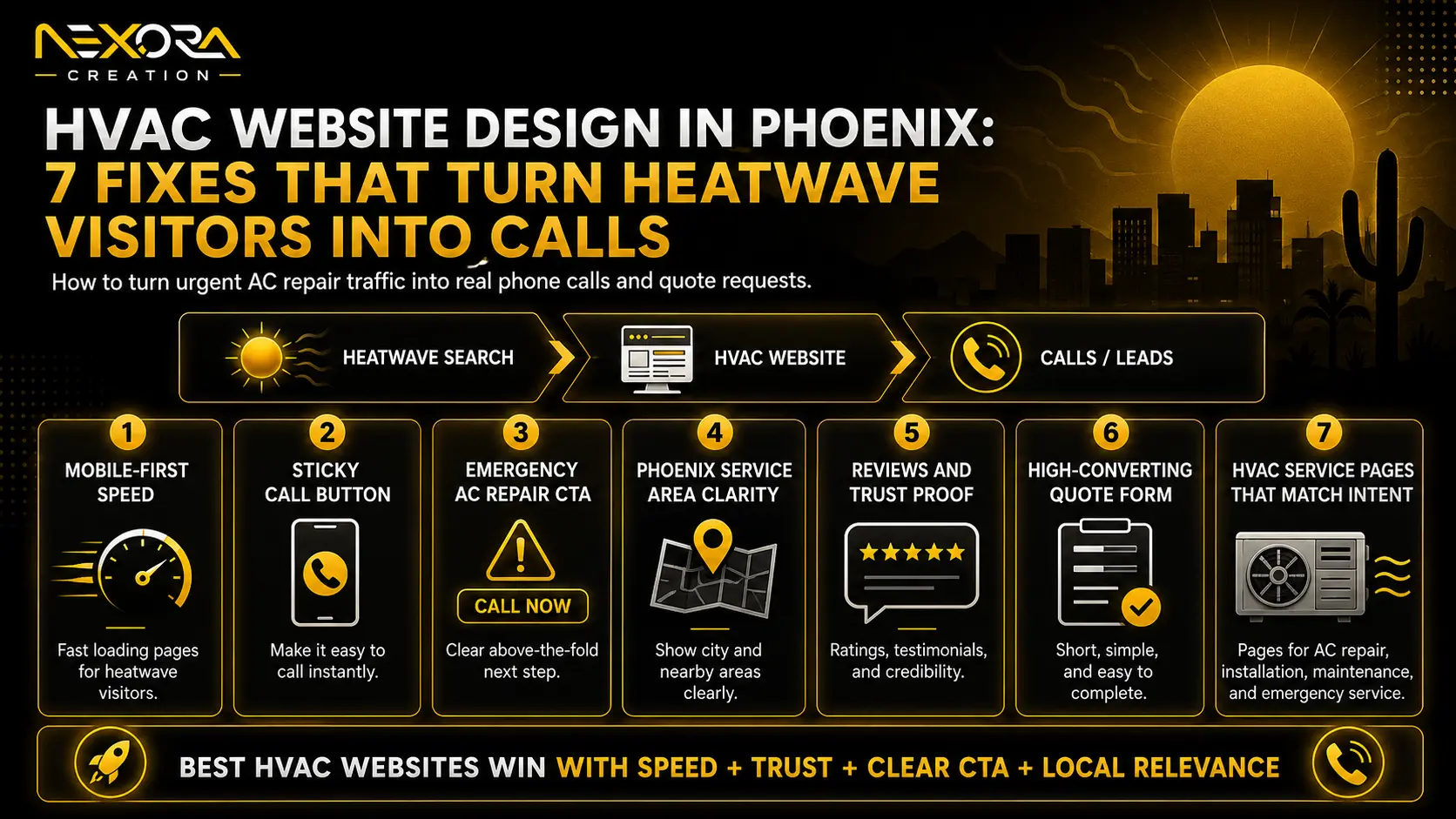
In this guide, we will explain 7 HVAC website design fixes that can help Phoenix contractors turn heatwave visitors into calls.
Why does HVAC website design matter so much in Phoenix?
HVAC website design matters in Phoenix because AC repair demand is often urgent.
A visitor may land on your website after searching:
- AC repair Phoenix
- Emergency AC repair near me
- HVAC repair Phoenix
- Air conditioner not cooling Phoenix
- Same-day AC repair Phoenix
- 24 hour HVAC repair Phoenix
- AC technician near me
This visitor is not looking for a long brand story first.
They want fast reassurance.
They want to know:
- Can you fix the problem?
- Can you come quickly?
- Are you local?
- Can I call now?
- Can I trust you?
Phoenix is a high-demand HVAC market because cooling is essential for daily comfort and safety during extreme heat.
That makes your website’s first impression very important.
If the visitor cannot call quickly, read reviews, or understand your emergency service, they may leave.
A strong HVAC website should support:
- Local SEO
- Google Maps visibility
- Google Ads landing pages
- Emergency service pages
- Mobile call flow
- Trust building
- Online booking
- CRM follow-up
- Lead tracking
Your website should not only get traffic.
It should turn traffic into real calls.
What does a high-converting Phoenix HVAC website need?
A high-converting Phoenix HVAC website needs clear service messaging, fast mobile performance, visible phone CTAs, local trust proof, and a simple path to contact.
The website should make the next step obvious.
A strong HVAC website should include:
- Emergency AC repair CTA
- Click-to-call phone number
- Sticky mobile call button
- Fast loading speed
- Phoenix service area section
- Google review proof
- Same-day service messaging
- Clear service pages
- Short booking form
- Trust badges
- Technician or real project photos
- Financing or estimate information, if relevant
- FAQs
- Conversion tracking
- CRM follow-up
Most HVAC websites fail because they look like online brochures.
A Phoenix HVAC website should work like a lead-generation tool.
The visitor should quickly feel:
“This company can help me now.”
Fix 1: Make the emergency AC repair CTA visible above the fold
The first fix is to make the emergency AC repair CTA visible immediately.
Above the fold means the part of the page visitors see before scrolling.
For Phoenix HVAC websites, this area should not be vague.
A weak hero section says:
“Quality HVAC Services You Can Trust”
That sounds professional, but it does not match urgent search intent.
A stronger hero section says:
“Emergency AC Repair in Phoenix”
or:
“Phoenix AC Repair When Your Cooling Stops”
Then the CTA should be clear:
- Call Now for Emergency AC Repair
- Request Same-Day AC Service
- Book an AC Technician
- Get Fast AC Repair Help
- Schedule Your HVAC Repair
The hero section should include:
- Service-specific headline
- Phoenix location mention
- Emergency or same-day service message
- Click-to-call phone number
- Trust signal
- Short form or booking option
- Clear CTA button
Example hero copy:
“Emergency AC Repair in Phoenix”
“AC not cooling? Call a local HVAC team for fast repair help across Phoenix and nearby areas.”
CTA:
“Call Now for AC Repair”
Trust line:
“Trusted by local homeowners for repair, maintenance, and HVAC service.”
This is clearer than a generic homepage message.
If your HVAC website is getting visits but not enough calls, Nexora Creation can review your hero section, CTA flow, and service page structure through its website development services.
Fix 2: Add a sticky mobile call button
The second fix is to add a sticky mobile call button.
Many Phoenix HVAC leads come from mobile searches.
A homeowner may search from their phone while dealing with a broken AC system.
If your phone number is hidden in the header, footer, or contact page, you may lose the call.
A sticky mobile call button stays visible as the visitor scrolls.
It can say:
- Call Now
- Emergency AC Repair
- Tap to Call
- Request Service
- Same-Day AC Help
For urgent HVAC services, click-to-call is one of the most important conversion features.
Place phone CTAs in:
- Header
- Hero section
- Sticky mobile bar
- Service sections
- Review sections
- Form section
- Final CTA
The visitor should never have to search for your phone number.
A strong mobile call flow should be:
- Visitor lands on page
- Sees emergency AC message
- Sees trust proof
- Taps call button
- Reaches your team quickly
If your website makes calling difficult, your competitors may win the lead.
Fix 3: Speed up the website before peak heat traffic
The third fix is to improve website speed.
A slow HVAC website can waste both SEO traffic and Google Ads spend.
When someone searches for AC repair during a heatwave, they do not want to wait for a heavy homepage to load.
Slow websites often happen because of:
- Large hero images
- Heavy sliders
- Too many animations
- Unoptimized videos
- Too many plugins
- Poor hosting
- No caching
- Oversized technician photos
- Uncompressed background images
- Too many tracking scripts
For an HVAC website, speed is not only a technical issue.
It is a lead issue.
If the page loads slowly, visitors may leave before calling.
To improve speed:
- Compress images
- Use WebP format
- Remove unnecessary sliders
- Use reliable hosting
- Enable caching
- Reduce unused scripts
- Avoid oversized videos
- Optimize fonts
- Test mobile performance
- Keep page design clean
The goal is not to make the website plain.
The goal is to make it fast enough for urgent visitors.
Phoenix HVAC traffic can become more valuable during extreme heat periods, so your website should be ready before peak demand hits.
Fix 4: Show Phoenix service area clearly
The fourth fix is to show your Phoenix service area clearly.
Local visitors want to know if you serve their neighborhood or nearby city.
A strong service area section can include:
- Phoenix
- Scottsdale
- Tempe
- Mesa
- Glendale
- Chandler
- Peoria
- Gilbert
- Nearby service areas
Use only the areas you actually serve.
A good service area section may say:
“We provide AC repair, HVAC maintenance, and cooling system service across Phoenix, Scottsdale, Tempe, Glendale, Mesa, Chandler, and nearby areas.”
This helps visitors feel confident that your company serves them.
It also supports local SEO.
Google local visibility is influenced by relevance, distance, and prominence, so your website and Google Business Profile should clearly communicate what you do and where you operate.
Your HVAC website should include local relevance in:
- Page titles
- Headings
- Service pages
- Service area section
- FAQs
- Testimonials
- Google Business Profile
- Internal links
- Contact page
Avoid fake city pages with only the city name changed.
Each local page should be useful.
Fix 5: Put reviews and trust proof near the call button
The fifth fix is to place reviews and trust proof close to the CTA.
HVAC visitors need confidence before calling.
They may wonder:
- Is this company real?
- Can I trust them in my home?
- Do they respond quickly?
- Are they experienced with AC repair?
- Do other Phoenix homeowners recommend them?
- Are they licensed or insured?
- Will they explain the repair clearly?
Strong trust signals include:
- Google review rating
- Number of reviews
- Customer testimonials
- Licensed and insured badge
- Years in business
- Technician photos
- Service vehicle photos
- Financing options
- Warranty or guarantee
- Before and after project photos
- Emergency service availability
- Local service area proof
Do not hide reviews at the bottom of the website.
Place trust proof:
- Under the hero section
- Near the call button
- Near the form
- Before final CTA
- On service pages
- On Google Ads landing pages
Example trust line:
“Rated 4.8 stars by Phoenix-area homeowners.”
or:
“Licensed HVAC technicians serving Phoenix and nearby communities.”
Specific trust signals reduce hesitation.
They make the call feel safer.
Fix 6: Create separate pages for emergency AC repair, maintenance, and installation
The sixth fix is to create separate pages for major HVAC services.
Many HVAC websites only have one general services page.
That is usually too broad.
A Phoenix HVAC company may need separate pages for:
- AC Repair Phoenix
- Emergency AC Repair Phoenix
- AC Installation Phoenix
- AC Maintenance Phoenix
- HVAC Repair Phoenix
- Heat Pump Repair Phoenix
- Ductless Mini Split Installation
- Commercial HVAC Phoenix
- Indoor Air Quality Services
- Thermostat Installation
- HVAC Tune-Up Services
Each page should match a specific search intent.
For example, a person searching “emergency AC repair Phoenix” has a different need than someone searching “AC installation Phoenix.”
The emergency repair page should focus on:
- Fast response
- No cooling
- Strange AC sounds
- Warm air
- System not turning on
- Leaking AC
- Same-day help
- Click-to-call CTA
The installation page should focus on:
- System replacement
- Energy efficiency
- Equipment options
- Financing
- Estimate process
- Warranty
- Consultation CTA
Different intent needs different page structure.
If all traffic goes to one general HVAC page, visitors may not see the exact service they need.
Service-specific pages help both SEO and conversions.
Fix 7: Connect forms, calls, and bookings to CRM follow-up
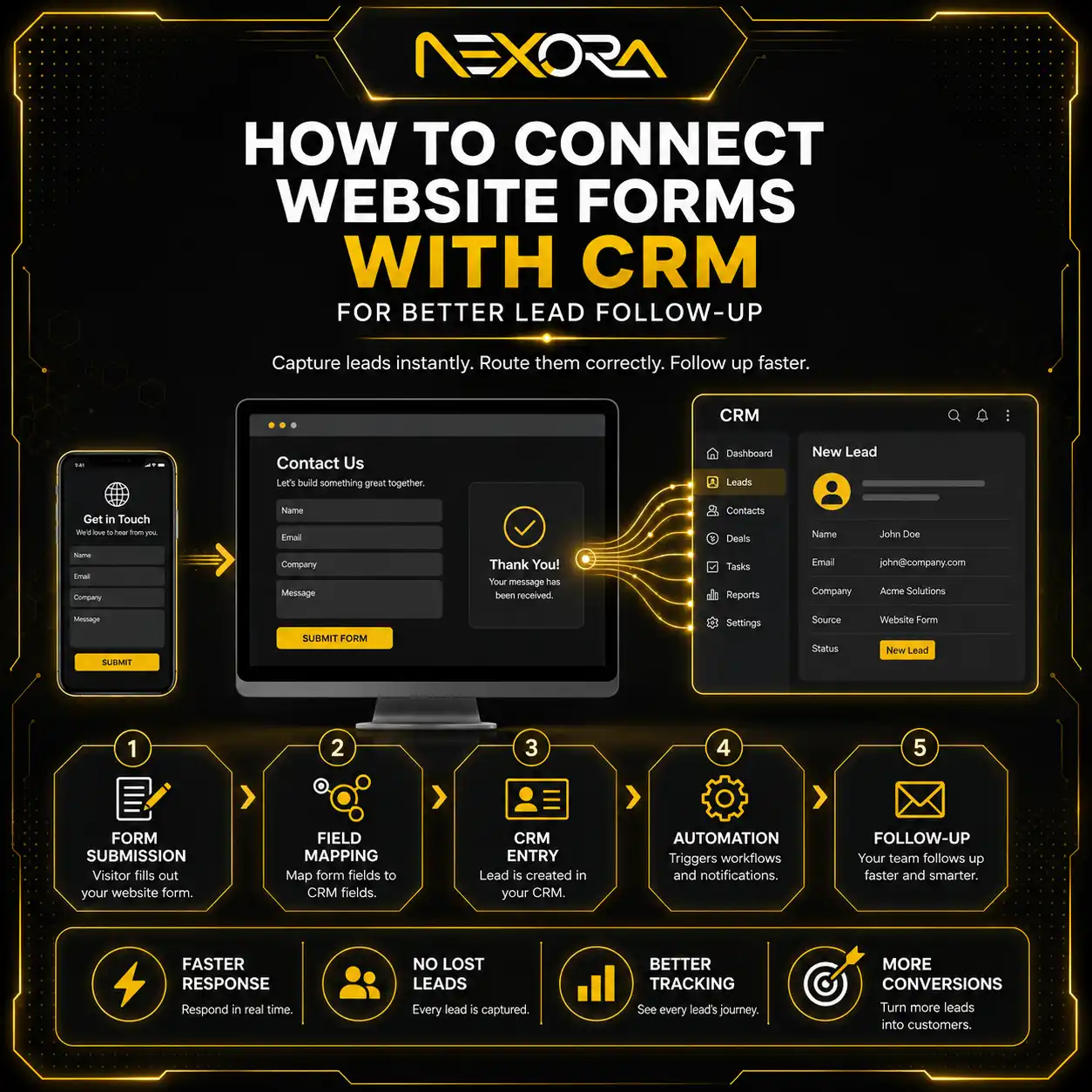
The seventh fix is to connect your website leads to a CRM or follow-up system.
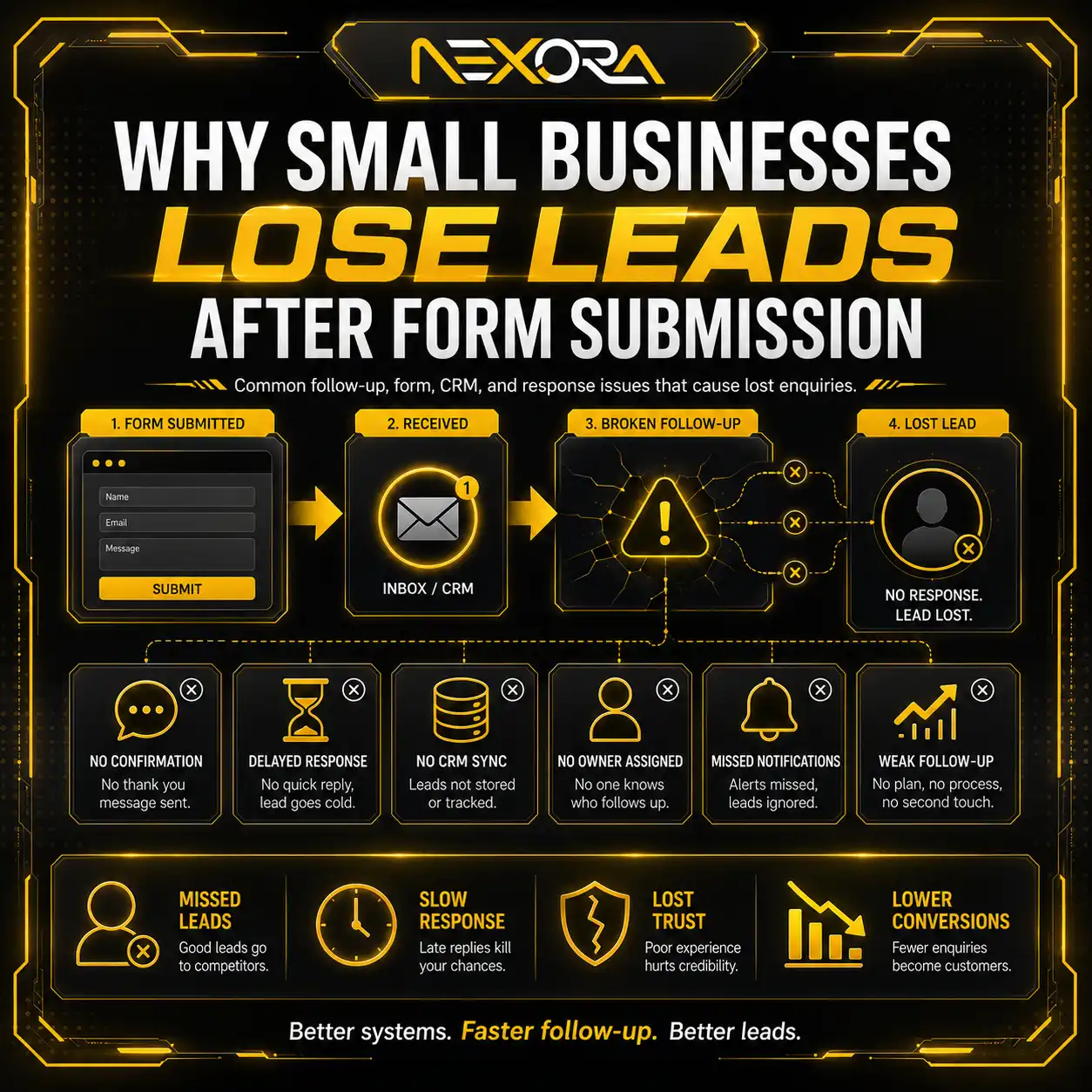
Many HVAC websites lose leads after the visitor fills out a form.
The website may capture the enquiry, but the team responds too late.
During a Phoenix heatwave, homeowners may contact multiple HVAC companies at the same time.
If your response is slow, the lead may book someone else.
A CRM system can help:
- Capture form submissions instantly
- Store lead source
- Notify your team
- Track phone calls
- Send automatic confirmations
- Assign leads to staff
- Track follow-up status
- Record booked jobs
- Measure Google Ads lead quality
- Send missed call follow-ups
- Send SMS or email reminders
For HVAC companies, speed-to-lead matters.
The website should not only generate calls.
It should make sure every call, form, and booking request is tracked.
If your HVAC website gets enquiries but your team loses them during follow-up, Nexora Creation can help connect landing pages, forms, calls, and CRM automation.
Should Phoenix HVAC companies use Google Ads landing pages?
Yes, Phoenix HVAC companies should use dedicated landing pages for Google Ads when targeting high-intent services.
A Google Ads landing page should match the ad and keyword closely.
For example:
Keyword: emergency AC repair Phoenix
Ad headline: Emergency AC Repair in Phoenix
Landing page headline: Emergency AC Repair in Phoenix
CTA: Call Now for Emergency AC Repair
This creates message match.
A weak Google Ads flow looks like this:
Keyword: emergency AC repair Phoenix
Ad headline: Emergency AC Repair in Phoenix
Landing page headline: Quality HVAC Services
CTA: Learn More
The visitor may feel the page is too broad.
Google also expects ad destinations to be easy to navigate and safe for users, so landing pages should be relevant, functional, and clear.
A Phoenix HVAC Google Ads landing page should include:
- Service-specific headline
- Emergency CTA
- Click-to-call button
- Short form
- Reviews
- Trust badges
- Phoenix service area
- Common AC problems
- Same-day service message
- FAQs
- Conversion tracking
- CRM follow-up
Google Ads can bring traffic.
The landing page must convert it.
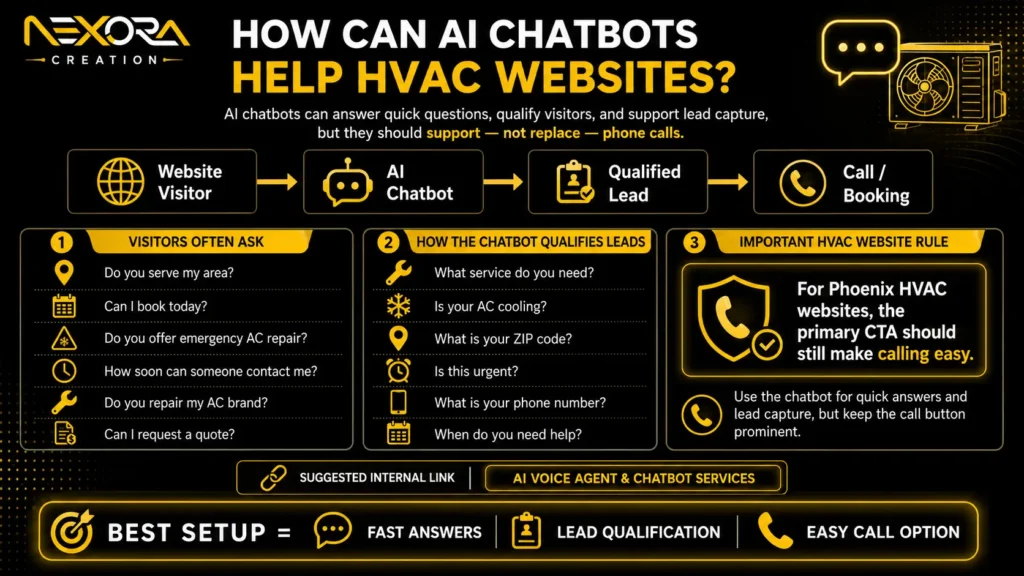
How can AI chatbots help HVAC websites?
AI chatbots can help HVAC websites when they answer quick questions and collect lead details.
Some visitors may not call immediately.
They may want to ask:
- Do you serve my area?
- Can I book today?
- Do you offer emergency AC repair?
- How soon can someone contact me?
- Do you repair my AC brand?
- Can I request a quote?
- What happens after I submit the form?
An AI chatbot can help qualify visitors by asking:
- What service do you need?
- Is your AC cooling?
- What is your ZIP code?
- Is this urgent?
- What is your phone number?
- When do you need help?
This can support lead capture.
But the chatbot should not replace phone calls.
For Phoenix HVAC websites, the primary CTA should still make calling easy.
AI Voice Agent & Chatbot Services
What should an HVAC homepage include?
An HVAC homepage should quickly explain your main services, service area, trust proof, and next steps.
A strong HVAC homepage should include:
- Clear HVAC headline
- Emergency AC repair CTA
- Click-to-call phone number
- Short service overview
- Phoenix service area
- Reviews and ratings
- AC repair, maintenance, and installation sections
- Financing or estimate information
- Technician or project photos
- How it works section
- FAQs
- Contact form
- Final CTA
The homepage should not be overloaded with too much text.
It should guide visitors toward the right service page or immediate call.
For urgent Phoenix HVAC visitors, the homepage should make emergency repair easy to find.
What should an emergency AC repair page include?
An emergency AC repair page should focus on urgency, trust, and fast contact.
It should include:
- Emergency AC repair headline
- Phoenix location mention
- Click-to-call CTA
- Same-day or urgent service message
- Common emergency symptoms
- Trust proof
- Short form
- Service area
- Technician availability details
- Reviews
- FAQs
- Final CTA
Common symptoms to mention:
- AC blowing warm air
- AC not turning on
- Strange noises
- Burning smell
- Weak airflow
- Thermostat issues
- Frozen coils
- Water leaks
- System short cycling
- Sudden breakdown
The page should reassure the visitor that they are in the right place.
What HVAC website mistakes reduce calls?
Common HVAC website mistakes include:
- No emergency AC repair CTA
- Phone number hidden
- No sticky mobile call button
- Slow mobile speed
- Generic homepage headline
- No Phoenix service area section
- Weak reviews
- No Google Business Profile connection
- No service-specific pages
- Long forms
- No trust badges
- Stock images only
- No conversion tracking
- No CRM follow-up
- No Google Ads landing pages
- Broken forms
- Confusing navigation
Each mistake can reduce calls.
For Phoenix HVAC companies, these mistakes become more costly during peak summer demand.
The website should reduce friction, not create it.
How can Nexora Creation help Phoenix HVAC companies?
Nexora Creation helps HVAC companies build websites and landing pages designed to turn visitors into calls, quote requests, and booked jobs.
A strong Phoenix HVAC website should support:
- Local SEO
- Google Ads
- Emergency AC repair pages
- Mobile call flow
- Website speed
- Reviews and trust proof
- Service area visibility
- Internal links
- Conversion-focused CTAs
- CRM lead tracking
- AI chatbot support
Our services can help with:
- HVAC website design
- HVAC landing page design
- Google Ads landing page structure
- Local SEO service pages
- Emergency repair page layout
- Mobile-first design
- Click-to-call optimization
- Form optimization
- CRM automation
- AI chatbot integration
- Conversion tracking support
If your Phoenix HVAC website is getting traffic but not enough calls, your website may need a conversion-focused redesign.
What is the best HVAC website design strategy for Phoenix?
The best HVAC website design strategy for Phoenix is to build around urgent cooling intent.
That means your website should:
- Load fast
- Work perfectly on mobile
- Show emergency AC repair clearly
- Make calling easy
- Display Phoenix service areas
- Show reviews near CTAs
- Create separate service pages
- Use Google Ads landing pages
- Track calls and forms
- Connect leads to CRM follow-up
- Add AI chatbot support where useful
Phoenix HVAC visitors often need help quickly.
Your website should not make them search.
It should show the service, build trust, and make contact easy.
Conclusion
HVAC website design in Phoenix should be built for urgency.
When a homeowner’s AC stops working during extreme heat, they want fast help from a company they can trust.
A good HVAC website should not only look modern.
It should turn heatwave visitors into calls.
The 7 most important fixes are:
- Make emergency AC repair CTA visible above the fold.
- Add a sticky mobile call button.
- Speed up the website before peak heat traffic.
- Show Phoenix service areas clearly.
- Put reviews and trust proof near the call button.
- Create separate pages for emergency AC repair, maintenance, and installation.
- Connect forms, calls, and bookings to CRM follow-up.
If your HVAC website is slow, vague, or hard to use on mobile, you may be losing high-intent leads.
Phoenix HVAC demand can be urgent.
Your website should be ready before the next heatwave visitor lands on it.
FAQs
Why is HVAC website design important in Phoenix?
HVAC website design is important in Phoenix because AC repair visitors often have urgent needs during extreme heat. A clear, fast, mobile-friendly website can turn those visitors into calls and booked jobs.
What should a Phoenix HVAC website include?
A Phoenix HVAC website should include emergency AC repair CTAs, click-to-call buttons, service pages, reviews, service areas, fast mobile speed, short forms, FAQs, and CRM lead tracking.
Should HVAC companies use a sticky call button?
Yes. A sticky mobile call button makes it easier for urgent visitors to call without searching for the phone number.
Why do HVAC websites lose calls?
HVAC websites lose calls when they load slowly, hide the phone number, use vague headlines, lack reviews, have weak CTAs, or make forms difficult to complete.
Should Phoenix HVAC companies have emergency AC repair pages?
Yes. Emergency AC repair should have its own page because the visitor intent is urgent and different from maintenance or installation searches.
Do reviews help HVAC website conversions?
Yes. Reviews help build trust before a visitor calls or submits a form. Reviews should appear near CTAs and service sections, not only at the bottom of the page.
Can Google Ads help Phoenix HVAC companies?
Yes, Google Ads can help capture urgent AC repair demand, but the landing page must match the ad, load fast, show trust proof, and make calling easy.
Can CRM automation improve HVAC leads?
Yes. CRM automation can capture enquiries, notify the team, track calls, send confirmations, and reduce lost leads from slow follow-up.