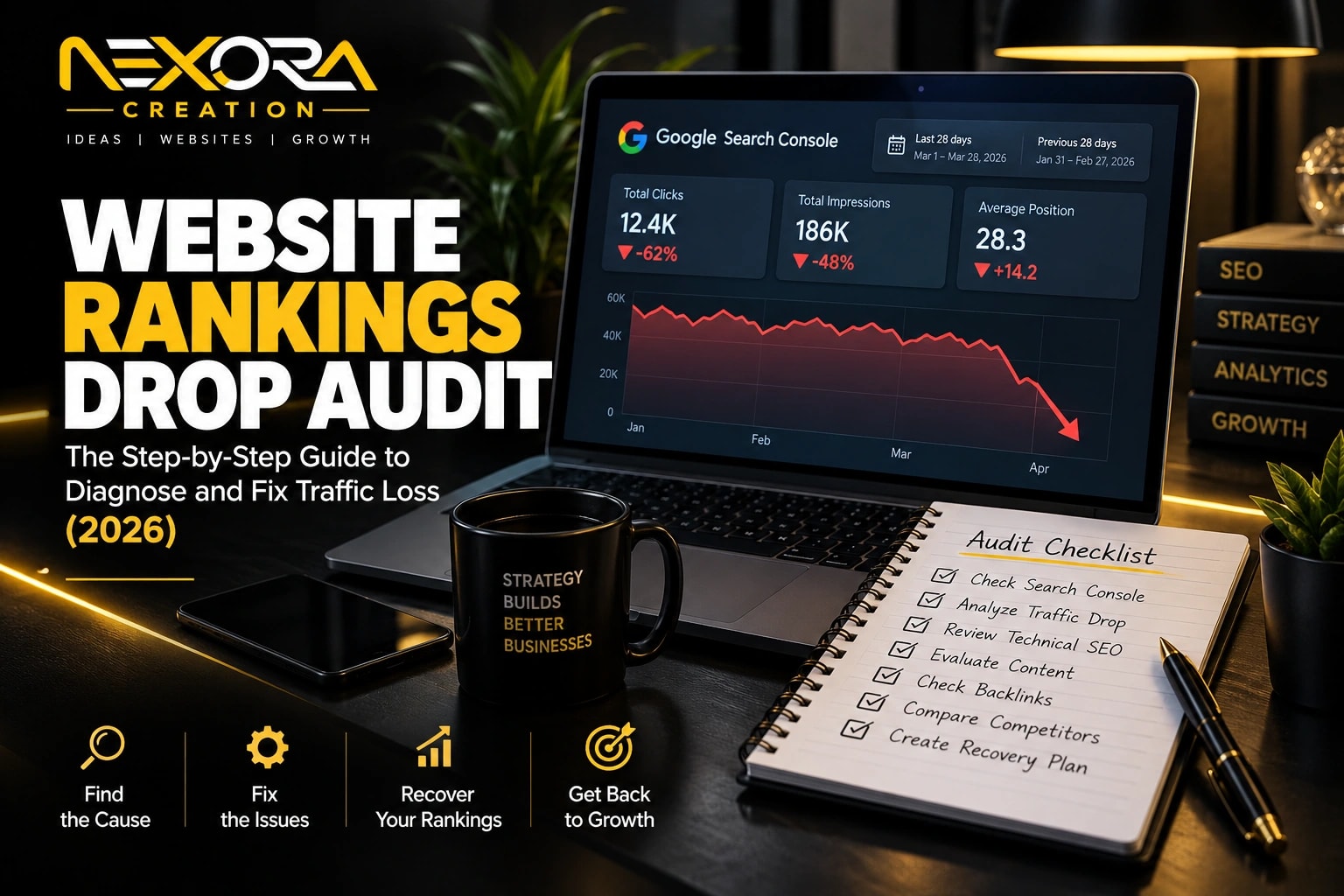
Lost keywords in Google Search Console usually mean your website is losing visibility for search queries that once brought impressions, clicks, traffic, or leads.
This does not always mean Google penalized your website.
In most cases, lost keywords happen because of:
- Content decay
- Search intent changes
- Stronger competitors
- Technical SEO issues
- Indexing problems
- Weak internal linking
- Poor page experience
- Lost backlinks
- URL changes
- Core update impact
- Thin or outdated content
- Lower click-through rate
- SERP feature changes
- AI Overview impact
- Website redesign mistakes
The first thing I do as an SEO expert and website developer is separate three problems:
- Did the keyword lose impressions?
- Did the keyword lose rankings?
- Did the keyword still rank but lose clicks?
These are different problems.
A keyword losing impressions may mean Google stopped showing your page as often.
A keyword losing average position usually means your page became less competitive.
A keyword keeping impressions but losing clicks usually means your title, meta description, SERP layout, or competing results became more attractive.
At Nexora Creation, I treat lost keywords as a diagnosis problem, not a guessing game. Google Search Console gives the data. The real work is understanding why the keyword declined and what page-level fix can recover visibility.
In this guide, I will show you how to find lost keywords in Google Search Console, understand why they dropped, and fix them with content updates, technical SEO, internal links, better page structure, and conversion-focused improvements.
If you need a professional diagnosis instead, our SEO audit and ranking recovery service finds the real cause and ranks every fix by impact.
What are lost keywords in Google Search Console?
Lost keywords are search queries that previously generated visibility for your website but now show fewer impressions, clicks, or ranking positions.
In Google Search Console, these keywords may show:
- Fewer clicks
- Fewer impressions
- Lower average position
- Lower CTR
- No recent data
- Reduced visibility for a specific page
- Ranking drop after an update
- Disappearance from top queries
- Query movement to another page
For example, your page may have ranked for:
- SEO services for small business
- Website not generating leads
- Content not generating leads
- Local SEO services
- Landing page not converting
- Google Ads landing page tips
- CRM automation services
- AI chatbot for business
Then after a few months, those keywords may show fewer impressions or disappear from the top query list.
That is a warning sign.
It means Google may no longer see your page as the best answer for that query, or the search result may have changed.
Why do lost keywords matter for SEO?
Lost keywords matter because they often show ranking decline before traffic and leads fully drop.
A keyword drop can reduce:
- Website visitors
- Service-page traffic
- Blog traffic
- Contact form submissions
- Consultation requests
- Phone calls
- Quote requests
- Google Ads support traffic
- Brand visibility
- Topical authority
- Qualified leads
Some lost keywords are not important.
For example, losing a broad keyword that never converted may not hurt the business.
But losing buyer-intent keywords can directly affect leads.
Examples of valuable lost keywords include:
- SEO agency near me
- Website development services
- WordPress website design
- CRM automation services
- AI chatbot for business
- Landing page design service
- Local SEO services
- Website not generating leads
- Google Ads landing page not converting
These keywords show commercial value.
If they decline, your website may lose qualified leads.
That is why I do not only check traffic.
I check which queries connect to business value.
How can you find lost keywords in Google Search Console?
You can find lost keywords by comparing performance data across two time periods.
Start with:
- Google Search Console
- Performance
- Search Results
Then turn on:
- Total clicks
- Total impressions
- Average CTR
- Average position
Next, compare periods.
Useful comparisons include:
- Last 28 days vs previous 28 days
- Last 3 months vs previous 3 months
- Last 6 months vs previous 6 months
- Last 12 months vs previous 12 months
For most SEO audits, I prefer:
- Last 3 months vs previous 3 months for recent drops
- Last 6 months vs previous 6 months for stronger patterns
- Last 12 months vs previous 12 months for seasonal topics
Then check the Queries tab.
Look for queries with:
- Clicks down
- Impressions down
- Position down
- CTR down
- Strong previous visibility
- Strong commercial intent
Do not panic over one-day changes.
SEO data fluctuates.
Look for patterns that repeat across weeks or months.
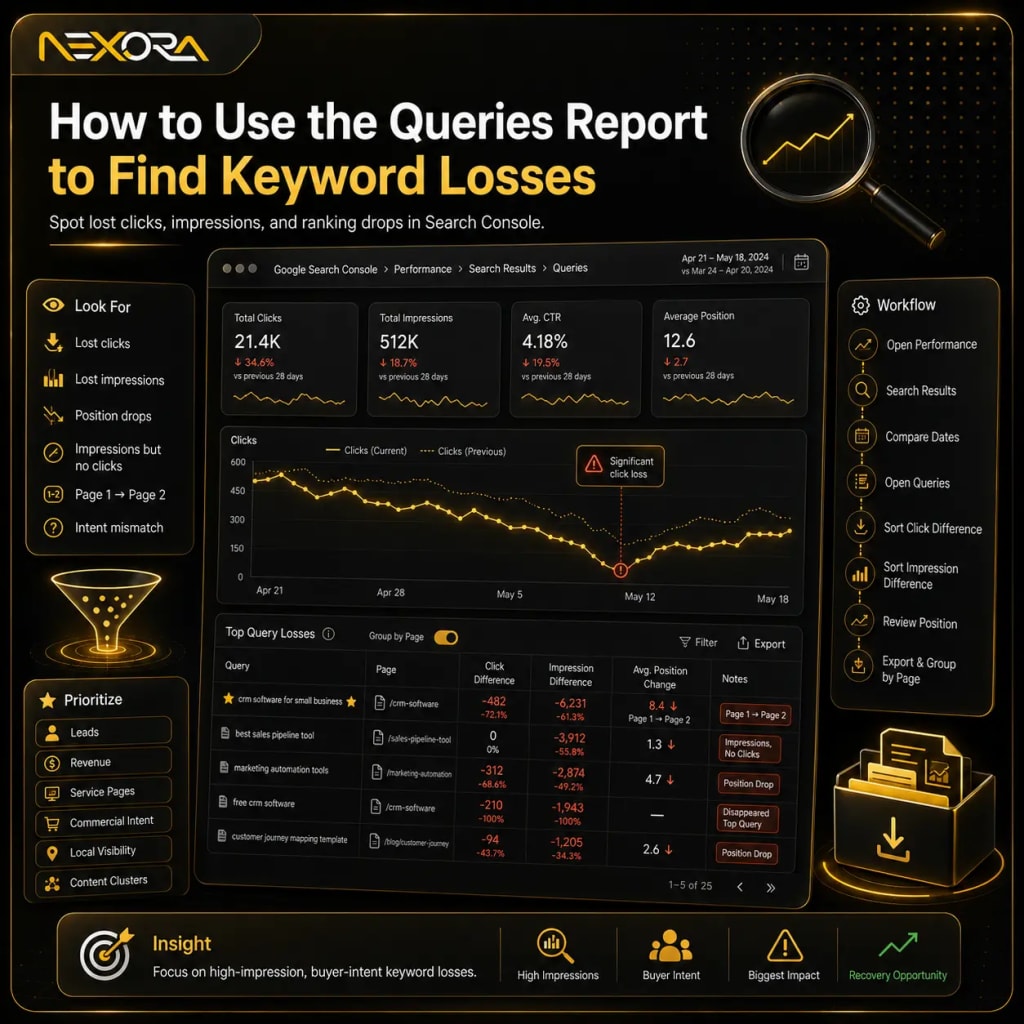
How should you use the Queries report to find keyword losses?
The Queries report helps you see which search terms lost visibility.
Use it to identify keywords where performance changed.
Look for:
- Keywords that lost clicks
- Keywords that lost impressions
- Keywords that dropped in average position
- Keywords that still get impressions but no clicks
- Keywords that moved from page one to page two
- Keywords that disappeared from top queries
- Keywords that no longer match your page intent
A simple workflow:
- Open Performance.
- Select Search Results.
- Choose a date comparison.
- Open Queries.
- Sort by click difference.
- Sort by impression difference.
- Review average position changes.
- Export the data.
- Group keywords by page.
- Prioritize keywords with business value.
Do not fix every lost keyword.
Focus on keywords that support:
- Leads
- Revenue
- Service pages
- Topical authority
- Commercial intent
- Local visibility
- High-value content clusters
A lost keyword with 10 impressions may not matter.
A lost keyword with 5,000 impressions and buyer intent deserves attention.
How should you use the Pages report to find the real problem?
The Pages report often matters more than the Queries report.
A keyword may drop because the page lost overall authority, relevance, crawlability, or usefulness.
Go to:
- Performance
- Search Results
- Pages
Then compare dates.
Look for pages with:
- Lost clicks
- Lost impressions
- Lower CTR
- Lower average position
- Sudden drop after a website update
- Decline after content changes
- Decline after URL changes
- Decline after technical changes
Then click the page.
After selecting the page, open the Queries tab.
Now you can see which keywords declined for that specific URL.
This is important because the same keyword can sometimes shift between pages.
For example, Google may previously rank your blog post for “website not generating leads,” but later rank your service page, homepage, or another blog instead.
That can create confusion.
Always check the keyword and the page together.
How do you know if a keyword is lost or just seasonal?
Some keywords decline because of seasonality.
Not every drop is an SEO problem.
Examples of seasonal keywords include:
- Holiday campaigns
- Tax services
- HVAC repair during heatwaves
- Pool cleaning before summer
- Roofing storm damage after storms
- Back-to-school services
- Black Friday offers
- New year marketing planning
To check seasonality:
- Compare year-over-year data.
- Check the same month from last year.
- Review Google Trends.
- Look at service demand cycles.
- Check local market patterns.
- Compare impressions, not only clicks.
If impressions drop at the same time every year, the keyword may be seasonal.
If impressions drop while competitors still rank strongly, your page may need SEO work.
What is the difference between lost impressions, lost clicks, and lost rankings?
Lost impressions, lost clicks, and lost rankings are different problems.
You should diagnose them separately.
What does lost impressions mean?
Lost impressions mean Google shows your website less often for that query.
Possible reasons include:
- Lower search demand
- Search intent changed
- Page relevance declined
- Content became outdated
- Keyword shifted to another page
- Google chose different results
- Page was deindexed
- Technical issue reduced visibility
- Competitors improved content
What does lost clicks mean?
Lost clicks mean users are clicking your result less often.
Possible reasons include:
- Lower ranking
- Weak title tag
- Weak meta description
- SERP features pushing results down
- AI Overview reducing clicks
- Competitors have better titles
- Searchers find answers directly on Google
- Brand trust is weak
- Rich results disappeared
What does lost average position mean?
Lost average position means your page ranking declined.
Possible reasons include:
- Competitor content improved
- Your content is outdated
- Internal links weakened
- Backlinks were lost
- Page speed got worse
- Search intent changed
- Technical SEO issues appeared
- Google selected another canonical
- Content quality signals declined
Before you fix anything, identify which metric dropped first.
That tells you where to start.
Why do keywords disappear from Google Search Console?
Keywords disappear from Google Search Console when your website no longer receives enough visibility or clicks for those queries in the selected date range.
Common reasons include:
- The page lost rankings.
- The page lost impressions.
- Search demand dropped.
- The keyword moved to another page.
- The page was removed or redirected.
- Google stopped indexing the page.
- The page became less relevant.
- Competitors outranked your page.
- SERP features reduced organic clicks.
- The query no longer appears in the visible report.
- Your selected date range is too short.
- Your filters hide the keyword.
Sometimes the keyword is not truly gone.
It may simply not appear in the current filtered view.
Check:
- Date range
- Search type
- Country filter
- Device filter
- Page filter
- Query filter
- Compare mode
- Data export
If you filter too narrowly, you may think keywords disappeared when they are only hidden by filters.
What causes lost keyword rankings?
Lost keyword rankings usually happen because Google finds a better result for the searcher.
That better result may offer:
- Fresher content
- More complete answers
- Better structure
- Better page experience
- Stronger topical authority
- Stronger backlinks
- Better internal links
- Clearer search intent match
- More trust signals
- Better local relevance
- Better user experience
- Better engagement signals
The most common causes I see are:
- Content decay
- Weak search intent match
- Thin content
- Poor internal linking
- Technical SEO issues
- Website redesign mistakes
- Canonical problems
- Slow mobile experience
- Stronger competitors
- Lost backlinks
- Weak EEAT
- No content updates
Most ranking drops are fixable.
But you need to fix the right issue.
Is content decay causing lost keywords?
Content decay happens when a page slowly loses rankings because the content becomes outdated, incomplete, or less useful than competing pages.
This is one of the most common reasons keywords decline.
Signs of content decay include:
- Slow decline over several months
- Impressions dropping gradually
- Average position worsening
- Competitors publishing fresher content
- Old screenshots or outdated examples
- Missing new tools or trends
- Old year references
- Broken external links
- Thin sections
- Weak FAQs
- No new internal links
For example, a blog written in 2023 about SEO may lose rankings in 2026 if it does not mention:
- AI Overviews
- AI search behavior
- Helpful content
- Search intent changes
- Structured answers
- EEAT
- Entity optimization
- Better page experience
- Updated tools and workflows
To fix content decay:
- Update outdated sections.
- Add missing questions.
- Improve examples.
- Add current screenshots.
- Strengthen FAQs.
- Add internal links.
- Improve title and meta description.
- Add expert insight.
- Remove weak or outdated advice.
- Improve page structure.
Do not only change the publish date.
Google and users need real improvements.
Has search intent changed for the keyword?
Search intent can change over time.
A keyword that once ranked with a blog post may now need a service page, comparison page, tool page, checklist, video, or landing page.
For example:
A keyword like “CRM automation” may show:
- Service pages
- Software lists
- Guides
- Agency pages
- YouTube videos
- Case studies
- AI automation examples
If your page does not match what users now expect, rankings can drop.
Check the current SERP.
Ask:
- Are top results blogs or service pages?
- Are they local pages or national guides?
- Are they short answers or long guides?
- Do they include videos?
- Do they include tools?
- Do they include templates?
- Do they include pricing?
- Do they include FAQs?
- Do they include examples?
- Do they include reviews?
If the SERP changed, your content should change too.
Search intent is not permanent.
It can shift as users, competitors, and Google results change.
Are competitors outranking you with better content?
Sometimes your page drops because competitors improved.
That does not mean your page is bad.
It may simply be less useful now.
Compare your page with the top-ranking pages.
Review:
- Headings
- Content depth
- Page structure
- Internal links
- Examples
- FAQs
- Visuals
- Schema
- Trust signals
- Author expertise
- Service connection
- Page speed
- Mobile layout
- CTA quality
Look for gaps.
Competitors may answer questions your page ignores.
They may provide:
- Better examples
- More specific steps
- Fresh data
- Better formatting
- Stronger trust proof
- Better local relevance
- More direct answers
- Better title tags
- More useful FAQs
Do not copy competitors.
Use them to understand what Google and users now expect.
Then create a stronger, more useful version.
Are technical SEO issues causing keyword loss?
Technical SEO issues can make strong content lose visibility.
Common technical problems include:
- Noindex tag
- Robots.txt blocking
- Wrong canonical tag
- Redirect chains
- Broken redirects
- 404 errors
- Soft 404s
- Server errors
- Slow loading pages
- Poor mobile usability
- JavaScript rendering issues
- Duplicate pages
- Sitemap issues
- Broken internal links
- Orphan pages
- Mixed HTTP/HTTPS versions
- Incorrect hreflang
- Structured data errors
Use Google Search Console to check:
- Page indexing
- URL Inspection
- Crawl status
- Canonical selected by Google
- Sitemap discovery
- Mobile experience
- Enhancements
- Manual actions
- Security issues
If a page suddenly lost many keywords, always check technical SEO before rewriting content.
A technical issue can create a ranking drop even when the content is still good.
If your website lost important rankings after updates, migrations, redirects, or design changes, Nexora Creation can review the technical SEO and page structure through SEO Services.
Is the page still indexed on Google?
A page cannot rank if Google cannot index it.
Use URL Inspection in Google Search Console.
Check:
- URL is on Google
- Page is indexed
- Crawl allowed
- Indexing allowed
- Page fetch successful
- Google-selected canonical
- User-declared canonical
- Last crawl date
- Referring page
- Sitemap discovery
If the URL is not indexed, check for:
- Noindex tag
- Robots.txt block
- Wrong canonical
- Redirect issue
- 404 status
- Server error
- Duplicate content
- Thin content
- Crawled but not indexed
- Discovered but not indexed
Do not update content blindly if the page is not indexed.
Fix indexing first.
Then request indexing after the issue is resolved.
Did a website redesign or migration cause keyword loss?
Website redesigns often cause keyword loss when SEO details are not preserved.
This happens when teams change design without protecting:
- URLs
- Title tags
- Meta descriptions
- H1 headings
- Internal links
- Content sections
- Schema
- Redirects
- Canonicals
- Image alt text
- Page speed
- Mobile layout
- Service-page structure
- Blog category paths
A redesign can look better but perform worse if SEO structure changes.
Common redesign mistakes include:
- Removing important content
- Changing URLs without redirects
- Replacing HTML text with images
- Removing internal links
- Weakening H1/H2 structure
- Slowing down the website
- Creating duplicate pages
- Blocking staging URLs incorrectly
- Forgetting sitemap updates
- Losing service-page relevance
If rankings dropped after a redesign, compare old and new versions.
Check:
- Did the keyword page keep the same URL?
- Did the page keep important headings?
- Did internal links change?
- Did the page lose content depth?
- Did the page become slower?
- Did canonical tags change?
- Did redirects work correctly?
- Did the page remain indexed?
A beautiful website still needs SEO foundations.
If your redesign improved visuals but reduced rankings, Nexora Creation can help rebuild the website structure, internal links, and technical SEO through Website Development Services.
Are weak internal links causing lost keywords?
Internal links help Google understand which pages matter.
If an important page loses internal links, it may lose rankings.
This often happens after:
- Website redesigns
- Menu changes
- Blog cleanup
- Category changes
- Service-page restructuring
- Footer changes
- Removing old articles
- Changing anchor text
- Deleting supporting content
Check whether the affected page still receives links from:
- Homepage
- Main service pages
- Related blogs
- Category pages
- Location pages
- Resource pages
- Footer or navigation
- Pillar pages
A strong internal link strategy should connect:
- Main service pages
- Supporting blog posts
- Related problem pages
- Case studies
- Location pages
- Contact page
For example:
A blog about lost keywords should link to:
- SEO Services
- Website Development
- CRM Automation, if lead tracking is discussed
- Contact page
Internal links should support both:
- Rankings
- Lead generation
Do not link randomly.
Link where the user needs the next solution.
Did your title tag or meta description lose clicks?
Sometimes rankings do not drop much, but clicks still decline.
That may mean your SERP snippet is weak.
Check queries where:
- Impressions are stable
- Average position is stable
- CTR dropped
- Clicks dropped
This usually means users see your result but choose another result.
Possible causes:
- Title is outdated
- Meta description is generic
- Competitor title is stronger
- SERP now has AI Overview
- SERP has more ads
- SERP has videos or local pack
- Competitor has rich result
- Your title does not match intent
- Your brand looks less trusted
- Query intent shifted
Improve title tags by making them:
- Clear
- Specific
- Benefit-driven
- Intent-matched
- Not clickbait
- Within ideal length
- Fresh where relevant
Weak title:
“SEO Keyword Guide”
Better title:
“Lost Keywords in Google Search Console? How to Fix Them”
Weak meta description:
“Learn about SEO keywords and ranking.”
Better meta description:
“Learn how to find lost keywords in Google Search Console, diagnose ranking drops, fix SEO issues, update content, and recover organic traffic.”
CTR matters because traffic depends on both visibility and clicks.
Are Google updates affecting your lost keywords?
Google updates can change rankings across many pages.
But do not blame every drop on an update.
First check the pattern.
Possible update impact signs:
- Multiple pages dropped at the same time.
- Similar content types dropped.
- Competitors changed across many keywords.
- Informational blogs lost visibility.
- Thin pages declined.
- Generic content dropped.
- Pages with weak EEAT declined.
- Helpful pages stayed stable.
- Brand or authority signals became more important.
After a Google update, review:
- Content quality
- Search intent match
- Original insight
- Experience
- Trust signals
- Technical SEO
- Internal links
- Page speed
- User satisfaction
- Topic coverage
Do not make random changes.
Audit first.
Then improve the pages that lost qualified visibility.
Are AI Overviews and SERP features reducing clicks?
AI Overviews, featured snippets, videos, People Also Ask, ads, local packs, shopping results, and other SERP features can reduce organic clicks.
A page may still rank but receive fewer clicks.
This means the keyword is not fully lost.
The click opportunity changed.
Check for:
- Impressions stable but clicks down
- Average position stable but CTR down
- More SERP features appearing
- Searchers getting answers without clicking
- Competitors winning featured snippets
- Local pack appearing above organic results
- Video results replacing text results
To respond, improve content structure.
Use:
- Question-based headings
- Direct answers
- Short paragraphs
- Step-by-step lists
- FAQs
- Clear definitions
- Tables where useful
- Original examples
- Expert insights
- Strong schema support
- Updated content
The goal is not only to rank.
The goal is to become the clearest answer.
That helps both traditional search and AI search visibility.
How do you prioritize which lost keywords to fix first?
Do not fix lost keywords randomly.
Prioritize by business value.
Use this scoring system:
- Search intent
- Previous clicks
- Previous impressions
- Ranking drop size
- Conversion potential
- Service relevance
- Page value
- Content update difficulty
- Technical issue severity
- Local SEO importance
- Lead quality
- Revenue potential
High-priority lost keywords usually have:
- Buyer intent
- Strong service relevance
- Previous traffic
- Clear decline
- Recoverable page
- Lead-generation potential
Low-priority lost keywords usually have:
- Very low impressions
- No business value
- Wrong audience
- Irrelevant intent
- No service connection
- Seasonal decline only
For Nexora Creation, lost keywords related to SEO, website development, CRM automation, AI chatbot services, and lead generation should receive priority because they connect directly to revenue.
How do you fix lost keywords with content updates?
Content updates can recover lost keywords when the page is still relevant but outdated or incomplete.
Start by improving the page, not stuffing keywords.
Update:
- Intro
- Headings
- Search intent coverage
- Missing questions
- Examples
- Screenshots
- Internal links
- FAQs
- CTA sections
- Title tag
- Meta description
- Schema opportunities
- Trust signals
- Content freshness
- Service connection
A good content update should answer:
- What changed since the page was published?
- What questions are missing?
- What does the current SERP show?
- What do competitors explain better?
- What expert insight can I add?
- What internal links should support the page?
- What CTA should guide the visitor?
Do not rewrite everything unless needed.
Preserve what works.
Improve what is weak.
How do you fix lost keywords with better search intent matching?
To match search intent, review what the user actually wants.
For each lost keyword, ask:
- Is the user looking for information?
- Is the user comparing options?
- Is the user ready to hire?
- Is the user looking for a local provider?
- Is the user looking for a tool?
- Is the user looking for pricing?
- Is the user looking for a checklist?
- Is the user looking for examples?
- Is the user trying to fix a problem?
Then update the page accordingly.
Examples:
If the keyword is “website not generating leads,” the page should cover:
- Website UX
- CTA problems
- Trust signals
- Offer clarity
- Forms
- CRM follow-up
- Page speed
- Landing pages
- SEO intent
- Conversion tracking
If the keyword is “lost keywords in Google Search Console,” the page should cover:
- GSC reports
- Queries
- Pages
- Date comparisons
- Ranking drops
- Indexing checks
- Content updates
- Technical SEO
- Internal links
- Recovery process
Search intent alignment makes content more useful.
Useful content has a better chance to recover rankings.
How do you fix lost keywords with internal links?
Internal links can help recover lost keyword visibility by sending relevance and authority to the affected page.
Start with:
- Find the page that lost keywords.
- Identify related pages.
- Add contextual links from relevant content.
- Use natural anchor text.
- Link from high-authority pages.
- Link from service pages where useful.
- Link from blogs in the same topic cluster.
- Avoid exact-match spam.
- Make links useful for users.
Good internal anchor text examples:
- Google Search Console SEO audit
- Technical SEO issues
- Content update strategy
- SEO recovery plan
- Website conversion review
- Lead tracking setup
Bad internal anchor text examples:
- Click here
- Read more
- This page
- Best SEO services cheap
- Exact same keyword repeated everywhere
Internal links should feel natural.
A user should benefit from clicking them.
How do you fix lost keywords with technical SEO?
Technical SEO fixes depend on the cause.
Common fixes include:
- Remove accidental noindex tags.
- Update robots.txt rules.
- Fix canonical tags.
- Repair broken redirects.
- Fix 404 pages.
- Resolve server errors.
- Improve page speed.
- Fix mobile layout problems.
- Update XML sitemap.
- Fix duplicate pages.
- Improve crawl paths.
- Repair broken internal links.
- Check structured data.
- Fix JavaScript rendering issues.
- Remove redirect chains.
- Improve site architecture.
Technical SEO is especially important when rankings drop suddenly.
Content decay usually creates slow decline.
Technical issues can create sudden loss.
If multiple pages lost keywords at the same time, check technical issues first.
How do you fix lost keywords after changing URLs?
URL changes can cause ranking loss if redirects and internal links are not handled properly.
Check:
- Old URL redirects to the correct new URL
- Redirect is 301
- No redirect chain exists
- New page has same or better content
- Internal links point to the new URL
- Canonical tag points to the new URL
- Sitemap includes the new URL
- Old URL is not still indexed incorrectly
- New URL is indexed
- Backlinks still pass through correctly
Do not change URLs without reason.
A URL with history, backlinks, and rankings has SEO value.
If you must change URLs, plan redirects carefully.
How do you fix lost keywords caused by thin content?
Thin content often loses rankings because it does not answer the query deeply enough.
Signs of thin content include:
- Very short page
- Generic information
- No examples
- No FAQs
- No unique insight
- No service detail
- No process
- No trust proof
- No internal links
- No clear answer
- No user-focused structure
To improve thin content:
- Add direct answers.
- Add question-based headings.
- Explain causes.
- Explain fixes.
- Add examples.
- Add checklists.
- Add visuals.
- Add FAQs.
- Add service relevance.
- Add expert perspective.
- Add internal links.
But do not add words just to make the page longer.
Add useful information that helps the user solve the problem.
How do you fix lost keywords with better EEAT?
EEAT helps users and search engines trust your content.
To strengthen EEAT, add:
- First-hand experience
- Clear process
- Real examples
- Case studies
- Author expertise
- Company expertise
- Client proof
- Updated information
- Transparent recommendations
- Practical advice
- Original insights
- Clear service connection
For example:
Weak sentence:
“Update your content to improve SEO.”
Stronger sentence:
“When I audit a page that lost keywords, I first compare GSC query data, inspect the URL, check internal links, review the current SERP, and then update the content based on the exact reason for the decline.”
That sounds experienced.
It shows process.
It builds trust.
Should you update the old page or create a new page?
In most cases, update the old page.
An existing page may already have:
- Backlinks
- Indexing history
- Internal links
- Ranking signals
- User engagement data
- Topical relevance
- Search Console data
Create a new page only when:
- The intent is completely different.
- The old page targets another topic.
- The keyword deserves its own service page.
- The current page is too broad.
- You need a local landing page.
- You need a comparison page.
- You need a dedicated guide.
- You need a product or service page instead of a blog.
Example:
If a blog about “SEO tips” lost rankings for “technical SEO audit service,” you may need a dedicated technical SEO service page.
If a blog about “website design” lost rankings for “website development services,” you may need a stronger website development service page.
Do not create duplicate pages for the same intent.
That can confuse Google and split authority.
How do you prevent keyword cannibalization?
Keyword cannibalization happens when multiple pages compete for the same search intent.
This can cause ranking drops.
Signs include:
- Google keeps switching ranking URLs.
- Two pages rank for the same query.
- One page drops when another appears.
- Search Console shows query split across pages.
- Pages have similar titles.
- Pages target the same keyword.
- Internal links point inconsistently.
To fix cannibalization:
- Choose the primary page.
- Merge overlapping content.
- Improve the strongest URL.
- Redirect weak duplicates if needed.
- Update internal links.
- Clarify title tags.
- Clarify page purpose.
- Use canonical tags where appropriate.
- Create separate pages only for separate intent.
Example:
You should not have three blogs all targeting:
“Why your website is not generating leads”
Instead, build one strong guide and support it with related articles.
How do you recover lost local SEO keywords?
Local keyword drops require local SEO checks.
Examples of local lost keywords:
- SEO services near me
- Website design agency near me
- Local SEO services
- CRM automation company
- Web development company in city
- AI chatbot agency near me
Check:
- Google Business Profile
- Local service pages
- Reviews
- NAP consistency
- Location content
- Local backlinks
- Service area pages
- On-page location signals
- Local internal links
- Map pack visibility
- Competitor proximity
- Business categories
- GBP updates
For local SEO, your website and Google Business Profile should support each other.
A local service page should include:
- Service name
- Location
- Areas served
- Service details
- Reviews
- FAQs
- CTA
- Contact options
- Trust proof
- Local examples
If local rankings dropped, do not only update the blog.
Check the full local SEO system.
How do you connect lost keywords to lead generation?
Not every lost keyword deserves recovery.
Recover keywords that connect to leads.
Ask:
- Did this keyword bring qualified visitors?
- Did visitors view service pages?
- Did they submit forms?
- Did they call?
- Did they book consultations?
- Did the keyword support a service?
- Did it attract the right audience?
- Did it assist conversions?
- Did it build authority in a profitable topic?
Use tools like:
- Google Search Console
- Google Analytics
- CRM data
- Call tracking
- Form tracking
- Chatbot logs
- Landing page reports
This helps separate vanity keywords from business keywords.
A keyword with fewer clicks but high lead quality may matter more than a keyword with high traffic and no conversions.
If your rankings look fine but leads are missing, Nexora Creation can help connect SEO traffic with conversion tracking, CRM automation, and website improvements.
What should you track after fixing lost keywords?
After making fixes, track performance over time.
Monitor:
- Clicks
- Impressions
- CTR
- Average position
- Indexed status
- Crawl date
- Internal link changes
- Service-page visits
- Form submissions
- Phone calls
- Chatbot leads
- Consultation bookings
- CRM lead source
- Assisted conversions
- Revenue quality
Do not expect every fix to work immediately.
SEO recovery can take time.
Track changes weekly, but judge results over months.
For important pages, create a simple recovery log.
Include:
- Page URL
- Lost keyword
- Date issue found
- Cause
- Fix made
- Date updated
- Date submitted for indexing
- Internal links added
- Performance after 30 days
- Performance after 60 days
- Performance after 90 days
This creates a repeatable SEO recovery system.
How often should you check for lost keywords?
I recommend checking lost keywords at least once every month.
For active SEO campaigns, check more often.
Good review schedule:
- Weekly for priority pages
- Monthly for full website review
- Quarterly for content decay audit
- After every website update
- After every redesign
- After major content changes
- After Google updates
- After service-page changes
Monthly checks help catch problems early.
Quarterly audits help improve content before it decays.
SEO works best when you maintain it continuously.
What mistakes should you avoid when fixing lost keywords?
Avoid quick fixes that create bigger problems.
Common mistakes include:
- Changing URLs unnecessarily
- Deleting old pages without redirects
- Updating only the publish date
- Adding keywords unnaturally
- Ignoring search intent
- Ignoring technical SEO
- Ignoring internal links
- Copying competitors
- Creating duplicate pages
- Ignoring page speed
- Ignoring mobile UX
- Ignoring lead tracking
- Removing old content that still ranks
- Blaming Google without diagnosis
- Fixing low-value keywords first
- Forgetting CTAs and conversion path
Ranking recovery should be strategic.
Do not make random changes.
Use data first.
Then fix the cause.
How can AI search affect lost keywords?
AI search can affect keyword performance because users may get answers directly from AI Overviews or AI tools.
This can reduce clicks for some informational queries.
But it also creates new opportunities.
Content should now be structured for both search engines and AI systems.
Use:
- Question-based headings
- Direct answers
- Clear definitions
- Short paragraphs
- Step-by-step processes
- FAQ sections
- Expert insights
- Original examples
- Trust signals
- Entity-rich explanations
- Clean formatting
- Schema-ready content
For this reason, I write SEO content with AI citation in mind.
The content should answer questions clearly enough that users, search engines, and AI systems can understand the page quickly.
What lost keyword recovery checklist should you follow?
Use this checklist when a keyword drops.
How do you confirm the drop?
Check:
- Date range
- Query data
- Page data
- Country filter
- Device filter
- Search type
- Click difference
- Impression difference
- Position difference
- CTR difference
How do you identify the affected page?
Check:
- Which URL ranked before
- Which URL ranks now
- Whether Google switched URLs
- Whether cannibalization exists
- Whether the correct page is indexed
How do you inspect the URL?
Check:
- Indexing status
- Crawl allowed
- Indexing allowed
- Canonical
- Last crawl
- Page fetch
- Sitemap
- Mobile usability
- Structured data
How do you review search intent?
Check:
- Current top results
- Content type
- Page format
- User expectation
- SERP features
- Competitor depth
- Local vs national intent
How do you improve the page?
Update:
- Intro
- Headings
- Missing sections
- Examples
- FAQs
- Internal links
- Title tag
- Meta description
- CTA
- Trust signals
- Page speed
- Mobile layout
How do you strengthen authority?
Add:
- Internal links
- Supporting blogs
- Service-page links
- Case studies
- Backlink opportunities
- Related content cluster
How do you track recovery?
Monitor:
- Impressions
- Clicks
- Position
- CTR
- Leads
- Service-page visits
- Form submissions
- Calls
This process prevents guesswork.
How can Nexora Creation help recover lost keywords?
Nexora Creation helps businesses identify lost keywords, diagnose the cause, and rebuild SEO visibility with a complete recovery strategy.
For lost keyword recovery, we can help with:
- Google Search Console analysis
- Keyword loss diagnosis
- Technical SEO audit
- URL Inspection review
- Indexing issue fixes
- Content decay updates
- Search intent improvement
- Internal linking strategy
- Service-page optimization
- Website structure improvements
- Blog refresh strategy
- AI search optimization
- CTA improvement
- Lead tracking setup
- CRM automation support
- Conversion-focused website improvements
The goal is not only to recover traffic.
The goal is to recover qualified visibility that can turn into leads.
If your website lost important keywords, rankings, or organic leads, the issue may come from content, technical SEO, website structure, or conversion tracking.
What is the best strategy to recover lost keywords?
The best strategy is to diagnose the exact cause before making changes.
A strong lost keyword recovery strategy includes:
- Google Search Console comparison
- Query and page analysis
- URL Inspection
- Indexing checks
- Technical SEO audit
- Search intent review
- Competitor gap analysis
- Content update
- Internal linking improvement
- Title and meta refresh
- EEAT improvement
- Mobile UX improvement
- Lead tracking
- CRM follow-up
- Ongoing monitoring
Do not treat lost keywords as only a content problem.
Sometimes content is the issue.
Sometimes the website is the issue.
Sometimes technical SEO is the issue.
Sometimes the keyword no longer matters.
The best SEO recovery process separates all of these before making changes.
Conclusion
Lost keywords in Google Search Console are not always a disaster.
They are a signal.
They tell you where your website is losing visibility, where content may be outdated, where technical SEO may be blocking performance, and where competitors may have improved.
To find and fix lost keywords, check:
- Queries
- Pages
- Clicks
- Impressions
- CTR
- Average position
- Date comparisons
- Indexing status
- Search intent
- Competitor content
- Internal links
- Technical SEO
- Content freshness
- Page experience
- Lead quality
Do not chase every keyword.
Focus on keywords that support leads, services, authority, and revenue.
When you combine Google Search Console data with technical SEO, content updates, internal linking, website improvements, and conversion tracking, lost keywords become recovery opportunities.
The goal is not only to win rankings back.
The goal is to bring back the right visitors and turn them into qualified leads.
FAQs
Why did my keywords disappear from Google Search Console?
Keywords may disappear because rankings dropped, impressions declined, search demand changed, the page was deindexed, Google switched ranking URLs, or your selected filters hide the query.
How do I find lost keywords in Google Search Console?
Open the Performance report, compare two date ranges, review the Queries tab, sort by click or impression difference, and identify keywords with business value that declined.
Should I check queries or pages first?
Check both. Queries show which keywords declined, while Pages show which URLs lost visibility. I usually identify the affected page before making fixes.
Why did my impressions drop in Google Search Console?
Impressions may drop because search demand declined, your ranking fell, your page became less relevant, competitors improved, search intent changed, or the page has indexing issues.
Why did clicks drop but impressions stay the same?
Clicks can drop while impressions remain stable if CTR declines. This may happen because of weaker titles, SERP features, AI Overviews, ads, competitor snippets, or lower user interest.
Can content updates recover lost keywords?
Yes. Content updates can recover lost keywords when the page is outdated, incomplete, thin, or no longer matches current search intent.
Can technical SEO cause keyword loss?
Yes. Noindex tags, wrong canonicals, robots.txt blocks, redirects, 404 errors, server issues, slow pages, and broken internal links can all cause keyword loss.
Should I create a new page for a lost keyword?
Usually, update the existing page first. Create a new page only when the lost keyword has a different search intent or deserves a dedicated service, location, or comparison page.
How long does it take to recover lost keywords?
Recovery time depends on the issue. Technical fixes may show faster results, while content and authority improvements may need several weeks or months.
How often should I check lost keywords?
Check lost keywords monthly. For important service pages or active SEO campaigns, review priority queries weekly and run a deeper content decay audit every quarter.
Can AI Overviews reduce organic clicks?
Yes. AI Overviews and other SERP features can answer some queries directly, which may reduce clicks even if impressions or rankings remain stable.
What is the biggest mistake when fixing lost keywords?
The biggest mistake is changing content randomly without diagnosis. First check GSC data, indexing, technical SEO, search intent, internal links, and page quality.