When a business owner tells me, “My website rankings dropped and I don’t know why,” I never start with random SEO advice.
I start with one question:
“When did the drop actually begin?”
Because ranking loss is rarely random.
Sometimes it happens overnight because of a technical issue. Sometimes it happens slowly because competitors are improving, content is getting outdated, or Google has changed what it wants to reward. And sometimes the traffic has not even dropped — the client is just looking at the wrong Search Console property or comparing the wrong dates.
That is why I always treat a rankings drop like an investigation, not a guessing game.
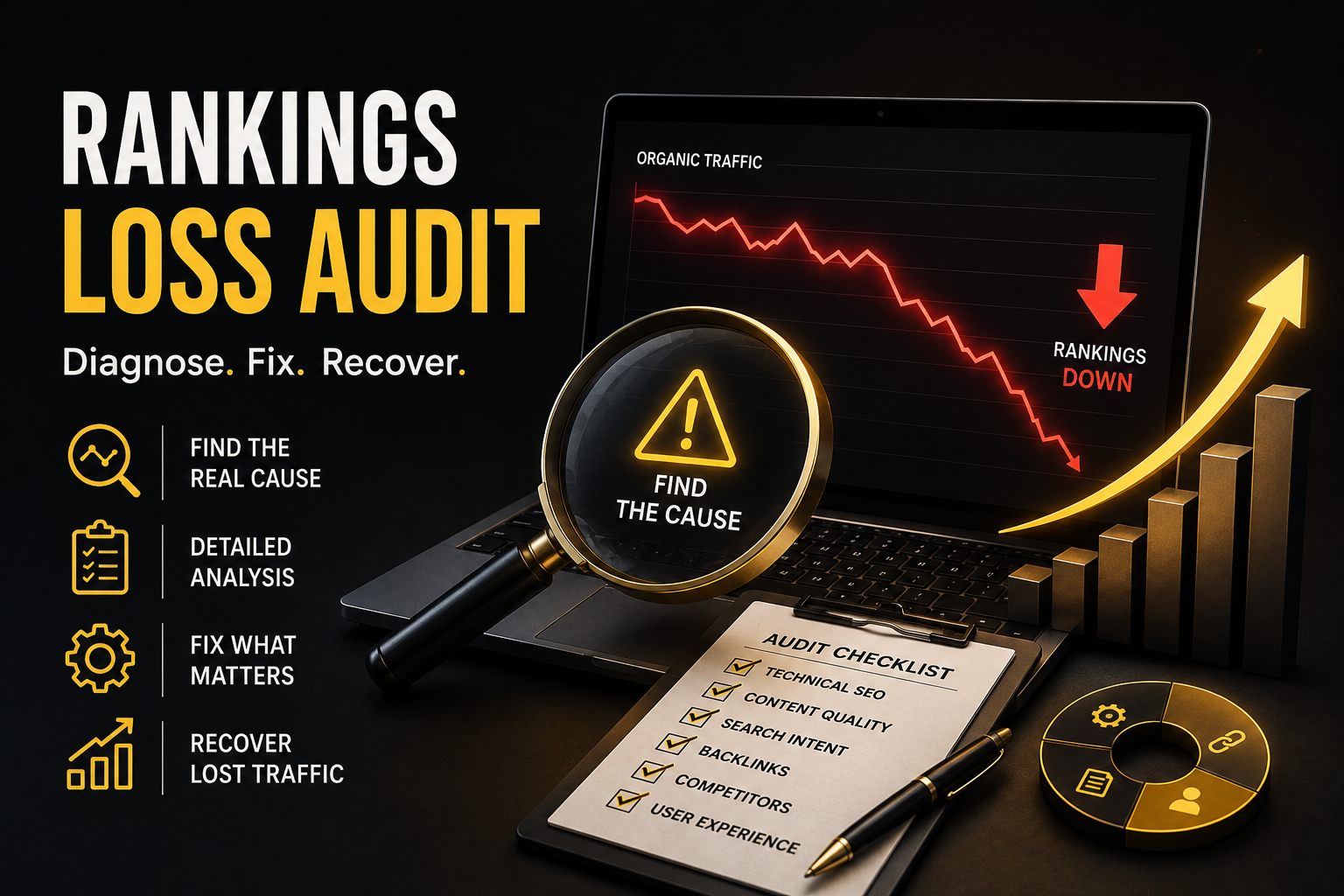
A proper website rankings loss audit helps me find exactly what changed, which pages were affected, which keywords lost visibility, and what needs to be fixed first.
In this guide, I’ll walk you through the same process I use when diagnosing lost rankings and organic traffic.
What Is a Website Rankings Loss Audit and Website Traffic Loss Audit?
A website rankings loss audit is a detailed SEO investigation that helps identify why a website has lost Google rankings, impressions, clicks, or organic traffic.
The goal is not just to say:
“Your traffic dropped.”
The goal is to answer:
“Which pages dropped?”
“Which keywords dropped?”
“When did the drop start?”
“Was it technical, content-related, algorithm-related, or competitor-driven?”
“What should be fixed first?”
This is important because different ranking drops need different solutions.
If a page lost traffic because it was accidentally set to noindex, writing more content will not fix it.
If rankings dropped because competitors published better, more useful content, changing meta titles alone will not fix it.
If traffic dropped because search demand is seasonal, panicking and changing the whole website can make things worse.
That is why I always say:
“Before you fix SEO, diagnose SEO.”
Signs You Need a Rankings Loss Audit
You may need a website rankings loss audit if you are seeing any of these issues:
Your Google Search Console clicks are going down.
Your impressions are dropping across important service or blog pages.
Keywords that used to rank on page one are now on page two or lower.
Your leads, calls, form submissions, or sales from organic search have slowed down.
A few pages are losing traffic while the rest of the site looks stable.
You recently redesigned, migrated, updated, or changed your website.
You were ranking before a Google update, but your visibility dropped after it.
In my experience, the worst mistake is waiting too long.
A small ranking drop is easier to fix than a six-month decline where the site has already lost authority, leads, and trust.
My First Step: I Don’t Guess, I Check the Data
When I audit a rankings drop, I start inside Google Search Console.
I look at four things first:
Clicks
Impressions
Average position
CTR
This tells me what type of drop I am dealing with.
For example, if impressions dropped, Google is showing the website less often.
If impressions are stable but clicks dropped, the issue may be CTR, title tags, meta descriptions, SERP features, or stronger competitors.
If average position dropped sharply, I need to check algorithm updates, content quality, backlinks, or technical issues.
If only one section dropped, such as /blog/ or /services/, I focus there instead of blaming the whole website.
This is where many people make mistakes.
They open analytics, see traffic is down, and immediately say:
But the real question is:
“What exactly stopped working?”
Step 1: Find the Exact Date of the Drop
The date matters.
A sudden drop usually has a trigger.
A gradual drop usually has a pattern.
So I compare:
Last 28 days vs previous 28 days
Last 3 months vs previous 3 months
Year-over-year data
Before and after any website change
Before and after Google updates
If the drop started on one clear date, I check what happened around that time.
Was there a website migration?
Did someone change URLs?
Was a new theme installed?
Were important pages removed?
Did the developer block indexing?
Was there a Google core update?
As of June 2026, Google’s Search Status Dashboard shows the May 2026 core update started on May 21, 2026 and lasted 11 days, 21 hours, so for recent ranking losses I would definitely compare the affected pages before and after that rollout window.
But I do not blame every drop on a Google update.
That is another common SEO mistake.
Sometimes the update is only the timing. The real issue is weak content, poor trust signals, thin pages, or technical problems that the update exposed.
Step 2: Check If the Drop Is Site-Wide or Page-Specific
This is one of the most important parts of the audit.
I ask:
“Did the whole site drop, or did only a few pages lose traffic?”
If the whole site dropped, I check technical issues first.
This may include:
Robots.txt blocking Google
Noindex tags
Manual actions
Security issues
Server downtime
Indexing problems
Wrong canonical tags
Migration errors
Incorrect redirects
Website availability issues
If only a few pages dropped, I look at those pages deeply.
Maybe the content is outdated.
Maybe competitors have better pages.
Maybe the search intent changed.
Maybe Google is ranking a different page from the same website.
Maybe two pages are competing with each other for the same keyword.
This is why I never audit rankings only at the homepage level.
Most SEO losses happen page by page.
Step 3: Check Technical SEO Problems First
Technical SEO is always my first major check after identifying the drop.
Why?
Because technical problems can kill rankings fast.
I have seen websites lose visibility because of small mistakes like:
A developer accidentally added noindex to important pages.
A redesign removed internal links.
Old URLs were redirected incorrectly.
A sitemap still contained broken URLs.
Canonical tags pointed to the wrong pages.
Service pages became orphaned.
Pages loaded slowly on mobile.
Important pages returned 404 or 5xx errors.
The website looked fine to users, but Google could not crawl or understand it properly.
So during a rankings loss audit, I check:
Indexing status in Google Search Console
URL Inspection results
Sitemap health
Robots.txt
Canonical tags
Redirect chains
Broken pages
Internal links
Crawl depth
Mobile usability
Core Web Vitals
Structured data errors
My rule is simple:
“If Google cannot crawl it, index it, or understand it, the page cannot rank properly.”
Step 4: Review the Pages That Lost the Most Traffic and Keyword Rankings
After technical checks, I move to content.
I open the pages that lost the most clicks and ask:
“Is this page still the best answer for the keyword?”
This is where E-E-A-T becomes important.
Google’s systems are designed to reward helpful, reliable, people-first content, and Google explains E-E-A-T as experience, expertise, authoritativeness, and trustworthiness signals.
So I check whether the page shows real value.
Does the page answer the search intent clearly?
Does it include original insight?
Does it show experience?
Is the author or business trustworthy?
Are claims supported?
Is the page updated?
Does it give users enough reason to choose this business?
Does it feel written for people, or only for search engines?
Many ranking drops happen because the page used to be “good enough,” but now competitors have become better.
That is why I do not only ask:
“Is this content optimized?”
I ask:
“Is this content more useful than what is ranking above it?”
That question changes everything.
Step 5: Check Search Intent Changes
Sometimes rankings drop even when the page is technically fine.
Why?
Because Google may have changed what type of result it wants to show.
For example, a keyword that used to rank blog posts may now show service pages.
A keyword that used to show local businesses may now show directories.
A keyword that used to show short answers may now reward detailed guides.
So I manually check the SERP.
I look at the top-ranking pages and ask:
What type of content is Google ranking now?
Are they service pages, blog posts, category pages, tools, videos, or local results?
Are competitors answering the query better?
Are they showing stronger trust signals?
Are they using better page structure?
Are they covering questions my page ignored?
This is one of the biggest reasons I prefer manual SEO audits over automated tool reports.
Tools can show ranking loss.
But they cannot always explain the full search intent shift.
Step 6: Check Keyword Cannibalisation
Keyword cannibalisation happens when two or more pages on the same website compete for the same keyword.
This confuses Google.
Instead of one strong page ranking, the site has multiple weak pages fighting each other.
During a rankings loss audit, I check whether Google is switching between different URLs for the same query.
For example:
One week the service page ranks.
Next week a blog post ranks.
Then a tag page appears.
Then rankings drop completely.
That tells me the website does not have a clear primary page for that keyword.
The fix may include:
Consolidating similar pages
Improving one main page
Adding internal links to the preferred page
Changing titles and headings
Redirecting weak duplicate pages
Updating canonical tags
This is a common issue on blogs, ecommerce sites, and service websites with many similar pages.
Step 7: Check Internal Linking
Internal linking is often ignored, but it can make a big difference in recovery.
When a page loses rankings, I check how many internal links it has.
I also check the anchor text.
A strong page should not be buried deep inside the website.
If an important service page has no internal links from the homepage, menu, blog posts, or related service pages, Google may treat it as less important.
So I improve internal links from:
Homepage sections
Navigation
Service pages
Relevant blog posts
Footer links
Case studies
Location pages
FAQ pages
I use descriptive anchors instead of generic text like “click here.”
For example:
Bad anchor: Read more
Better anchor: SEO audit service for ranking drops
Internal links help users move through the website, but they also help Google understand which pages matter most.
Step 8: Audit Title Tags and Meta Descriptions
If impressions are stable but clicks dropped, I look closely at titles and meta descriptions.
Sometimes the page still ranks, but fewer people click.
This can happen because:
A competitor has a stronger title.
Google changed the SERP layout.
AI Overviews, featured snippets, ads, or local packs are taking attention.
The title is too generic.
The meta description does not match search intent.
The brand looks less trustworthy than competitors.
For ranking loss keywords, I rewrite titles to be clear, specific, and intent-focused.
Example:
Weak title:
SEO Audit Services
Better title:
Website Rankings Loss Audit: Find Why Traffic Dropped
The second title speaks directly to the pain.
That matters because people searching after a traffic drop want diagnosis, not generic SEO.
Step 9: Review Backlinks and Lost Authority
Backlinks are not the only ranking factor, but they still matter.
If a page loses rankings, I check whether it lost important backlinks.
I also compare competitors.
Sometimes the reason is simple:
Your page stayed the same, but competitors earned stronger links.
I check:
Lost referring domains
New competitor backlinks
Toxic or spammy link patterns
Anchor text distribution
Links pointing to redirected or broken pages
Brand mentions without links
Relevant directory and industry links
I do not recommend random link building.
For recovery, I prefer relevant, trustworthy links that make sense for the business.
A local business should build local relevance.
A service business should build topical authority.
A healthcare or finance website needs even stronger trust signals.
The goal is not just more links.
The goal is better authority.
Step 10: Check Content Freshness and Accuracy
Old content can quietly lose rankings.
This happens a lot with blog posts.
A post may have ranked well two years ago, but now the examples are outdated, the screenshots are old, the statistics are missing, and the competitors have better guides.
When I update content, I do not just change the publish date.
I improve the page properly.
I may add:
Updated explanations
Fresh examples
Better FAQs
Clearer headings
Comparison sections
Original screenshots
Author experience
Better internal links
Schema markup
Stronger CTA
More helpful answers
I want the page to become genuinely better, not just look updated.
That is how you create content that deserves recovery.
Step 11: Build a Prioritised SEO Recovery Plan
After the audit, I do not give a random checklist.
I create a priority-based recovery plan.
I usually divide fixes into three levels:
Critical fixes
These are issues that can directly block rankings, such as noindex, robots.txt blocks, broken redirects, server errors, canonical issues, or removed pages.
High-impact fixes
These include improving affected pages, updating content, fixing internal links, improving title tags, and resolving cannibalisation.
Growth fixes
These include building topical authority, earning backlinks, adding schema, improving page experience, and creating new supporting content.
This is important because not every SEO issue has the same value.
A website may have 80 issues, but only 5 may be causing the ranking drop.
My job is to find those 5 first.
A complete website traffic loss audit goes beyond checking rankings alone. I review whether the traffic decline is caused by technical SEO issues, lost keyword visibility, on-page SEO problems, search intent changes, or stronger competitors. During every website ranking loss audit and website rank audit, I identify what changed, why rankings dropped, and the fastest path to recover SEO rankings. Whether you need help with lost keyword rankings recovery or want to know how to recover lost rankings after a Google update, the audit provides a prioritized action plan instead of guesswork.
How Long Does SEO Traffic Recovery Take?
Recovery depends on the cause.
If the issue is technical, recovery can sometimes begin after Google recrawls and reprocesses the fixed pages.
If the issue is content quality, recovery usually takes longer because Google needs to reassess the page.
If the issue is authority or backlinks, it may take even more time because trust has to be rebuilt.
If the drop is connected to a core update, I usually avoid panic changes. Google recommends checking the update rollout dates and comparing the right before/after periods after the update completes.
My honest answer is:
“Some fixes can show movement quickly, but real SEO recovery is a process.”
I do not promise overnight rankings.
I promise a clear diagnosis, a focused plan, and measurable improvements.
My Website Rankings Loss Audit Checklist
Here is the checklist I use when reviewing ranking drops:
Check the exact drop date.
Compare GSC clicks, impressions, CTR, and position.
Identify affected pages and queries.
Check whether the issue is site-wide or page-specific.
Review indexing and URL Inspection.
Check robots.txt, noindex, canonicals, and redirects.
Review sitemap and crawl errors.
Check manual actions and security issues.
Compare the drop with Google algorithm updates.
Review title tags and meta descriptions.
Check content quality and search intent.
Look for keyword cannibalisation.
Review internal linking.
Audit backlinks and lost referring domains.
Check mobile experience and page speed.
Compare competitors currently ranking above you.
Create a prioritised recovery roadmap.
This process helps me avoid guesswork and focus only on actions that can actually help recovery.
Final Thoughts
If your website rankings dropped, the worst thing you can do is start changing everything without knowing the cause.
Website ranking loss and website traffic loss always need proper diagnosis before action.
A proper website rankings loss audit shows you what happened, why it happened, and what to fix first.
Sometimes the problem is technical.
Sometimes the content is no longer strong enough.
Sometimes competitors improved.
Sometimes Google changed what it rewards.
And sometimes the drop is not as bad as it looks once the data is checked properly.
My approach is simple:
I find the affected pages.
I compare the right dates.
I check technical SEO first.
I review content against search intent.
I study competitors.
Then I build a recovery plan based on impact, not guesswork.
Because SEO recovery is not about doing more work.
It is about doing the right work first.
FAQs
What is a website rankings loss audit?
A website rankings loss audit is an SEO investigation that identifies why a website lost Google rankings, impressions, clicks, or organic traffic. It checks technical SEO, content quality, backlinks, search intent, Google updates, and competitor movement.
Why did my website rankings suddenly drop?
Sudden ranking drops are often caused by technical issues, indexing problems, manual actions, website migrations, redirect errors, server issues, or Google algorithm updates. The exact cause should be confirmed through Google Search Console and a full SEO audit.
Can lost rankings be recovered and how do I recover SEO rankings?
Yes, many ranking losses can be recovered if the cause is diagnosed correctly. Technical issues may recover faster, while content quality, authority, and core update recovery usually take longer.
How do I check which keywords lost rankings?
You can use Google Search Console. Open the Performance report, compare date ranges, and review queries with the biggest loss in clicks, impressions, CTR, or average position.
Should I update content after a ranking drop?
Yes, but only after checking the reason for the drop. If the issue is content quality or search intent, updating the page can help. If the issue is technical, content updates alone will not solve the problem.
How long does SEO recovery take?
It depends on the cause. Technical fixes may show improvement after recrawling, while content and authority improvements can take weeks or months. Core update recovery may take longer because Google needs to reassess the site.
What should I fix first after losing rankings?
Fix critical technical issues first, especially noindex tags, robots.txt blocks, broken redirects, server errors, canonical problems, and indexing issues. After that, improve affected pages, internal links, titles, content quality, and authority signals.