A WordPress website may not generate leads because the theme is too bloated, the page speed is slow, the CTAs are unclear, the forms are difficult to use, the mobile layout is weak, or the website does not guide visitors toward a clear next step.
WordPress is powerful, but it can easily become slow, cluttered, and conversion-poor when the wrong theme, plugins, layouts, and page structure are used.
A WordPress website can look professional and still fail to generate leads.
Common reasons include:
- Heavy theme
- Too many plugins
- Slow page speed
- Weak service pages
- Poor above-the-fold section
- Generic CTA buttons
- Hidden contact forms
- Long forms
- Poor mobile layout
- Confusing navigation
- No trust signals
- No clear offer
- No internal links
- Weak SEO structure
- Broken forms
- No CRM connection
- No lead tracking
- No chatbot or instant response option
- Page builder bloat
- Poor hosting
- Outdated design
As an SEO expert and website developer, I do not judge a WordPress website only by how it looks.
I check whether the website loads fast, explains services clearly, guides visitors toward action, captures leads properly, and connects those leads to follow-up systems.
At Nexora Creation, we treat WordPress websites as lead-generation systems, not just design projects. A good WordPress site should attract the right visitors, build trust quickly, and make it easy for users to call, book, submit a form, or start a conversation.
In this guide, I will explain why your WordPress website is not generating leads and how to fix theme, speed, CTA, form, mobile UX, and tracking issues.
Planning a new site? See how we approach custom WordPress websites for service businesses.
Why is my WordPress website not generating leads?
Your WordPress website is not generating leads because visitors are not seeing enough clarity, trust, speed, or motivation to take action.
The problem may not be one single issue.
It may be a combination of:
- Slow loading pages
- Weak headlines
- Poor service-page structure
- Generic design
- Hidden CTAs
- Confusing navigation
- No clear contact path
- Outdated theme
- Too many plugins
- Broken forms
- Poor mobile experience
- No reviews or proof
- No lead tracking
- No follow-up automation
A visitor usually asks:
- Am I in the right place?
- Does this business solve my problem?
- Can I trust this company?
- What should I do next?
- Will they respond quickly?
- Is this service right for me?
If your WordPress website does not answer these questions quickly, visitors may leave without becoming leads.
Is your WordPress theme hurting conversions?
Yes, your WordPress theme can hurt conversions if it is slow, cluttered, outdated, or not built for lead generation.
Many businesses choose a theme because it looks beautiful in the demo.
But demo sites often use perfect images, simple content, and ideal layouts.
After real content, plugins, forms, tracking scripts, and custom sections are added, the site may become slow and confusing.
A poor WordPress theme can create:
- Slow loading
- Too much unused CSS
- Too much JavaScript
- Poor mobile layout
- Hard-to-edit sections
- Weak heading structure
- Limited CTA control
- Poor form styling
- Bloated page templates
- Design inconsistency
- Accessibility issues
- Confusing navigation
- Poor Core Web Vitals
A good theme should support speed, clean structure, mobile UX, SEO, and CTA placement.
It should not only look premium.
It should help users convert.
What are signs your WordPress theme is too bloated?
A bloated WordPress theme includes too many features, scripts, animations, layouts, and built-in options that your website does not need.
Signs of theme bloat include:
- Slow page loading
- Large CSS files
- Large JavaScript files
- Too many theme options
- Heavy sliders
- Built-in animations
- Unused demo sections
- Multiple font libraries
- Too many icon libraries
- Complex page builder dependency
- Poor mobile performance
- Slow admin dashboard
- Layout shifts
- Difficulty editing simple sections
A bloated theme can hurt both SEO and conversions.
Visitors may leave before the page loads.
Google may crawl slower pages less efficiently.
Mobile users may struggle with layout and buttons.
A lead-generation website should be lightweight, clear, and easy to use.

Should you change your WordPress theme?
You should not change your WordPress theme without a plan.
Changing themes can improve performance, but it can also break SEO and conversions if handled poorly.
A theme change can affect:
- Page layout
- Header structure
- Footer links
- H1 and headings
- Internal links
- Forms
- CTAs
- Schema
- Page speed
- Mobile layout
- Shortcodes
- Page builder sections
- Design consistency
- Tracking scripts
- SEO plugin output
Before changing themes, audit:
- Current rankings
- Important URLs
- Service pages
- Forms
- CTAs
- Tracking
- Internal links
- Mobile layouts
- Page speed
- Current content structure
If the theme is only slightly slow, optimization may be enough.
If the theme is outdated, bloated, and limiting conversions, rebuilding with a better structure may be the right move.
Are too many WordPress plugins reducing leads?
Yes, too many plugins can slow down your website, create conflicts, break forms, and reduce conversions.
Plugins are useful, but every plugin adds risk.
Plugin problems can include:
- Slow loading
- JavaScript conflicts
- CSS conflicts
- Broken forms
- Broken sliders
- Security issues
- Database bloat
- Duplicate functionality
- Tracking errors
- Admin slowdown
- Mobile layout problems
- Update conflicts
- Redirect issues
- SEO setting conflicts
Common plugin overload areas include:
- Multiple SEO plugins
- Multiple form plugins
- Multiple caching plugins
- Multiple security plugins
- Multiple analytics plugins
- Multiple slider plugins
- Multiple popup plugins
- Multiple optimization plugins
Use fewer, better plugins.
Every plugin should have a clear purpose.
If a plugin does not support SEO, speed, security, functionality, or conversion, remove it carefully.
Is your WordPress website too slow?
A slow WordPress website can reduce leads because visitors may leave before seeing your offer or contact form.
Slow speed is especially damaging on mobile.
Common speed issues include:
- Heavy theme
- Too many plugins
- Large images
- No caching
- Poor hosting
- Page builder bloat
- Large sliders
- Background videos
- Too many fonts
- Render-blocking CSS
- Unused JavaScript
- Third-party scripts
- Unoptimized database
- No CDN
- Slow form plugins
- Large hero images
Speed affects:
- User experience
- SEO performance
- Google Ads landing page quality
- Form submissions
- Phone clicks
- Trust
- Mobile conversions
- Service-page engagement
A website that loads slowly feels unreliable.
If users do not wait, they cannot become leads.
How fast should a WordPress website load?
A WordPress website should load as fast as possible, especially on mobile.
For lead generation, the first visible content should appear quickly.
Users should not wait for:
- Hero image
- Headline
- CTA button
- Contact button
- Form
- Phone number
- Navigation
Speed goals should focus on real user experience.
Check:
- How fast the first screen appears
- Whether users can tap the CTA quickly
- Whether mobile layout shifts
- Whether the form loads properly
- Whether images delay the page
- Whether scripts block interaction
Do not only chase perfect scores.
A fast, clear, usable page is the goal.
How do you fix WordPress speed issues?
Start with the biggest performance problems first.
Useful WordPress speed fixes include:
- Use lightweight theme
- Remove unused plugins
- Compress images
- Convert images to WebP
- Use lazy loading
- Improve hosting
- Enable caching
- Use CDN
- Minify CSS carefully
- Delay non-critical JavaScript
- Optimize fonts
- Remove heavy sliders
- Reduce animations
- Clean database
- Limit third-party scripts
- Optimize page builder sections
- Use fewer tracking scripts
- Test mobile speed
Be careful with optimization plugins.
Wrong settings can break:
- Forms
- Menus
- Sliders
- Chat widgets
- Tracking scripts
- Page builder layouts
Always test after optimization.
Speed fixes should improve performance without breaking conversions.
Is your above-the-fold section weak?
The above-the-fold section is the first screen visitors see before scrolling.
If this section is weak, users may leave before seeing the rest of the page.
Common above-the-fold problems include:
- Vague headline
- No clear offer
- Hidden CTA
- No trust signal
- Too much text
- Generic stock image
- Slider instead of clear message
- No phone number
- No service clarity
- Poor mobile layout
- Slow hero image
- CTA below the fold
A strong above-the-fold section should include:
- Clear headline
- Short value proposition
- Primary CTA
- Trust signal
- Relevant visual
- Contact option
- Mobile-friendly layout
Example weak headline:
“Grow Your Business Online”
Better headline:
“WordPress Website Development Built to Turn Visitors Into Leads”
A visitor should understand your offer within seconds.
Are your WordPress CTAs too generic?
Generic CTAs reduce action because they do not explain value.
Weak CTA examples:
- Submit
- Learn More
- Click Here
- Contact Us
- Get Started
Better CTA examples:
- Request a Website Review
- Schedule a Free Consultation
- Get an SEO Audit
- Fix My Lead Flow
- Request a Quote
- Improve My Website Conversion
- Book a Strategy Call
CTA text should match the page.
For a WordPress website page, use:
- Get a WordPress Website Review
- Fix My WordPress Website
- Improve My Website Leads
For an SEO page, use:
- Request an SEO Audit
For a CRM page, use:
- Automate My Lead Follow-Up
The CTA should tell the visitor what happens next.
Are your CTAs hidden on mobile?
Many WordPress sites look acceptable on desktop but hide CTAs on mobile.
Mobile CTA problems include:
- Button below the fold
- Button too small
- Button blends into background
- Button too close to other elements
- CTA hidden behind menu
- Phone number not clickable
- Sticky header covers CTA
- Popup blocks CTA
- Hero image pushes CTA down
- Form too hard to complete
Fix mobile CTAs by:
- Showing CTA early
- Making buttons large enough
- Using clear button text
- Adding click-to-call
- Using sticky mobile CTA carefully
- Keeping forms short
- Removing unnecessary hero height
- Testing on real phones
Most small business visitors use mobile at some point.
Mobile CTA visibility is not optional.
Is your contact form too hard to use?
A difficult contact form can stop visitors from becoming leads.
Common WordPress form issues include:
- Too many fields
- Too many required fields
- Long message box
- Required phone number
- Budget field too early
- Confusing dropdowns
- CAPTCHA friction
- Poor mobile styling
- Error messages unclear
- Form reloads and clears data
- Submit button not working
- No confirmation message
- No CRM connection
- No tracking
A good contact form should be simple.
Recommended fields:
- Name
- Phone
- Service needed
- Website URL, if relevant
- Short message
Add reassurance near the form:
- “We usually respond within one business day.”
- “No spam. We only use your details to reply.”
- “Tell us what you need and we will suggest the next step.”
A form should feel easy and safe.
Is your WordPress form technically broken?
Sometimes a website is not generating leads because the form is not working properly.
WordPress form issues are common.
Check:
- Does the submit button work?
- Do required fields work?
- Does the confirmation message appear?
- Does the email notification arrive?
- Does the lead go to spam?
- Does the CRM receive the lead?
- Does the form work on mobile?
- Does the form work in different browsers?
- Does CAPTCHA block users?
- Does tracking fire correctly?
- Is SMTP configured properly?
- Did a plugin update break the form?
Test your form regularly.
Submit test leads from:
- Desktop
- Mobile
- Chrome
- Safari
- Different email addresses
A broken form can silently cost leads.
Is your WordPress website missing trust signals?
Visitors need trust before they contact you.
A WordPress website without trust proof may feel risky.
Trust signals include:
- Testimonials
- Reviews
- Case studies
- Portfolio
- Client logos
- Before-and-after examples
- Team photos
- Certifications
- Process explanation
- Privacy note
- Response time
- Business address
- Phone number
- Social proof
- Clear service details
Place trust signals near:
- Hero section
- CTA buttons
- Contact form
- Service sections
- Pricing sections
- Final CTA
Do not hide all proof on a separate page.
Trust should appear where users make decisions.
Are your service pages too thin?
Thin service pages are one of the biggest reasons WordPress websites do not generate leads.
A thin service page may only include:
- Service name
- Short paragraph
- Generic image
- Contact button
That is not enough for most competitive services.
A strong service page should include:
- Clear H1
- Problem section
- Service explanation
- Benefits
- What is included
- Process
- Trust proof
- FAQs
- Internal links
- CTA
- Contact path
Each important service should have its own page.
For example:
- SEO Services
- Website Development Services
- CRM Automation Services
- AI Voice Agent and Chatbot Services
One page for all services usually creates weak SEO and weak conversion.
Is your WordPress navigation confusing?
Navigation should help users find services and contact options quickly.
Confusing navigation can reduce leads.
Common navigation problems include:
- Too many menu items
- Vague labels
- Services hidden
- Contact hidden
- No CTA button
- Dropdowns too complex
- Mobile menu broken
- Blog more visible than services
- Footer missing important links
- No phone number
- No booking link
A good service business navigation should include:
- Home
- Services
- About
- Portfolio or Case Studies
- Blog
- Contact
If lead generation is the goal, the Contact or Book button should be visible.
Do not make users hunt for the next step.
Is your WordPress homepage trying to do too much?
Many WordPress homepages fail because they try to explain everything at once.
A homepage should act as a clear hub.
It should not be a cluttered collection of every idea, service, banner, slider, and announcement.
A strong homepage should include:
- Clear headline
- Main value proposition
- Main services
- Trust signals
- Process overview
- Reviews
- Case study or portfolio preview
- CTA sections
- Internal links to services
- Contact path
A homepage should guide users to the right page.
It should not confuse them with too many choices.
Are your blog posts disconnected from your services?
WordPress blogs often bring traffic but fail to generate leads because they do not link to service pages.
A blog should support a service or topic cluster.
For example:
A blog about ranking drops should link to:
- SEO Services
- Technical SEO audit
- Contact page
A blog about website leads should link to:
- Website Development Services
- CRM Automation Services
- AI Chatbot Services
A blog about missed leads should link to:
- CRM Automation Services
- AI Voice Agent and Chatbot Services
Blogs should include:
- Relevant internal links
- CTA sections
- Service connection
- Contact path
- FAQs
- Trust signals
Traffic without a next step rarely converts.
Are your internal links weak?
Internal links help users and Google understand your website.
Weak internal linking can reduce rankings and lead flow.
Common issues include:
- Blogs do not link to services
- Service pages do not link to supporting blogs
- Important pages are orphaned
- Footer links are missing
- Navigation hides services
- Anchor text is vague
- Internal links are random
- Old pages are disconnected
- Contact page is not linked near CTAs
A strong internal linking strategy connects:
- Homepage to services
- Blogs to service pages
- Service pages to supporting blogs
- Location pages to services
- Case studies to services
- CTA sections to contact page
Internal links should guide users toward action.
Is your WordPress SEO structure weak?
A WordPress site can look good but still have weak SEO structure.
Check:
- Title tags
- Meta descriptions
- H1 headings
- H2 headings
- URL structure
- Internal links
- Sitemap
- Indexing status
- Canonicals
- Schema
- Image alt text
- Breadcrumbs
- Blog categories
- Service page hierarchy
- Mobile usability
- Page speed
Common WordPress SEO mistakes include:
- Multiple H1s
- Missing title tags
- Duplicate meta descriptions
- Bad permalink structure
- Thin service pages
- No schema
- No sitemap
- No Search Console setup
- Indexed tag archives
- Duplicate category pages
- No internal link strategy
SEO structure helps Google understand your pages.
If Google does not understand the website, qualified visitors may not arrive.
Are your WordPress pages matching search intent?
Search intent means what users expect when they search.
If your WordPress pages do not match intent, visitors may leave without contacting you.
Example:
Search query:
“WordPress website development services”
Expected page:
- Service page
- WordPress development explanation
- Benefits
- Process
- Portfolio
- Pricing guidance
- CTA
Wrong page:
- Generic homepage
- Blog post
- About page
- Portfolio only
- Thin service page
Intent mismatch reduces leads.
Each important keyword should map to the right page type.
- Service keywords need service pages.
- Problem keywords need helpful blogs.
- Local keywords need location or local service pages.
- Comparison keywords need comparison content.
Are visitors unsure what you actually do?
A WordPress website may not generate leads if users cannot quickly understand the offer.
This happens when the copy is too vague.
Weak copy includes:
- Digital solutions
- Business growth
- Professional services
- Innovative strategies
- Online presence
- Full-service solutions
Clear copy says:
- We build WordPress websites for service businesses.
- We improve SEO visibility and lead generation.
- We connect website forms to CRM.
- We set up AI chatbots to capture after-hours leads.
- We redesign service pages to improve conversions.
Visitors should not need to guess.
Clarity creates confidence.
Confidence creates action.
Are visitors unsure what happens after they contact you?
Visitors may avoid contacting you if the next step is unclear.
Add simple process text near your CTA or form.
Examples:
- “Submit your website URL.”
- “We review your current website.”
- “We identify the biggest lead-generation issues.”
- “We send recommendations or schedule a consultation.”
- “You decide the next step.”
This reduces hesitation.
A clear next-step process can improve form submissions.
Users are more likely to act when they know what to expect.
Is your WordPress website missing local trust?
If you serve local customers, your WordPress website should show local relevance.
Local trust signals include:
- City or service area
- Local reviews
- Local phone number
- Google Business Profile link
- Map
- Service area section
- Local case studies
- Local FAQs
- Local photos
- Nearby locations served
Visitors may not contact you if they are unsure whether you serve their area.
Local clarity improves both SEO and conversion.
Is your website missing multiple contact options?
Not every visitor wants to fill out a form.
Some prefer:
- Phone call
- Chatbot
- Booking calendar
- Quote form
- Consultation button
- Live chat
A WordPress website should offer clear contact options without cluttering the page.
For service businesses, useful options include:
- Contact form
- Click-to-call
- Booking link
- AI chatbot
- Direct email
- Request quote CTA
Different users prefer different paths.
More clear options can mean more leads.
Can AI chatbots help a WordPress website generate leads?
Yes, AI chatbots can help WordPress websites generate more leads by answering questions and capturing visitor details before they leave.
An AI chatbot can ask:
- What service are you interested in?
- Do you need a new website or redesign?
- Are your rankings dropping?
- Do you want to automate lead follow-up?
- What is your website URL?
- What is the best way to contact you?
It can guide users to:
- Website Development Services
- SEO Services
- CRM Automation Services
- Contact page
It can also capture after-hours enquiries.
This is helpful when visitors are interested but not ready to fill out a full form.
AI Voice Agent & Chatbot Services
Is your WordPress website connected to CRM?
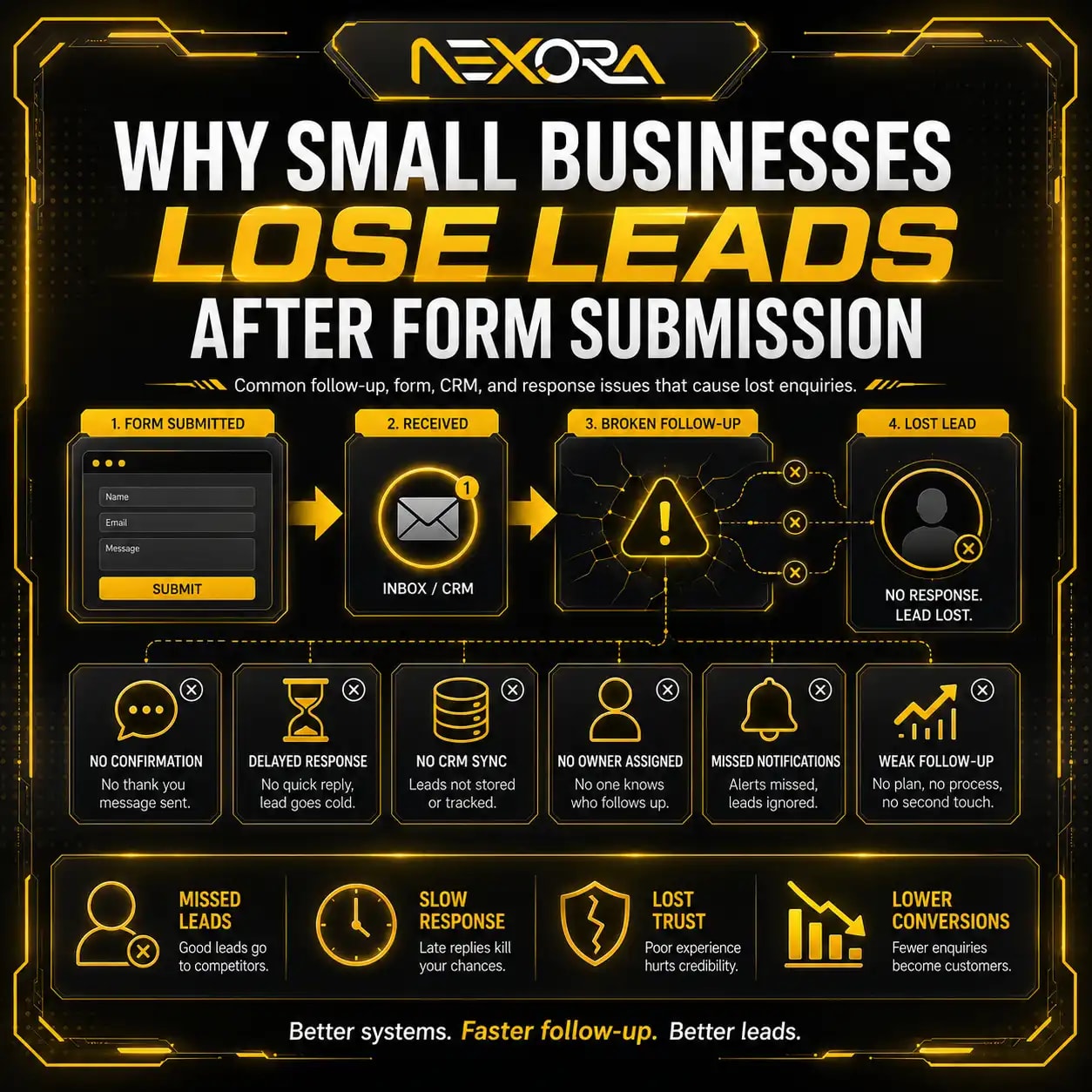
A WordPress website may generate leads but still lose them after submission if there is no CRM connection.
Without CRM, leads may get lost in:
- Email inbox
- Spam folder
- Unassigned team members
- Missed notifications
- Manual spreadsheets
- Delayed follow-up
- No pipeline tracking
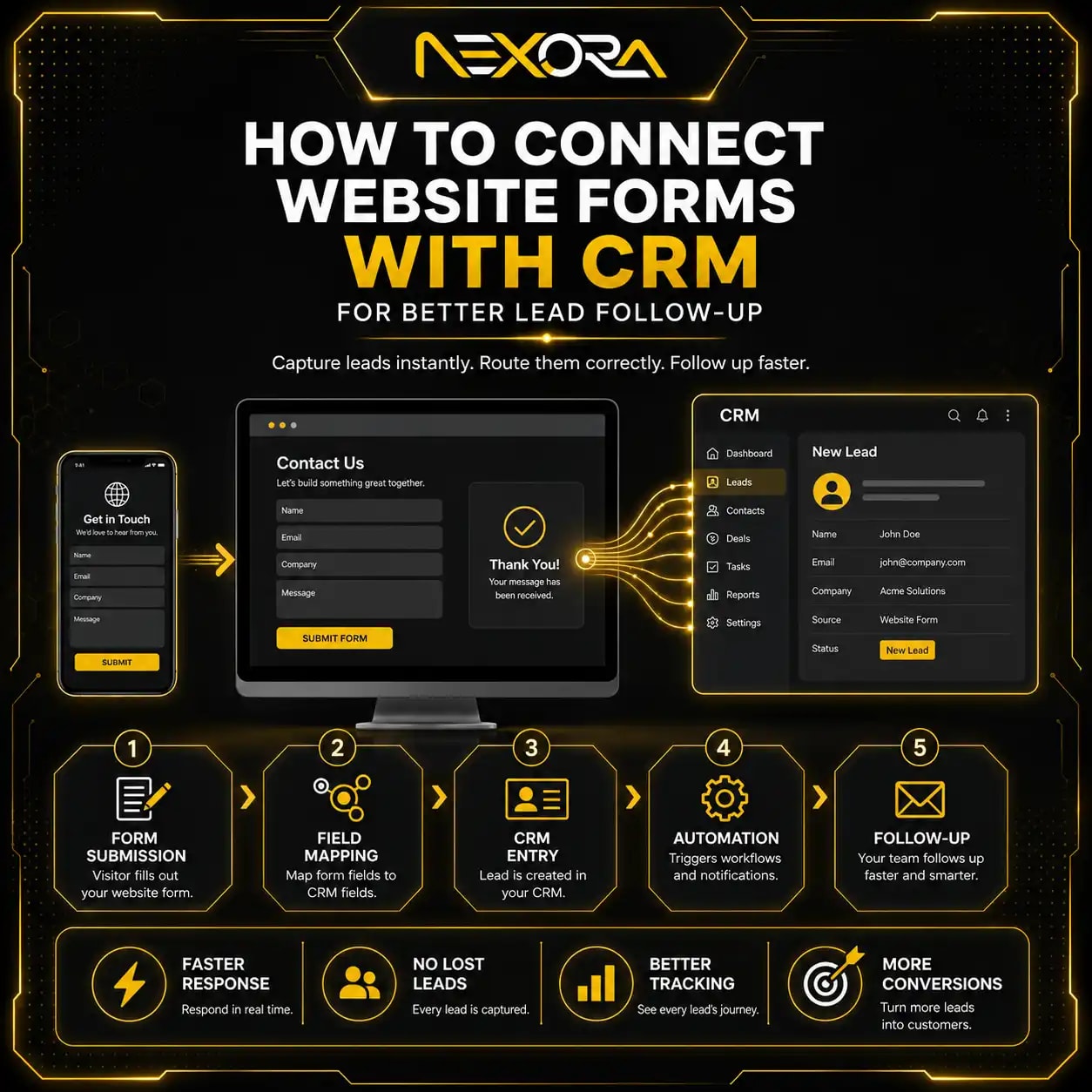
CRM automation can help:
- Capture form leads
- Tag service interest
- Tag lead source
- Notify the team
- Send confirmation email
- Create follow-up tasks
- Track lead status
- Track which page generated the lead
- Measure lead quality
If your WordPress forms are not connected to CRM, you may not know which pages generate real enquiries.
Are you tracking WordPress leads correctly?
You cannot improve what you cannot measure.
Track:
- Form submissions
- Phone clicks
- CTA clicks
- Chatbot starts
- Booking clicks
- Contact page visits
- Service-page visits
- Quote requests
- CRM leads
- Lead source
- Conversion rate
Common tracking issues include:
- GA4 event not firing
- Google Tag Manager misconfigured
- Thank-you page not tracking
- Form plugin not tracked
- CRM not connected
- Phone clicks not tracked
- Chatbot leads not tracked
- Consent banner blocking events
- Google Ads conversion not firing
A WordPress website may seem like it is not generating leads when tracking is broken.
Always compare:
- Form plugin entries
- CRM records
- Email notifications
- Analytics events
- Call tracking data
How do you audit a WordPress website for lead generation?
Use a structured audit.
How do you audit the theme?
Check:
- Theme speed
- Mobile layout
- Design flexibility
- CTA placement
- Heading structure
- Page builder dependency
- Unused theme features
- Update status
- Compatibility
How do you audit speed?
Check:
- Page load time
- Mobile performance
- Hero image size
- Plugin load
- JavaScript
- CSS
- Fonts
- Hosting
- Caching
- Third-party scripts
How do you audit CTAs?
Check:
- Above-the-fold CTA
- Service-page CTA
- Blog CTA
- Mobile CTA
- Button text
- Button visibility
- Contact path
- Form placement
How do you audit forms?
Check:
- Form length
- Required fields
- Mobile usability
- Submit function
- Confirmation message
- Email delivery
- CRM connection
- Tracking
How do you audit trust?
Check:
- Reviews
- Testimonials
- Case studies
- Portfolio
- Process
- Team details
- Location details
- Privacy note
- Response time
How do you audit SEO structure?
Check:
- Service pages
- Title tags
- Meta descriptions
- H1s
- Internal links
- Sitemap
- Indexing
- Canonicals
- Blog categories
- URL structure
This audit helps identify what is blocking leads.
What are the best WordPress fixes for more leads?
The best WordPress lead-generation fixes include:
- Replace bloated theme if needed
- Remove unnecessary plugins
- Improve hosting
- Optimize page speed
- Compress images
- Simplify above-the-fold design
- Rewrite weak headlines
- Add stronger CTAs
- Improve service pages
- Add trust signals
- Shorten contact forms
- Fix form delivery
- Add mobile click-to-call
- Improve navigation
- Connect forms to CRM
- Add chatbot lead capture
- Track conversions
- Improve internal links
- Build SEO-focused service pages
- Update outdated content
Do not fix only the design.
Lead generation depends on speed, clarity, trust, UX, traffic quality, and follow-up.
What WordPress mistakes should you avoid?
Avoid these common WordPress lead-generation mistakes:
- Choosing a theme only because it looks nice
- Using too many plugins
- Ignoring mobile speed
- Using sliders in hero sections
- Hiding CTAs
- Using generic CTA text
- Creating thin service pages
- Publishing blogs without service links
- Not testing forms
- Not connecting CRM
- Not tracking leads
- Ignoring mobile layout
- Using huge images
- Ignoring SEO structure
- Indexing low-value pages
- Not updating plugins carefully
- No backup before changes
- No conversion strategy
A WordPress website should not be a collection of plugins and sections.
It should be a focused lead-generation system.
How can Nexora Creation help fix a WordPress website that is not generating leads?
Nexora Creation helps businesses improve WordPress websites that are not generating enough leads by fixing structure, speed, CTAs, forms, SEO, and tracking.
For WordPress lead-generation improvements, we can help with:
- WordPress website audit
- Theme review
- Speed optimization
- Plugin cleanup
- Service-page redesign
- CTA improvement
- Contact form optimization
- Mobile UX fixes
- WordPress SEO structure
- Internal linking
- Google Search Console review
- CRM integration
- AI chatbot setup
- Lead tracking setup
- Website redesign
- Conversion-focused development
The goal is not only to make the website look better.
The goal is to make it faster, clearer, easier to use, and better at turning visitors into qualified leads.
If your WordPress website gets visitors but few enquiries, the issue may be theme bloat, speed, weak CTAs, poor form UX, missing trust signals, or broken follow-up.
What is the best strategy to fix a WordPress website that is not generating leads?
The best strategy is to audit the full lead journey before making random design changes.
Use this process:
- Check traffic quality.
- Review above-the-fold clarity.
- Test mobile layout.
- Audit page speed.
- Review theme bloat.
- Remove unnecessary plugins.
- Improve service pages.
- Rewrite CTAs.
- Add trust signals.
- Test contact forms.
- Connect forms to CRM.
- Add chatbot support where useful.
- Improve internal links.
- Track conversions.
- Monitor lead quality.
Do not assume the theme alone is the problem.
Do not assume speed alone is the problem.
Do not assume the CTA button color alone is the problem.
Most WordPress lead-generation issues come from multiple small problems across the website journey.
Conclusion
A WordPress website may not generate leads even if it looks professional.
The issue is often hidden in the details.
Common problems include:
- Bloated theme
- Too many plugins
- Slow speed
- Weak above-the-fold section
- Generic CTAs
- Thin service pages
- Hidden contact forms
- Poor mobile UX
- Broken forms
- Weak trust signals
- No internal links
- No CRM connection
- No conversion tracking
- No chatbot support
WordPress can be a strong platform for lead generation, but only when it is built with speed, structure, clarity, and conversion in mind.
The goal is not only to have a website.
The goal is to have a website that helps visitors understand your offer, trust your business, and take action.
When your WordPress theme, speed, CTAs, forms, service pages, and lead tracking work together, your website has a much better chance of turning traffic into qualified leads.
FAQs
Why is my WordPress website not generating leads?
Your WordPress website may not generate leads because of slow speed, weak CTAs, poor service pages, confusing navigation, broken forms, poor mobile UX, missing trust signals, or no CRM follow-up.
Can a WordPress theme affect lead generation?
Yes. A bloated or poorly structured theme can slow down the website, create poor mobile UX, limit CTA placement, and reduce conversions.
Do too many WordPress plugins hurt conversions?
Yes. Too many plugins can slow the site, cause conflicts, break forms, affect tracking, and create security or performance issues.
How do I make my WordPress website faster?
Use better hosting, remove unused plugins, compress images, enable caching, optimize fonts, reduce scripts, avoid heavy sliders, and use a lightweight theme.
What CTA works best on WordPress service pages?
Specific CTAs work best, such as Request a Website Review, Schedule an SEO Consultation, Request a Quote, or Fix My Lead Flow.
Why are visitors not filling out my WordPress contact form?
The form may be too long, hard to use on mobile, hidden, technically broken, affected by CAPTCHA, or missing trust and next-step clarity.
Should my WordPress website connect to CRM?
Yes. CRM connection helps capture leads, tag lead source, notify your team, automate follow-up, and track which pages generate enquiries.
Can AI chatbots help WordPress websites get more leads?
Yes. AI chatbots can answer visitor questions, guide users to the right service, capture contact details, and collect after-hours enquiries.
How do I know if my WordPress form is working?
Submit test leads from desktop and mobile, check email delivery, CRM records, confirmation messages, analytics events, and spam folders.
Should I redesign my WordPress website if it is not generating leads?
A redesign may help if the theme, structure, speed, mobile UX, and CTAs are weak. But first, audit the full lead journey before rebuilding.
What is the biggest WordPress lead-generation mistake?
The biggest mistake is focusing only on design while ignoring speed, service-page clarity, CTAs, forms, mobile UX, CRM, tracking, and follow-up.
How often should I audit my WordPress website?
Audit your WordPress website after major updates, plugin changes, redesigns, traffic drops, lead drops, and at least every 3 to 6 months for important business sites.