When rankings start falling, do not panic and do not make random SEO changes.
The first step is to diagnose what changed.
A ranking drop can happen because of:
- Technical SEO issues
- Indexing problems
- Robots.txt blocking
- Accidental noindex tags
- Wrong canonical tags
- Redirect errors
- Website migration mistakes
- Content decay
- Search intent changes
- Competitor improvements
- Weak internal links
- Lost backlinks
- Slow page speed
- Mobile UX issues
- Poor CTR
- SERP feature changes
- AI Overview impact
- Google updates
- Tracking issues
- Conversion problems
As an SEO expert and website developer, I always start with data before touching the website.
I check whether the drop affected:
- One page
- Multiple pages
- One keyword group
- One device
- One country
- Blog content
- Service pages
- Branded searches
- Non-branded searches
- High-intent keywords
- Informational keywords
This matters because every ranking drop has a different fix.
If Google cannot index the page, rewriting content will not help.
If CTR dropped, changing content depth may not solve the issue.
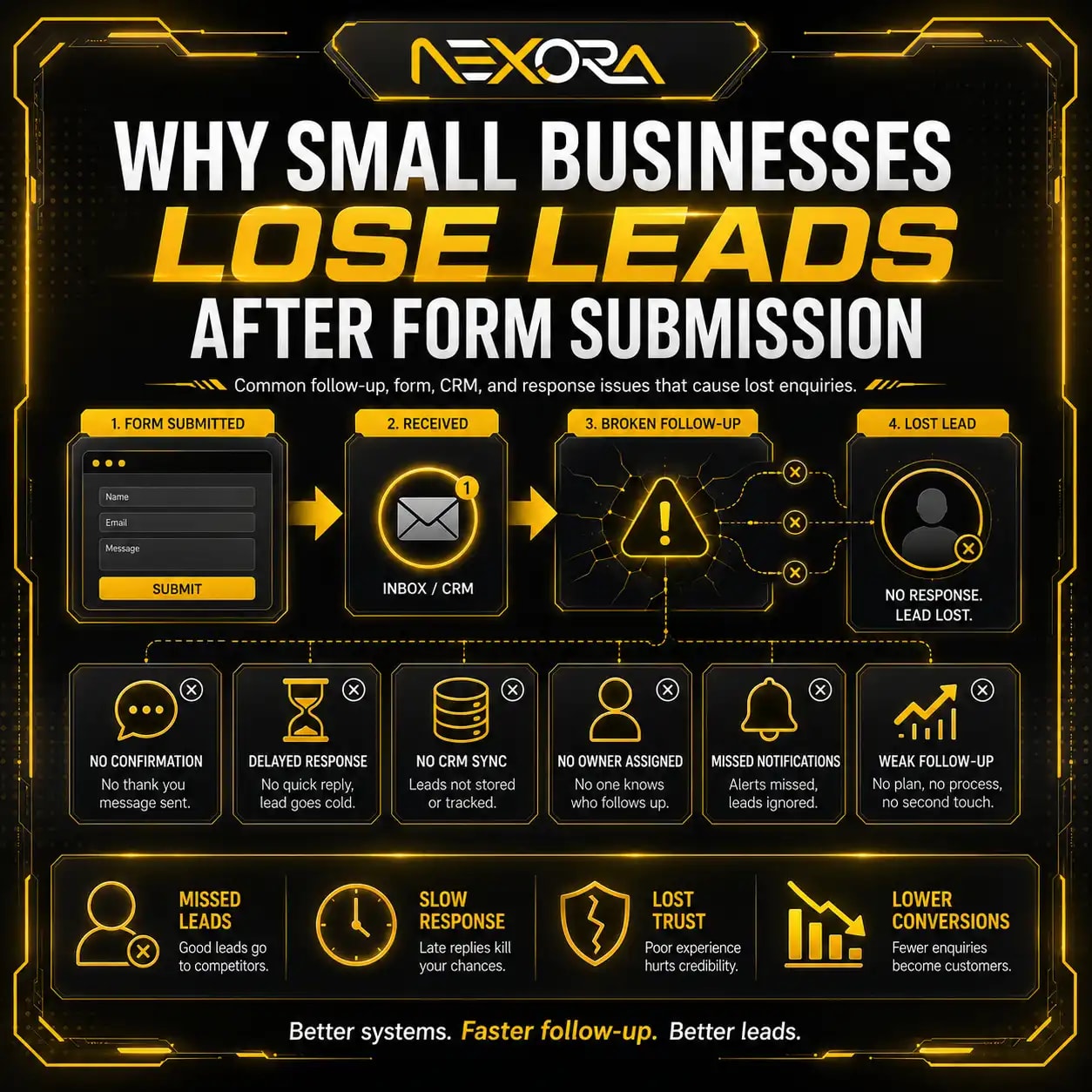
If leads dropped but rankings stayed stable, the problem may be CTA, forms, CRM follow-up, or website conversion.
At Nexora Creation, I treat SEO recovery as a structured process. The goal is not only to recover rankings. The goal is to recover qualified visibility, service-page visits, enquiries, calls, and real leads.
In this guide, I will walk you through a practical SEO recovery checklist and show you what to fix when rankings start falling.
Want an expert to look at your data? Book an SEO audit and get a prioritized fix plan.
What should you do first when rankings start falling?
The first thing you should do is confirm whether the ranking drop is real.
SEO data can fluctuate.
Rankings can move daily.
Traffic can change because of weekends, holidays, seasonality, demand changes, tracking issues, or SERP layout changes.
Before fixing anything, check:
- Did rankings drop across many keywords?
- Did only one page drop?
- Did impressions drop?
- Did clicks drop?
- Did CTR drop?
- Did average position drop?
- Did leads drop?
- Did the drop happen suddenly?
- Did the drop happen gradually?
- Did the drop happen after a website update?
- Did the drop happen after a Google update?
- Did the drop affect mobile only?
- Did the drop affect one country only?
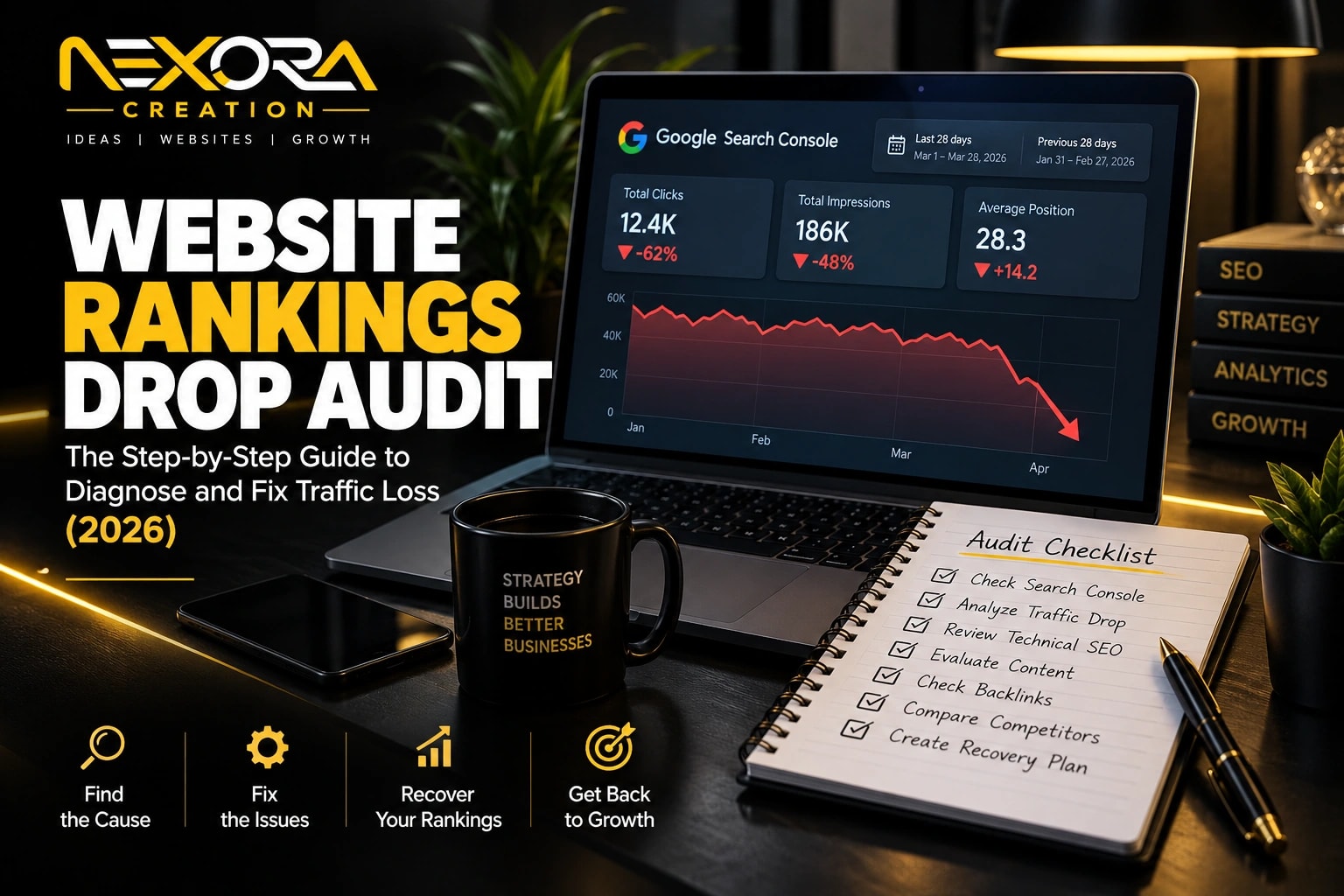
Use Google Search Console first.
Then compare it with Google Analytics and CRM data.
Do not rely on one ranking tool alone.
Ranking trackers are useful, but Google Search Console shows real search performance from Google.
How do you confirm an SEO ranking drop in Google Search Console?
You confirm an SEO ranking drop by comparing before and after performance data in Google Search Console.
Open:
- Google Search Console
- Performance
- Search Results
Turn on:
- Total clicks
- Total impressions
- Average CTR
- Average position
Then compare:
- Last 7 days vs previous 7 days
- Last 28 days vs previous 28 days
- Last 3 months vs previous 3 months
- Last 6 months vs previous 6 months
- Same period year-over-year
Use shorter comparisons for sudden drops.
Use longer comparisons for gradual declines.
Check:
- Queries
- Pages
- Countries
- Devices
- Search appearance
- Dates
The chart shows the drop.
The tables show the cause.
If you only look at the graph, you may miss the real issue.
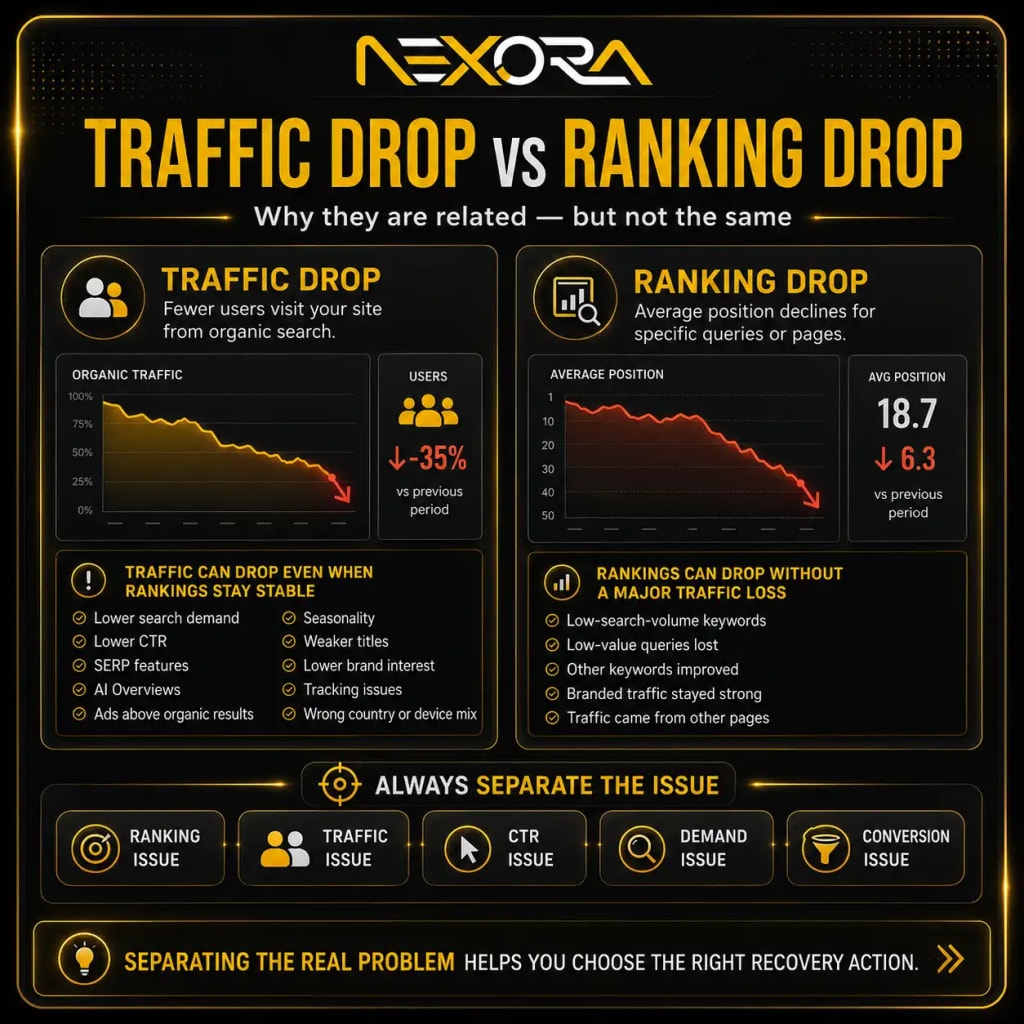
What is the difference between a traffic drop and a ranking drop?
A traffic drop means fewer users visited your site from organic search.
A ranking drop means your average position declined for specific queries or pages.
These are related, but they are not the same.
Traffic can drop even when rankings look stable because of:
- Lower search demand
- Lower CTR
- SERP features
- AI Overviews
- Ads above organic results
- Seasonality
- Weaker titles
- Lower brand interest
- Tracking issues
- Wrong country or device mix
Rankings can drop but traffic may not drop heavily if:
- The keyword had low search volume
- The page lost low-value queries
- Other keywords improved
- Branded traffic stayed strong
- Traffic came from other pages
Always separate:
- Ranking issue
- Traffic issue
- CTR issue
- Demand issue
- Conversion issue
This helps you choose the right recovery action.
How do you identify which pages lost rankings?
To identify pages that lost rankings, use the Pages report in Google Search Console.
Go to:
- Performance
- Search Results
- Pages
Compare before and after.
Look for pages with:
- Clicks down
- Impressions down
- Average position down
- CTR down
- Sudden decline
- Gradual decline
- Lost high-intent queries
- Lost service-page visibility
- Lost local visibility
- Lost lead contribution
Then click each affected page.
Open the Queries tab.
Now you can see which search terms declined for that URL.
Prioritize pages that support:
- Services
- Leads
- Consultation requests
- Quote forms
- Calls
- Local SEO
- Revenue
- Topical authority
- High-value content clusters
A blog losing broad informational traffic may matter less than a service page losing buyer-intent visibility.
How do you identify which keywords lost rankings?
To identify lost keywords, use the Queries report in Google Search Console.
Go to:
- Performance
- Search Results
- Queries
Compare date ranges.
Look for:
- Queries with clicks down
- Queries with impressions down
- Queries with average position down
- Queries with CTR down
- Queries that disappeared from top queries
- Queries that moved from page one to page two
- Queries that lost long-tail visibility
- Queries that previously generated leads
Group queries into:
- Branded queries
- Non-branded queries
- Service queries
- Local queries
- Problem-aware queries
- Informational queries
- Buyer-intent queries
- Comparison queries
This makes prioritization easier.
Recover high-value keywords first.
Do not spend time recovering keywords that never helped the business.
How do you know if the drop is caused by technical SEO?
A technical SEO issue often causes sudden ranking loss.
Technical drops usually happen after:
- Website redesign
- Website migration
- Plugin update
- Theme update
- Hosting change
- Domain change
- URL change
- Sitemap change
- Robots.txt edit
- SEO plugin setting change
- Security plugin update
- CDN change
- Staging-to-live launch
Signs of technical SEO problems include:
- Sudden drop across many pages
- Important URLs not indexed
- Pages marked noindex
- Robots.txt blocking pages
- Wrong canonical selected
- Redirect errors
- 404 errors
- Server errors
- Sitemap warnings
- Mobile usability errors
- Core Web Vitals problems
- Broken internal links
- Staging URLs indexed
- Live URLs blocked
If the drop happened suddenly, check technical SEO before rewriting content.
If Google cannot crawl or index the page, content edits will not solve the issue.
How do you check if affected pages are still indexed?
Use the URL Inspection tool in Google Search Console.
Inspect affected URLs one by one.
Check:
- URL is on Google
- Page is indexed
- Crawl allowed
- Indexing allowed
- Page fetch successful
- Google-selected canonical
- User-declared canonical
- Last crawl date
- Referring page
- Sitemap discovery
- Mobile usability
- Structured data
If a page is not indexed, check for:
- Noindex tag
- X-Robots-Tag header
- Robots.txt block
- Wrong canonical
- Redirect issue
- 404 status
- Soft 404
- Server error
- Duplicate content
- Crawled but not indexed
- Discovered but not indexed
Indexing comes before ranking.
A page cannot recover rankings if Google cannot index it properly.
How do you check for accidental noindex tags?
Accidental noindex tags can remove important pages from Google.
Check affected pages for:
- Meta robots noindex
- X-Robots-Tag noindex
- SEO plugin noindex setting
- Page template noindex
- Category or tag noindex rules
- Staging noindex setting
- CMS visibility settings
- Theme-level noindex
- Security plugin rules
Noindex issues often happen after:
- Website launches
- Staging migrations
- WordPress plugin updates
- Theme changes
- Bulk SEO setting edits
- Developer testing
If important pages are noindexed:
- Remove the noindex tag.
- Confirm the page is crawlable.
- Check canonical tags.
- Submit the URL for indexing.
- Monitor GSC for recovery.
Do not wait weeks before checking this.
A noindex mistake can cause rankings to disappear quickly.
How do you check robots.txt during an SEO drop?
Robots.txt can block search engines from crawling important pages or resources.
Check:
/robots.txt- Google Search Console robots.txt tester, if available
- URL Inspection crawl status
- Blocked resources
- Recent robots.txt changes
Look for dangerous rules like:
Disallow: /Disallow: /services/Disallow: /blog/Disallow: /wp-content/uploads/Disallow: /wp-content/themes/Disallow: /wp-content/plugins/- Blocking important JavaScript
- Blocking important CSS
- Blocking location pages
- Blocking product pages
Robots.txt problems often happen after:
- Staging launch
- Developer edits
- Security plugin changes
- CMS migration
- Website redesign
- Incorrect copy from staging site
Fix robots.txt carefully.
Do not unblock everything blindly.
The goal is to allow important pages and resources while controlling low-value crawling where needed.
How do you check canonical tags during ranking recovery?
Canonical tags tell Google which URL should be treated as the preferred version.
Wrong canonicals can cause ranking loss.
Check affected pages for:
- Self-referencing canonical
- Canonical pointing to another page
- Canonical pointing to homepage
- Canonical pointing to staging URL
- Canonical pointing to HTTP version
- Canonical pointing to redirected URL
- Canonical pointing to 404 page
- Canonical pointing to noindex page
- Duplicate canonical tags
- Missing canonical on important page
Use URL Inspection to compare:
- User-declared canonical
- Google-selected canonical
If Google selected a different canonical, ask:
- Is the page duplicate?
- Is internal linking confusing Google?
- Is the canonical wrong?
- Is the content too similar to another page?
- Is the sitemap sending mixed signals?
- Are redirects confusing the signal?
Fix canonical issues before updating content.
How do you check redirects after rankings fall?
Redirect problems can cause SEO loss after URL changes, redesigns, or migrations.
Check:
- Old URLs
- New URLs
- Redirect status
- Redirect destination
- Redirect chains
- Redirect loops
- HTTP to HTTPS redirects
- www to non-www redirects
- Trailing slash redirects
- Mobile redirects
- Deleted pages
- Service page redirects
- Blog redirects
Good redirect:
- Old page redirects to the closest matching new page.
Bad redirect:
- Every old page redirects to the homepage.
Wrong redirects reduce relevance.
For example:
Old URL:
/services/seo/
Should redirect to:
/services/search-engine-optimization/
Not to:
/
Redirects should preserve search intent.
If redirects are wrong, rankings can drop even if the new website looks better.
How do you check for 404 and soft 404 errors?
404 errors happen when pages no longer exist.
Soft 404s happen when a page looks like a missing page but returns a normal status code.
Check Google Search Console Page indexing report for:
- Not found 404
- Soft 404
- Redirect errors
- Alternate page with proper canonical
- Crawled but not indexed
- Discovered but not indexed
A 404 is not always bad.
It is fine for pages that should no longer exist.
But important pages should not become 404.
Check whether the 404 page had:
- Rankings
- Backlinks
- Internal links
- Traffic
- Leads
- Service relevance
- Organic impressions
If yes, fix it by:
- Restoring the page
- Redirecting to the closest relevant page
- Updating internal links
- Updating sitemap
- Rebuilding useful content
- Removing broken links
Do not redirect all 404 pages to the homepage.
That creates poor user experience and weak relevance.
How do you check server and hosting issues?
Server issues can cause ranking drops if Googlebot cannot access your pages.
Check for:
- 500 errors
- 502 errors
- 503 errors
- 504 errors
- DNS issues
- Hosting downtime
- Database errors
- Firewall blocking crawlers
- CDN misconfiguration
- Rate limiting
- SSL errors
- Security plugin blocks
- Slow server response
Review:
- Google Search Console crawl stats
- Hosting logs
- CDN logs
- Server logs
- Uptime monitoring
- Firewall logs
- Security plugin logs
If rankings dropped after a hosting change, CDN update, or firewall change, check server access immediately.
Google needs stable access to crawl and index your website.
How do you check if a website migration caused the drop?
A website migration can cause rankings to fall if SEO signals were not preserved.
Common migration mistakes include:
- Missing redirects
- Wrong redirects
- Changed URLs
- Lost content
- Lost headings
- Lost metadata
- Broken internal links
- Wrong canonicals
- Sitemap issues
- Robots.txt block
- Noindex tags
- Staging URLs indexed
- Old pages deleted
- Page speed worsened
- Schema removed
- Forms broken
- Tracking broken
After migration, compare:
- Old URLs vs new URLs
- Old rankings vs new rankings
- Old sitemap vs new sitemap
- Old internal links vs new internal links
- Old content depth vs new content depth
- Old title tags vs new title tags
- Old service pages vs new service pages
Migration recovery starts with mapping what changed.
If your rankings dropped after a redesign or migration, Nexora Creation can help audit redirects, technical SEO, site structure, and conversion paths through Website Development Services.
How do you check if content decay caused rankings to fall?
Content decay happens when old pages lose rankings over time because they become outdated, incomplete, or weaker than competing pages.
Signs of content decay include:
- Gradual decline over months
- Impressions slowly falling
- Clicks slowly falling
- Average position worsening
- Old examples
- Old screenshots
- Outdated statistics
- Thin sections
- Weak FAQs
- Missing current subtopics
- Weak internal links
- Competitors publishing better pages
Content decay is common in topics like:
- SEO
- AI search
- Google Ads
- Website design
- CRM automation
- WordPress
- Software tools
- Local SEO
- Technical guides
- Marketing strategies
To fix content decay:
- Update outdated information.
- Add missing sections.
- Match current search intent.
- Improve examples.
- Add FAQs.
- Improve internal links.
- Update title and meta.
- Strengthen EEAT.
- Add trust signals.
- Improve CTA flow.
Do not only change the publish date.
Refresh the actual value.
How do you check if search intent changed?
Search intent changes when users expect a different type of result than before.
A keyword that once ranked with a blog may now require:
- Service page
- Landing page
- Comparison page
- Tool page
- Local page
- Video
- Checklist
- Template
- Pricing page
- Case study
Search the main keyword manually.
Review current top results.
Ask:
- Are top results blogs or service pages?
- Are they local or national?
- Are they guides or landing pages?
- Do they include videos?
- Do they include pricing?
- Do they include tools?
- Do they include comparison tables?
- Do they answer more questions?
- Do they show stronger trust signals?
- Do they match a different stage of the buyer journey?
If the SERP changed, your page may need a format change.
Do not force an old page to rank for an intent it no longer satisfies.
How do you check competitor improvements?
Your rankings can fall because competitors improved.
That does not mean your page became worse.
It means the search result became more competitive.
Compare your page against current top-ranking pages.
Check:
- Content depth
- Search intent match
- Heading structure
- Examples
- FAQs
- Original insight
- Internal links
- Backlinks
- Schema
- Page speed
- Mobile UX
- Trust signals
- Reviews
- Case studies
- CTA clarity
- Author expertise
- Updated date
- Topic completeness
Look for gaps.
Competitors may explain:
- More causes
- Better fixes
- Better examples
- Better processes
- Better visuals
- Better FAQs
- More current information
- More practical steps
Do not copy competitors.
Use the SERP to understand what users now expect.
Then create a more useful page.
How do you check internal links during SEO recovery?
Internal links help Google understand page importance and topical relationships.
Ranking drops can happen when important pages lose internal links.
Check if affected pages still receive links from:
- Homepage
- Main navigation
- Footer
- Service pages
- Blog posts
- Category pages
- Pillar pages
- Location pages
- Related content sections
- Case studies
Common internal linking problems include:
- Orphan pages
- Removed menu links
- Removed footer links
- Broken links
- Vague anchor text
- Too many links to low-value pages
- No links from related blogs
- No links to service pages
- Weak topic clusters
- Blog pages not supporting money pages
Improve internal links by:
- Linking related blogs together.
- Linking problem-aware blogs to relevant services.
- Linking service pages to supporting guides.
- Using descriptive anchor text.
- Fixing broken internal links.
- Adding links from high-authority pages.
- Avoiding spammy exact-match anchors.
Internal links should support both SEO and lead generation.
If a blog discusses falling rankings, the natural next step is SEO Services.
If it discusses poor UX or migration mistakes, the natural next step is Website Development Services.
How do you check title tags and meta descriptions?
Title tags and meta descriptions affect CTR.
If impressions are stable but clicks dropped, review snippets.
Check affected pages for:
- Outdated title
- Generic title
- Missing keyword intent
- Weak benefit
- Too long title
- Duplicate title
- Old year
- Misleading title
- Weak meta description
- Missing CTA
- Poor relevance to query
Example weak title:
“SEO Ranking Guide”
Better title:
“SEO Recovery Checklist: What to Fix When Rankings Fall”
Example weak meta description:
“Learn about SEO problems and solutions.”
Better meta description:
“Use this SEO recovery checklist to diagnose ranking drops, fix technical issues, update content, improve internal links, and recover organic traffic.”
A title update can recover clicks if rankings remain stable but CTR dropped.
How do you check page experience and mobile UX?
Poor page experience can hurt rankings and conversions.
Check affected pages for:
- Slow mobile loading
- Large images
- Layout shifts
- Hard-to-read text
- Buttons too close
- Forms hard to complete
- Broken mobile menu
- Popups blocking content
- Poor Core Web Vitals
- Heavy scripts
- Unclear CTAs
- Broken accordions
- Hidden content
- Confusing design
- Low trust layout
Test on real mobile devices.
Do not only test desktop.
A page can look good on desktop but fail on mobile.
If users leave quickly or cannot contact you easily, rankings and leads can both suffer.
A recovery plan should improve both technical performance and conversion experience.
How do you check backlinks after rankings fall?
Backlinks can support rankings.
If a page loses important backlinks, rankings may decline.
Check:
- Lost referring domains
- Lost high-quality links
- Broken backlink targets
- Backlinks pointing to redirected URLs
- Links pointing to 404 pages
- Competitors earning stronger links
- Toxic or spammy link spikes
- Brand mentions without links
Not every ranking drop is backlink-related.
But backlinks matter when:
- Competitive keywords dropped
- Service pages lost rankings
- Competitors have stronger authority
- A high-value page lost referring domains
- A URL changed and backlinks were not redirected properly
Fix backlink-related issues by:
- Restoring broken pages.
- Redirecting old URLs correctly.
- Updating link-worthy content.
- Creating better resources.
- Building relevant backlinks.
- Reclaiming brand mentions.
- Improving internal links.
Focus on quality and relevance.
Do not chase spammy links.
How do you check if a Google update caused the drop?
Google updates can affect rankings, but they should not be your first assumption.
Check:
- Did the drop happen near a confirmed update?
- Did many pages drop at once?
- Did one content type drop?
- Did thin content drop?
- Did outdated content drop?
- Did informational content drop?
- Did service pages drop?
- Did competitors change?
- Did pages with weak EEAT drop?
- Did helpful pages stay stable?
If a Google update affected your site, improve fundamentals:
- Helpful content
- Search intent match
- EEAT
- Original experience
- Trust signals
- Technical SEO
- Internal links
- Page experience
- Content freshness
- Topic coverage
Do not make random changes after an update.
Google updates often reveal weaknesses that already existed.
How do you check if AI Overviews or SERP features reduced clicks?
AI Overviews and SERP features can reduce clicks even when rankings remain stable.
Check for this pattern:
- Impressions stable
- Average position stable
- CTR down
- Clicks down
- Informational queries affected
- Question-based searches affected
SERP features may include:
- AI Overviews
- Featured snippets
- People Also Ask
- Local pack
- Ads
- Videos
- Images
- Shopping results
- Knowledge panels
- Review snippets
To respond, improve:
- Question-based headings
- Direct answers
- Short paragraphs
- FAQs
- Schema-ready formatting
- Original examples
- Trust signals
- Expert insight
- Strong CTAs
- Internal links to service pages
The goal is not only to rank.
The goal is to become the clearest and most trusted answer.
How do you check if lead tracking is broken?
Sometimes rankings are not the real problem.
Leads may drop because tracking or conversion systems broke.
Check:
- Contact forms
- Quote forms
- Booking forms
- Phone click tracking
- Chatbot tracking
- CRM connection
- Email notifications
- Thank-you pages
- GA4 key events
- Google Tag Manager
- Call tracking numbers
- Form spam filters
- Automation workflows
- Lead assignment rules
Possible issues include:
- Forms not sending
- Leads going to spam
- CRM not receiving leads
- Phone tracking broken
- Chatbot not saving leads
- GA4 event not firing
- Thank-you page changed
- Notifications disabled
- Zapier or automation broken
If GSC traffic is stable but leads dropped, check conversion tracking and CRM first.
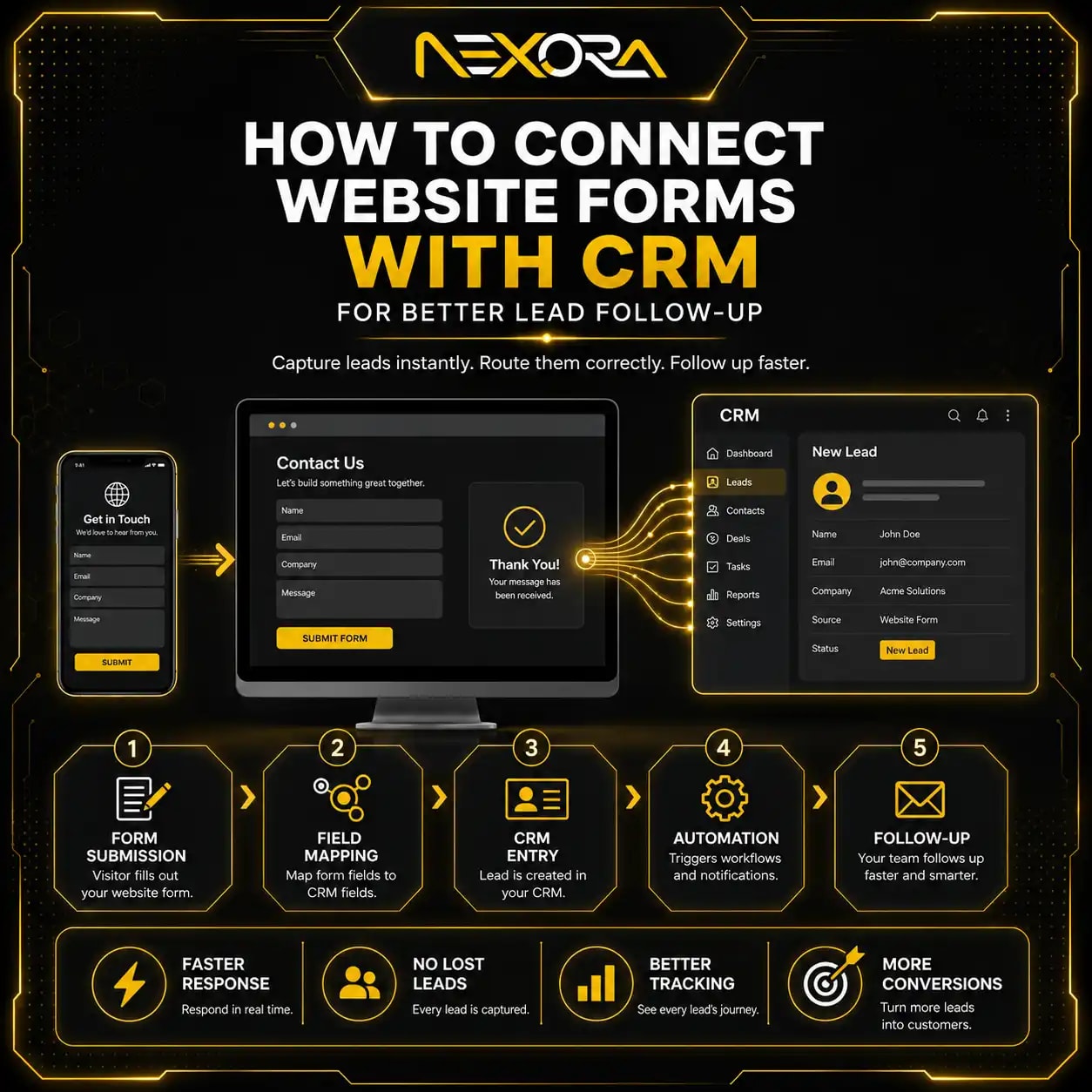
If your SEO data and lead data do not connect clearly, Nexora Creation can help connect forms, calls, chatbot leads, and CRM automation.
How do you prioritize what to fix first?
Prioritize fixes based on impact and urgency.
Start with issues that block crawling, indexing, or revenue.
High-priority fixes include:
- Noindex on important pages
- Robots.txt blocking service pages
- Wrong canonical tags
- Broken redirects after migration
- Important pages returning 404
- Server errors
- Security issues
- Service pages losing rankings
- High-intent keyword drops
- Lead forms not working
- CRM lead capture broken
Medium-priority fixes include:
- Content decay
- Weak internal links
- CTR drops
- Outdated titles
- Missing FAQs
- Slow pages
- Poor mobile UX
- Missing schema
- Lost backlinks
Lower-priority fixes include:
- Low-value keyword drops
- Irrelevant traffic loss
- Very low-impression pages
- Duplicate thin posts with no business value
- Old pages with no search demand
Do not fix everything at once.
Fix what affects visibility, leads, and revenue first.
What is the full SEO recovery checklist?
Use this checklist when rankings start falling.
How do you confirm the drop?
Check:
- Google Search Console clicks
- Google Search Console impressions
- Average CTR
- Average position
- Google Analytics organic traffic
- Landing page sessions
- CRM leads
- Form submissions
- Phone calls
- Chatbot leads
How do you identify affected areas?
Check:
- Pages
- Queries
- Devices
- Countries
- Search appearance
- Dates
- Branded vs non-branded
- Blog vs service pages
- Local vs national queries
- Informational vs buyer-intent queries
How do you check technical SEO?
Check:
- Indexing status
- Noindex tags
- Robots.txt
- Canonicals
- Redirects
- 404 errors
- Soft 404s
- Server errors
- Sitemap
- Mobile usability
- Core Web Vitals
- JavaScript rendering
- Structured data
- Security issues
- Manual actions
How do you check content quality?
Check:
- Search intent match
- Content freshness
- Missing topics
- Thin sections
- Outdated examples
- Weak intro
- Weak headings
- Missing FAQs
- Weak EEAT
- Competitor gaps
- Poor readability
- No original insight
How do you check internal links?
Check:
- Orphan pages
- Broken internal links
- Lost menu links
- Lost footer links
- Weak anchor text
- No links from related blogs
- No service-page links
- Poor topical clustering
- Too many links to low-value pages
How do you check CTR?
Check:
- Title tags
- Meta descriptions
- SERP features
- AI Overviews
- Rich result loss
- Competitor snippets
- Old year references
- Weak benefit language
- Query-title mismatch
How do you check conversion issues?
Check:
- CTA placement
- Contact forms
- Quote forms
- Phone buttons
- Booking links
- Chatbot flow
- CRM connection
- Email notifications
- GA4 key events
- Lead source tracking
- Follow-up speed
How do you monitor recovery?
Track:
- 7-day changes
- 28-day changes
- 60-day changes
- 90-day changes
- Query recovery
- Page recovery
- Lead recovery
- Service-page visits
- CRM pipeline quality
This checklist helps you recover rankings without guessing.
How do you create an SEO recovery action plan?
After the audit, create a recovery plan.
Include:
- Affected page
- Affected query
- Drop date
- Metric affected
- Likely cause
- Priority
- Recommended fix
- Owner
- Completion date
- Follow-up date
- Recovery status
Example:
- Page: SEO Services
- Query: local SEO services
- Issue: Average position dropped
- Likely cause: Content gap and weak internal links
- Fix: Update page sections, add FAQs, add internal links from related blogs
- Priority: High
- Review: 30, 60, and 90 days
A written plan keeps SEO recovery organized.
It also helps avoid random fixes.
How long does SEO recovery take?
SEO recovery time depends on the issue.
Some fixes can recover faster.
Others take longer.
General timelines:
- Noindex fix: days to weeks
- Robots.txt fix: days to weeks
- Redirect fix: days to several weeks
- Server issue fix: days to weeks
- Sitemap fix: days to weeks
- Canonical fix: weeks
- Content refresh: weeks to months
- Internal link improvement: weeks to months
- Backlink recovery: months
- Migration recovery: weeks to months
- Google update recovery: months
Recovery depends on:
- Crawl frequency
- Site authority
- Page importance
- Internal links
- Backlinks
- Issue severity
- How long the issue existed
- Competitor strength
- Content quality
- Technical health
Do not judge recovery too early.
Track results over 30, 60, and 90 days.
How can AI chatbots support SEO recovery?
AI chatbots do not directly fix rankings.
But they can help protect leads while SEO recovery is happening.
If rankings drop, every visitor becomes more valuable.
An AI chatbot can:
- Answer common questions
- Qualify visitors
- Capture contact details
- Ask what service they need
- Send leads to CRM
- Route urgent enquiries
- Offer consultation options
- Collect website URLs
- Support after-hours visitors
For example, if a visitor lands on a blog about falling rankings, the chatbot can ask:
- Are your rankings dropping?
- Did the drop happen suddenly?
- Was there a recent website update?
- Do you want an SEO audit?
- What is your website URL?
- What is the best way to contact you?
This can turn more existing traffic into leads while SEO recovery work continues.
AI Voice Agent & Chatbot Services
How can Nexora Creation help with SEO recovery?
Nexora Creation helps businesses diagnose ranking drops, fix SEO issues, improve website structure, and rebuild organic visibility.
For SEO recovery, we can help with:
- Google Search Console analysis
- Ranking drop diagnosis
- Technical SEO audits
- URL Inspection review
- Indexing issue fixes
- Robots.txt review
- Canonical fixes
- Redirect mapping
- Migration recovery
- Content decay audits
- Old page refreshes
- Internal linking strategy
- Service-page optimization
- Website development fixes
- Page speed improvements
- Mobile UX improvements
- CTA optimization
- CRM lead tracking
- AI chatbot setup
- Recovery reporting
The goal is not only to restore traffic.
The goal is to restore qualified organic visibility that supports enquiries, calls, consultations, and revenue.
If your rankings started falling and you are not sure what caused the drop, the safest next step is a structured SEO recovery audit.
What is the best SEO recovery strategy when rankings fall?
The best SEO recovery strategy is to diagnose first, prioritize fixes, and measure recovery over time.
A strong strategy includes:
- Confirm the drop in seo.
- Identify affected pages.
- Identify affected queries.
- Separate traffic drops from ranking drops.
- Check indexing.
- Check technical SEO.
- Review redirects and canonicals.
- Audit content decay.
- Review search intent.
- Compare competitors.
- Improve internal links.
- Update titles and meta descriptions.
- Improve page experience.
- Check lead tracking.
- Prioritize high-value pages.
- Monitor recovery over 30, 60, and 90 days.
Do not panic.
Do not guess.
Do not change everything at once.
Rankings fall for specific reasons.
A structured checklist helps you find the reason and fix it properly.
Conclusion
When rankings start falling, the worst thing you can do is guess.
An SEO recovery checklist helps you diagnose the issue step by step.
Start with Google Search Console.
Check:
- Clicks
- Impressions
- CTR
- Average position
- Queries
- Pages
- Devices
- Countries
- Search appearance
- Dates
Then inspect:
- Indexing
- Robots.txt
- Noindex tags
- Canonicals
- Redirects
- 404 errors
- Server errors
- Sitemap
- Content decay
- Search intent
- Competitors
- Internal links
- CTR
- Page experience
- Backlinks
- Lead tracking
Not every ranking drop needs the same fix.
Some need technical SEO.
Some need content refreshes.
Some need better internal links.
Some need better titles.
Some need website development fixes.
Some are actually conversion or tracking problems.
The goal is not only to recover rankings.
The goal is to recover qualified traffic, service visibility, and real leads.
A strong SEO recovery process protects your website from panic decisions and turns ranking drops into clear action steps.
FAQs
What should I do first when rankings start falling?
Start by confirming the drop in Google Search Console. Compare clicks, impressions, CTR, average position, queries, and pages before making any changes.
How do I know if my SEO drop is technical?
A technical SEO drop often happens suddenly after a redesign, migration, plugin update, hosting change, robots.txt change, noindex mistake, canonical issue, or redirect problem.
Can rankings recover after a drop?
Yes. Rankings can recover if you identify the cause and fix the right issue. Recovery may require technical SEO fixes, content updates, internal links, CTR improvements, or page experience improvements.
Should I rewrite content when rankings fall?
Not immediately. First check indexing, robots.txt, noindex tags, canonicals, redirects, server errors, and other technical issues. Rewrite content only when content quality or search intent is the problem.
How long does SEO recovery take?
SEO recovery can take days, weeks, or months depending on the issue, crawl frequency, site authority, competition, and how long the problem existed.
Can Google Search Console show why rankings dropped?
Google Search Console can show which queries, pages, devices, countries, and metrics dropped. It may not always state the exact cause, but it provides the data needed for diagnosis.
Can old content cause rankings to fall?
Yes. Old content can lose rankings because of content decay, outdated information, search intent changes, competitor improvements, weak internal links, and poor freshness.
Can internal links help recover rankings?
Yes. Strong internal links can help Google understand page importance, improve crawl paths, support topical authority, and guide users toward relevant service pages.
Can poor CTR cause traffic loss?
Yes. If impressions stay stable but clicks drop, CTR may be the issue. Improve title tags, meta descriptions, freshness, and SERP relevance.
Can website redesigns cause ranking drops?
Yes. Redesigns can cause ranking drops if URLs, redirects, internal links, headings, content, metadata, canonicals, page speed, or indexing settings are not handled properly.
How do I prioritize SEO recovery tasks?
Fix crawl, indexing, robots.txt, noindex, canonical, redirect, server, and service-page issues first. Then focus on content decay, internal links, CTR, backlinks, UX, and lead tracking.
What is the biggest SEO recovery mistake?
The biggest mistake is making random changes without diagnosis. Always compare data, inspect affected pages, identify the cause, and fix the highest-impact issue first.