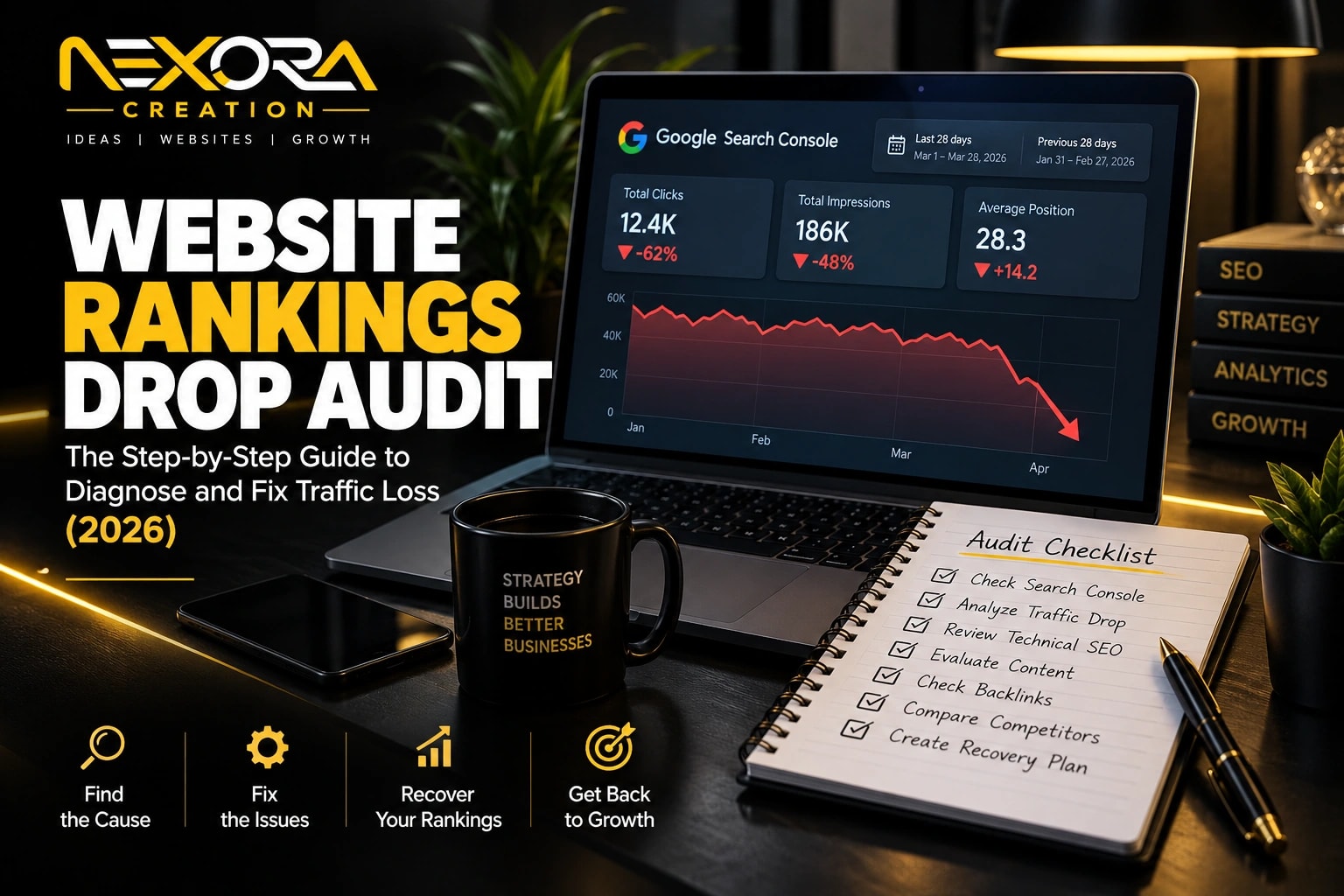
Technical SEO issues can cause sudden ranking loss when Google can no longer crawl, index, understand, or trust important pages on your website.
This type of ranking drop can feel confusing because the content may still look fine.
Your page may still exist.
Your design may still look normal.
Your users may not notice anything at first.
But Google may be seeing something very different.
A sudden ranking loss can happen because of:
- Accidental noindex tags
- Robots.txt blocking
- Wrong canonical tags
- Broken redirects
- 404 errors
- Server errors
- Website migration mistakes
- HTTPS issues
- Sitemap problems
- Internal link changes
- JavaScript rendering issues
- Duplicate pages
- Slow page speed
- Mobile usability problems
- Core Web Vitals issues
- Security problems
- Broken structured data
- Crawl budget waste
- Wrong staging settings
- Plugin or theme conflicts
As an SEO expert and website developer, I always treat sudden ranking loss as a technical investigation first.
Before rewriting content, changing keywords, or blaming a Google update, I check whether Google can access, render, index, and understand the affected pages.
At Nexora Creation, we often see sudden SEO drops after redesigns, plugin updates, migrations, hosting changes, theme changes, redirects, or accidental indexability settings.
In this guide, I will explain the technical SEO issues that can cause sudden ranking loss and how to diagnose them before the damage becomes bigger.
Short on time? Our SEO audit services cover technical issues, content decay and Search Console data in one report.
What is sudden ranking loss in SEO?
Sudden ranking loss means your website or specific pages quickly lose visibility in Google search results.
This may appear as:
- Rankings dropping overnight
- Organic traffic falling sharply
- Impressions dropping in Google Search Console
- Clicks declining suddenly
- Important pages disappearing from search
- Keywords moving from page one to page three
- Service pages losing visibility
- Blog posts losing long-tail queries
- Indexed pages becoming non-indexed
- A full section of the site losing traffic
A sudden drop is different from content decay.
Content decay usually happens slowly.
Technical SEO issues often create faster drops.
For example:
- A noindex tag can remove a page from search.
- A robots.txt mistake can block crawling.
- A bad migration can break hundreds of URLs.
- A wrong canonical tag can point Google to another page.
- A server issue can stop Googlebot from accessing pages.
That is why sudden ranking loss needs urgent technical review.
Why do technical SEO issues cause rankings to drop?
Technical SEO issues cause rankings to drop because search engines need access to your pages before they can rank them.
Google needs to:
- Discover the page
- Crawl the page
- Render the page
- Understand the content
- Select the correct canonical URL
- Index the page
- Evaluate quality and relevance
- Follow internal links
- See mobile-friendly content
- Access important resources
- Trust the website structure
If any part of that process breaks, rankings can drop.
A page cannot rank properly if:
- Google cannot crawl it.
- Google is told not to index it.
- Google sees another page as canonical.
- The page returns an error.
- The page redirects incorrectly.
- The page loads too slowly.
- The mobile version is broken.
- Important content is hidden from rendering.
- Internal links no longer point to it.
- The sitemap sends mixed signals.
- The page appears duplicate or low-value.
Technical SEO is the foundation.
Without it, even great content may fail.
How can you tell if ranking loss is technical or content-related?
You can tell by looking at the speed, scope, and pattern of the decline.
Technical drops often happen suddenly.
Content drops usually happen gradually.
What are signs of a technical SEO drop?
Technical ranking loss often shows:
- Sudden traffic decline
- Multiple pages dropping at once
- A drop after a website update
- A drop after migration
- A drop after plugin or theme changes
- Pages disappearing from the index
- Google Search Console indexing warnings
- Crawl errors increasing
- Redirect errors appearing
- Canonical changes
- Mobile usability issues
- Server errors
- Sitemap errors
- Robots.txt changes
What are signs of a content-related drop?
Content ranking loss often shows:
- Slow decline over months
- Competitors improving content
- Search intent changing
- Old examples
- Thin content
- Weak EEAT
- Outdated information
- Low CTR
- Gradual impression decline
If rankings dropped suddenly after a technical change, start with technical SEO.
If rankings slowly declined over months, check content decay and search intent.
Which Google Search Console reports should you check first?
Google Search Console should be the first place you check after sudden ranking loss.
Start with these areas:
- Performance report
- Pages report
- URL Inspection tool
- Page indexing report
- Sitemaps
- Crawl stats
- Core Web Vitals
- Manual actions
- Security issues
- Enhancements
- Links report
In the Performance report, compare:
- Last 7 days vs previous 7 days
- Last 28 days vs previous 28 days
- Last 3 months vs previous 3 months
Check:
- Which pages dropped?
- Which queries dropped?
- Did impressions drop?
- Did clicks drop?
- Did average position drop?
- Did CTR drop?
- Did one page drop or many pages?
- Did only mobile drop?
- Did one country drop?
Then inspect affected URLs one by one.
A sudden ranking loss becomes easier to fix when you identify the affected page group.
Can accidental noindex tags cause sudden ranking loss?
Yes, accidental noindex tags can cause sudden ranking loss because they tell search engines not to index a page.
This is one of the most damaging technical SEO mistakes.
A noindex tag may appear because of:
- WordPress SEO plugin setting
- Staging site setting
- Theme option
- Developer mistake
- Page builder template
- Security plugin
- Migration issue
- Bulk edit mistake
- Robots meta setting
- X-Robots-Tag header
- CMS default setting
Check for:
<meta name="robots" content="noindex">X-Robots-Tag: noindex- SEO plugin page settings
- Category/tag noindex rules
- Template-level noindex
- Staging environment settings
A noindex issue can affect:
- Homepage
- Service pages
- Blog posts
- Category pages
- Location pages
- Product pages
- Landing pages
If important pages suddenly disappeared from Google, check noindex first.
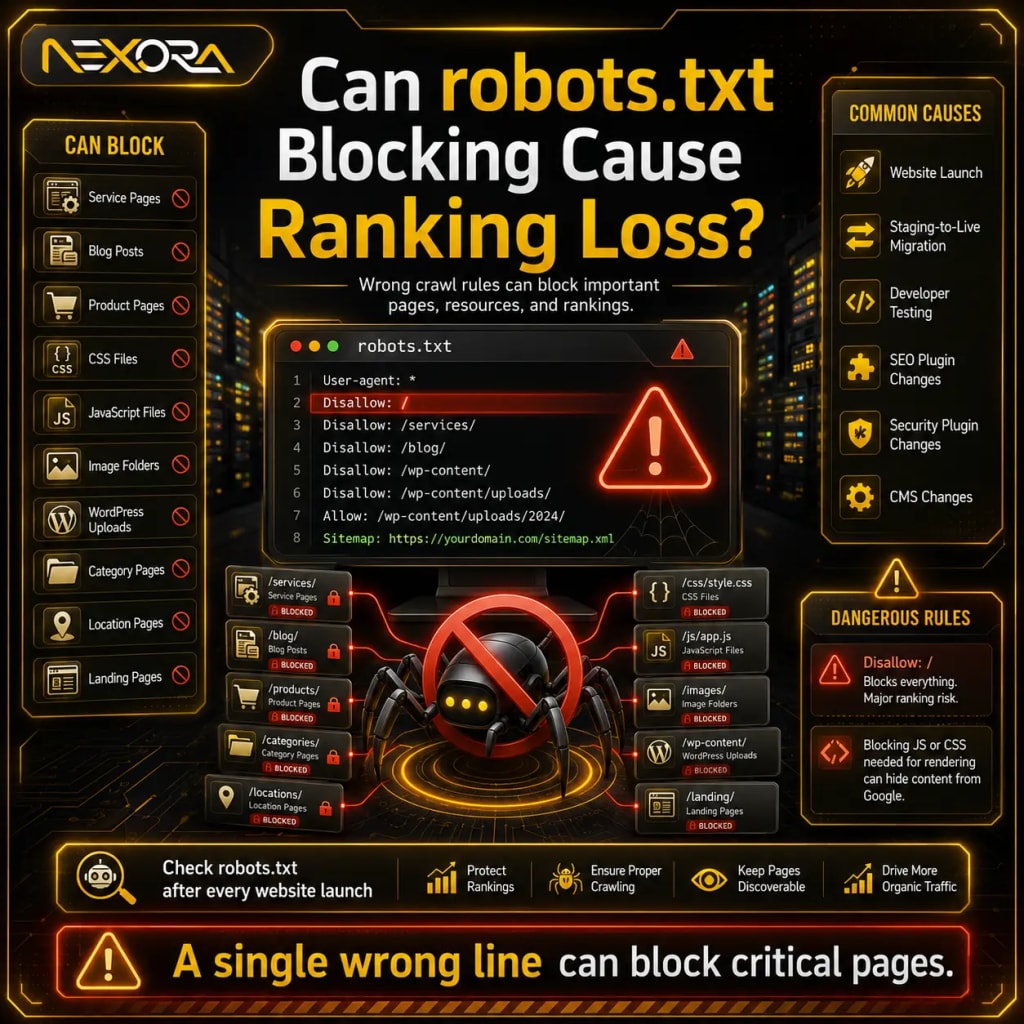
Can robots.txt blocking cause ranking loss?
Yes, robots.txt blocking can cause ranking loss when important pages or resources are blocked from crawling.
Robots.txt tells crawlers which parts of the website they should not access.
A wrong robots.txt rule can block:
- Entire website
- Service pages
- Blog posts
- Product pages
- CSS files
- JavaScript files
- Image folders
- WordPress uploads
- Category pages
- Location pages
- Important landing pages
Dangerous examples include:
Disallow: /Disallow: /services/Disallow: /blog/Disallow: /wp-content/Disallow: /wp-content/uploads/Disallow: /*?- Blocking JS or CSS files needed for rendering
Robots.txt mistakes often happen after:
- Website launch
- Staging-to-live migration
- Developer testing
- SEO plugin changes
- Security plugin changes
- CMS changes
Check robots.txt after every website launch.
A single wrong line can block critical pages.
Can wrong canonical tags cause sudden ranking loss?
Yes, wrong canonical tags can cause sudden ranking loss because they may tell Google that another URL is the preferred version.
Canonical tags help search engines understand which URL should be treated as the main version when similar pages exist.
A wrong canonical tag can point:
- A service page to the homepage
- A blog post to another blog
- A location page to a generic page
- A product page to a category page
- A live page to a staging URL
- A page to an HTTP version
- A page to a non-indexable URL
- Every page to the same URL
Common canonical mistakes include:
- Self-canonical missing on important pages
- Canonical pointing to wrong URL
- Canonical pointing to redirected URL
- Canonical pointing to 404 page
- Canonical pointing to noindex page
- Canonical pointing to staging domain
- Duplicate pages with confusing canonicals
Check the canonical section in Google Search Console URL Inspection.
Look at:
- User-declared canonical
- Google-selected canonical
If Google selects a different canonical than expected, rankings may drop for the original page.
Can redirect mistakes cause rankings to drop?
Yes, redirect mistakes can cause sudden ranking loss, especially after migrations, redesigns, URL changes, or HTTPS updates.
Redirects help preserve SEO value when URLs change.
But wrong redirects can break rankings.
Common redirect problems include:
- 302 redirect used instead of 301
- Redirect chain
- Redirect loop
- Old URL redirects to wrong page
- Service page redirects to homepage
- Blog post redirects to category page
- HTTP does not redirect to HTTPS properly
- www and non-www versions conflict
- Trailing slash versions conflict
- Redirect points to 404 page
- Redirect points to noindex page
- Mobile redirects are wrong
Example:
Old URL:
/services/seo/
New URL:
/services/search-engine-optimization/
Correct redirect:
Old SEO page should redirect to the new SEO page.
Wrong redirect:
Old SEO page redirects to homepage.
That weakens relevance.
Redirects should map old intent to new intent.
If redirects are wrong, Google may not understand the new page replacement.
Can 404 errors cause sudden ranking loss?
Yes, 404 errors can cause ranking loss when important ranking pages are deleted or broken.
A 404 means the page is not found.
This may happen after:
- Deleting pages
- Changing URLs
- Removing blog posts
- Redesigning the site
- Changing permalink structure
- Migrating CMS
- Removing products
- Removing categories
- Broken internal links
- Incorrect redirects
404 errors are not always bad.
It is normal for truly removed pages to return 404.
But important pages should not become 404.
Check whether the 404 page previously had:
- Rankings
- Backlinks
- Traffic
- Internal links
- Leads
- Service relevance
- Organic impressions
If yes, fix it.
Possible fixes:
- Restore the page
- Redirect to the closest relevant page
- Update internal links
- Update sitemap
- Fix broken menu links
- Rebuild deleted content
- Redirect old URLs after migration
Do not redirect every 404 to the homepage.
That creates poor relevance.
Can server errors cause sudden ranking loss?
Yes, server errors can cause sudden ranking loss when Googlebot cannot access your pages.
Common server issues include:
- 500 internal server error
- 502 bad gateway
- 503 service unavailable
- 504 gateway timeout
- DNS errors
- Hosting downtime
- Database connection errors
- Firewall blocking Googlebot
- CDN misconfiguration
- Rate limiting
- Security plugin blocking crawlers
- SSL certificate errors
If Google repeatedly finds server errors, it may reduce crawling or drop pages from results.
Check:
- Google Search Console crawl stats
- Server logs
- Hosting uptime
- CDN logs
- Firewall rules
- Security plugin logs
- Error logs
- DNS settings
Sudden ranking loss after hosting changes often points to server-level problems.
A website needs reliable crawl access.
If Googlebot cannot reach important pages, rankings can suffer.
Can website migration mistakes cause ranking loss?
Yes, website migrations are one of the most common causes of sudden ranking loss.
A migration can include:
- Domain change
- CMS change
- WordPress rebuild
- Shopify migration
- URL structure change
- HTTP to HTTPS move
- www to non-www change
- Site redesign
- Server change
- Page builder change
- Theme change
Migration mistakes include:
- Missing redirects
- Wrong redirects
- Pages removed
- Content removed
- Internal links broken
- Canonicals wrong
- Sitemap not updated
- Robots.txt blocking
- Noindex tags left on
- Staging URLs indexed
- Old pages not mapped
- Metadata lost
- Schema removed
- Blog categories changed
- Service page URLs changed
- Images missing
- Page speed worsened
Before migration, create a URL map.
After migration, check:
- All important URLs
- Redirect status
- Indexing status
- Canonical tags
- Sitemap
- Robots.txt
- Title tags
- Meta descriptions
- H1 headings
- Internal links
- Analytics tracking
- Conversion tracking
- Forms
- Page speed
If your rankings dropped after a migration, Nexora Creation can help audit redirects, technical SEO, page structure, and conversion paths through Website Development Services.
Can HTTPS or SSL issues affect rankings?
Yes, HTTPS or SSL issues can affect rankings and user trust.
Problems may include:
- Expired SSL certificate
- Mixed content warnings
- HTTP version still accessible
- HTTPS redirect not working
- www and non-www conflicts
- Canonical pointing to HTTP
- Sitemap using HTTP URLs
- Internal links using HTTP
- Browser security warnings
- CDN SSL mismatch
Security warnings can stop users from visiting the site.
They can also affect crawling and indexing if Google cannot access secure pages properly.
Check:
- SSL certificate status
- HTTPS redirect
- Canonical URLs
- Sitemap URLs
- Internal links
- Mixed content
- Security issues in GSC
- Browser warnings
- CDN SSL settings
All important pages should resolve cleanly to one HTTPS version.
Can sitemap problems cause ranking loss?
Sitemap problems do not usually cause ranking loss by themselves, but they can make crawling and indexing harder.
A sitemap helps search engines discover important URLs.
Common sitemap problems include:
- Important pages missing
- Old URLs included
- Redirected URLs included
- 404 URLs included
- Noindex URLs included
- Canonical mismatch
- Staging URLs included
- Duplicate URLs included
- HTTP URLs included instead of HTTPS
- Sitemap not submitted
- Sitemap blocked by robots.txt
- Sitemap plugin broken
A clean sitemap should include only important indexable URLs.
Check sitemap after:
- Website redesign
- URL changes
- CMS migration
- Plugin updates
- New service pages
- Blog cleanup
- Category changes
If Google sees conflicting signals, ranking recovery may take longer.
Can internal linking changes cause sudden ranking loss?
Yes, internal linking changes can cause ranking loss when important pages lose link equity or crawl paths.
This often happens after:
- Navigation redesign
- Footer changes
- Blog layout changes
- Category changes
- Homepage redesign
- Removing related posts
- Removing breadcrumbs
- Deleting old blogs
- Changing anchor text
- Moving service pages deeper
- Removing sidebar links
Internal links help Google understand:
- Which pages are important
- What each page is about
- How topics connect
- Which pages should be crawled often
- Which pages support services
- Which pages belong in the same cluster
If a service page loses important internal links, rankings may drop.
Check whether affected pages still receive links from:
- Homepage
- Main navigation
- Footer
- Service pages
- Blog posts
- Category pages
- Location pages
- Pillar pages
- Related content blocks
Internal links should support rankings and leads.
For example, a technical SEO blog should naturally link to SEO Services when discussing audits and ranking loss.
Can JavaScript rendering issues cause ranking loss?
Yes, JavaScript rendering issues can cause ranking loss if Google cannot see important content or links.
Many modern websites use JavaScript frameworks, sliders, tabs, accordions, animations, and page builders.
Problems happen when important content loads only after user interaction or fails during rendering.
JavaScript issues may hide:
- Main content
- Service descriptions
- Internal links
- Product details
- FAQ sections
- Reviews
- CTA buttons
- Navigation
- Schema markup
- Location content
- Pricing details
Check rendering issues by comparing:
- Live page in browser
- View source
- Rendered HTML
- Google URL Inspection screenshot
- Mobile-friendly rendering
- Crawled HTML
- JavaScript console errors
If Google cannot render key content, rankings can drop.
Important SEO content should be accessible in crawlable HTML where possible.
Can mobile usability issues cause sudden ranking loss?
Yes, mobile usability issues can hurt performance because most users search on mobile and Google evaluates mobile versions heavily.
Mobile problems include:
- Text too small
- Buttons too close
- Content wider than screen
- Slow mobile loading
- Broken menu
- Hidden content
- Popups covering content
- Forms hard to use
- CTAs hard to tap
- Images too large
- Layout shifts
- Broken accordions
- Missing mobile content
Check:
- Mobile usability reports
- PageSpeed Insights
- Core Web Vitals
- Real mobile device testing
- Google URL Inspection screenshot
- Form testing on mobile
- CTA visibility
A page can look fine on desktop but fail on mobile.
That can reduce rankings, engagement, and conversions.
Can Core Web Vitals cause ranking loss?
Core Web Vitals can contribute to ranking and user experience issues, especially when pages are slow or unstable.
Common performance problems include:
- Slow Largest Contentful Paint
- Poor Interaction to Next Paint
- Layout shifts
- Heavy images
- Too many scripts
- Slow hosting
- Poor caching
- Render-blocking CSS
- Bloated page builders
- Third-party scripts
- Unoptimized fonts
- Large sliders
- Unused JavaScript
- Poor mobile performance
Performance issues may not always cause a dramatic drop alone.
But they can make ranking recovery harder.
They also reduce conversions.
A slow page can lose:
- Organic visitors
- Form submissions
- Phone calls
- Service-page clicks
- Quote requests
- User trust
If technical SEO and page speed issues are affecting rankings or leads, Nexora Creation can help improve website performance, UX, and development structure.
Can duplicate content cause ranking loss?
Yes, duplicate content can cause ranking loss when Google struggles to choose the right page.
Duplicate content may come from:
- HTTP and HTTPS versions
- www and non-www versions
- Trailing slash versions
- URL parameters
- Filter pages
- Tag pages
- Printer-friendly pages
- Pagination
- Location pages with copied text
- Service pages with reused content
- Blog duplicates
- Staging site indexation
- Product variants
- CMS-generated archives
Duplicate content can create:
- Keyword cannibalization
- Wrong canonical selection
- Diluted internal links
- Split ranking signals
- Index bloat
- Lower page quality signals
Fix duplicate content by:
- Setting correct canonicals
- Redirecting duplicates
- Consolidating pages
- Improving unique content
- Noindexing low-value archives where appropriate
- Controlling parameters
- Updating internal links
- Cleaning sitemaps
Do not create many pages with the same content and only minor keyword changes.
Can keyword cannibalization cause sudden ranking loss?
Yes, keyword cannibalization can cause ranking instability when multiple pages compete for the same query.
Signs include:
- Google switches ranking pages
- Rankings fluctuate heavily
- One page drops when another rises
- Multiple pages rank for same query
- Search Console shows query split across URLs
- Similar titles exist
- Similar headings exist
- Internal links are inconsistent
Example:
If you have separate pages for:
- Technical SEO issues
- Technical SEO problems
- SEO ranking loss
- Sudden ranking loss
- Website ranking drop
Google may struggle if all pages target the same intent.
Fix cannibalization by:
- Choosing the primary page
- Merging overlapping pages
- Redirecting weak duplicates
- Clarifying search intent
- Updating title tags
- Improving internal links
- Separating topics clearly
- Building supporting articles around the main page
Cannibalization is often a site architecture issue.
Can broken structured data cause ranking loss?
Broken structured data usually does not remove rankings by itself, but it can reduce rich result visibility and CTR.
Structured data issues may affect:
- FAQ rich results
- Review snippets
- Product results
- Breadcrumbs
- Local business details
- Article markup
- HowTo markup
- Video results
Problems include:
- Invalid JSON-LD
- Missing required fields
- Wrong schema type
- Duplicate schema
- Schema not matching visible content
- Plugin conflicts
- Old schema markup
- Removed review data
- Broken breadcrumbs
- Incorrect organization details
If rich results disappear, clicks may drop even if rankings remain similar.
Check:
- Google Search Console enhancements
- Rich Results Test
- Schema validation
- Page templates
- Plugin updates
Structured data should support the page.
It should not misrepresent content.
Can plugin or theme updates cause ranking loss?
Yes, plugin or theme updates can create technical SEO issues without warning.
This is common on WordPress websites.
A plugin update can change:
- Title tags
- Meta descriptions
- Canonicals
- Noindex settings
- Sitemap output
- Robots.txt
- Schema markup
- Redirects
- Breadcrumbs
- Page speed
- JavaScript behavior
- Forms
- Internal links
- Image optimization
- Caching
- Security rules
A theme update can change:
- Heading structure
- Layout
- Mobile menu
- Content visibility
- Internal links
- Schema
- Breadcrumbs
- Template logic
- Footer links
- Page speed
- Rendered HTML
After every major update, test:
- Important pages
- Indexability
- Canonicals
- Meta tags
- Sitemap
- Forms
- Navigation
- Mobile layout
- Page speed
- Schema
- Redirects
A small update can create a large SEO issue.
Can staging site settings cause ranking loss?
Yes, staging site mistakes can cause ranking loss.
This often happens when staging settings move to the live site.
Common staging-related issues include:
- Live site keeps noindex tag
- Live site blocked in robots.txt
- Canonicals point to staging domain
- Sitemap includes staging URLs
- Internal links point to staging URLs
- Staging site becomes indexed
- Duplicate staging content competes with live site
- Password protection blocks live pages
- Redirects point to staging URLs
Always check after launch:
- Robots.txt
- Noindex tags
- Canonicals
- Sitemap
- Internal links
- Search Console property
- Analytics tracking
- Staging domain index status
A staging mistake can damage rankings quickly.
Can crawl budget issues affect rankings?
Crawl budget issues can affect large websites when Google spends too much time crawling low-value URLs.
This is more common on:
- Ecommerce sites
- Large blogs
- Directory websites
- Sites with filters
- Sites with many tag pages
- Sites with URL parameters
- Sites with duplicate pages
- Programmatic SEO sites
Crawl waste can come from:
- Duplicate URLs
- Filter URLs
- Search result pages
- Thin tag archives
- Calendar pages
- Infinite pagination
- Broken redirects
- 404 pages
- Parameter pages
- Faceted navigation
For small business websites, crawl budget is usually less of a problem.
But index bloat still matters.
Clean up:
- Low-value URLs
- Duplicate pages
- Tag archives
- Parameter URLs
- Broken pages
- Redirect chains
- Thin pages
Make it easy for Google to find your important pages.
Can security issues cause ranking loss?
Yes, security issues can cause ranking loss and user trust problems.
Google may warn users or reduce visibility for unsafe pages.
Security issues include:
- Malware
- Hacked pages
- Spam pages
- Cloaking
- Phishing
- Unwanted downloads
- Unsafe scripts
- Injected links
- Spam redirects
- Suspicious popups
- Compromised plugins
- Outdated themes
Check:
- Google Search Console Security Issues
- Manual Actions
- Server files
- WordPress users
- Plugin updates
- Theme updates
- Suspicious redirects
- Unknown pages
- Search results for spam pages
- Hosting malware scanner
A hacked website can lose rankings and trust fast.
Security should be part of technical SEO maintenance.
Can manual actions cause sudden ranking loss?
Yes, manual actions can cause sudden ranking loss.
A manual action means Google has applied a penalty after detecting a policy violation.
Possible reasons include:
- Spammy content
- Thin content with little value
- Unnatural links
- User-generated spam
- Cloaking
- Sneaky redirects
- Hidden text
- Keyword stuffing
- Hacked content
- Spammy structured data
- Pure spam
Check Google Search Console:
- Manual Actions
- Security Issues
If a manual action exists, follow the instructions carefully.
Do not guess.
Fix the issue thoroughly.
Then submit a reconsideration request if needed.
Most sudden ranking losses are not manual actions.
But you should still check.
Can tracking issues make ranking loss look worse?
Yes, tracking issues can make it look like rankings dropped when the real issue is analytics tracking.
This does not affect rankings directly.
But it can create panic.
Tracking issues include:
- GA4 tag removed
- Tag Manager broken
- Consent banner blocking tracking
- Wrong property connected
- Form tracking broken
- Call tracking broken
- CRM integration broken
- Thank-you page changed
- Cross-domain tracking issue
- Plugin removed tracking code
- Conversion events not firing
Check both:
- Google Search Console
- Google Analytics
If Search Console impressions and clicks are stable but Analytics traffic dropped, it may be a tracking issue.
If Search Console also shows declines, the issue is likely SEO visibility.
Lead tracking also matters.
If your rankings are stable but leads dropped, check forms, calls, CRM, and chatbot flows.
How should you diagnose sudden ranking loss step by step?
Use a structured process.
Do not make random changes.
How do you confirm the drop?
Check:
- Google Search Console Performance
- Google Analytics organic traffic
- Ranking tracker, if available
- CRM lead data
- Call tracking
- Form submissions
Identify:
- Date of drop
- Affected pages
- Affected queries
- Affected devices
- Affected countries
- Affected content type
How do you check indexability?
Check:
- URL Inspection
- Noindex tags
- X-Robots-Tag headers
- Robots.txt
- Canonicals
- Page indexing report
- Sitemap status
- Google-selected canonical
How do you check crawl access?
Check:
- Server errors
- Crawl stats
- Robots.txt
- Firewall rules
- CDN blocking
- Security plugin logs
- Hosting uptime
- DNS status
How do you check redirects?
Check:
- 301 redirects
- 302 redirects
- Redirect chains
- Redirect loops
- Wrong redirect destinations
- Old URL mapping
- HTTP to HTTPS redirect
- www to non-www redirect
How do you check page structure?
Check:
- Title tags
- Meta descriptions
- H1 headings
- Internal links
- Breadcrumbs
- Schema
- Content visibility
- Mobile layout
- Navigation
How do you check recent changes?
Review:
- Plugin updates
- Theme updates
- Website edits
- Hosting changes
- Migration changes
- URL changes
- Sitemap changes
- Robots.txt changes
- SEO plugin settings
- CDN changes
This step often reveals the cause.
How do you fix sudden ranking loss?
Fix sudden ranking loss by solving the root technical issue first.
Common fixes include:
- Remove accidental noindex tags.
- Update robots.txt rules.
- Correct canonical tags.
- Fix broken redirects.
- Restore missing pages.
- Redirect deleted URLs properly.
- Fix server errors.
- Resolve SSL issues.
- Update sitemap.
- Restore internal links.
- Repair mobile layout.
- Fix JavaScript rendering.
- Improve page speed.
- Clean duplicate URLs.
- Fix plugin conflicts.
- Remove staging references.
- Resolve security issues.
- Revalidate structured data.
- Submit important URLs for indexing.
- Monitor recovery.
Do not rewrite content before technical access is fixed.
If Google cannot crawl or index the page, content changes will not solve the problem.
How long does recovery take after fixing technical SEO issues?
Recovery time depends on the issue.
Some fixes can show improvement faster.
Others take longer.
Possible recovery timelines:
- Noindex removal: days to weeks
- Robots.txt fix: days to weeks
- Redirect fix: days to several weeks
- Server issue fix: days to weeks
- Canonical correction: weeks
- Migration recovery: weeks to months
- Content and technical combined recovery: months
- Manual action recovery: depends on review and severity
Recovery also depends on:
- Crawl frequency
- Page importance
- Internal links
- Sitemap signals
- Backlinks
- Site authority
- Severity of issue
- How long the issue existed
After fixing, monitor:
- Indexing status
- Impressions
- Clicks
- Rankings
- Crawl date
- Google-selected canonical
- Leads
- Service-page visits
SEO recovery requires patience and monitoring.
How can you prevent technical SEO ranking loss?
Prevent technical ranking loss by creating a technical SEO maintenance process.
Use this checklist:
- Check Google Search Console weekly.
- Monitor indexing reports.
- Review crawl errors.
- Test important URLs after updates.
- Keep backups before major changes.
- Create redirect maps before migrations.
- Review robots.txt after launch.
- Check noindex tags after staging.
- Validate canonicals.
- Keep sitemap clean.
- Monitor Core Web Vitals.
- Test mobile layout.
- Check forms and CTAs.
- Review security issues.
- Update plugins carefully.
- Test theme updates.
- Monitor uptime.
- Check internal links after redesigns.
- Track leads in CRM.
Technical SEO should not be a one-time audit.
It should be part of website maintenance.
How can Nexora Creation help with technical SEO issues?
Nexora Creation helps businesses diagnose and fix technical SEO issues that cause ranking loss, traffic decline, and lead drops.
For technical SEO recovery, we can help with:
- Google Search Console analysis
- Technical SEO audit
- Indexing issue diagnosis
- Noindex and robots.txt review
- Canonical fixes
- Redirect mapping
- Migration recovery
- Website development fixes
- Page speed optimization
- Mobile UX improvements
- Sitemap cleanup
- Internal linking improvements
- Structured data review
- WordPress SEO troubleshooting
- CRM and lead tracking checks
- AI chatbot lead capture setup
The goal is not only to recover rankings.
The goal is to protect the pages that generate qualified traffic, service enquiries, consultation requests, and leads.
If your rankings dropped suddenly after a redesign, migration, plugin update, or technical change, Nexora Creation can help identify the cause and create a recovery plan.
What is the best technical SEO recovery strategy?
The best technical SEO recovery strategy is to diagnose before changing anything.
A strong recovery process includes:
- Confirm the ranking loss.
- Identify affected pages.
- Check affected queries.
- Inspect indexability.
- Review robots.txt.
- Check noindex tags.
- Validate canonicals.
- Audit redirects.
- Check server errors.
- Review sitemap.
- Test mobile layout.
- Check JavaScript rendering.
- Review recent website changes.
- Restore internal links.
- Fix technical problems.
- Submit important URLs for indexing.
- Monitor rankings and leads.
Do not guess.
Do not change URLs randomly.
Do not rewrite pages before checking technical access.
Sudden ranking loss usually has a cause.
A structured technical SEO audit helps find it.
Conclusion
Technical SEO issues can cause sudden ranking loss when Google cannot crawl, index, render, understand, or trust your pages.
The most common causes include:
- Accidental noindex tags
- Robots.txt blocking
- Wrong canonical tags
- Broken redirects
- 404 errors
- Server errors
- Migration mistakes
- HTTPS issues
- Sitemap problems
- Internal link changes
- JavaScript rendering issues
- Mobile usability problems
- Core Web Vitals issues
- Duplicate content
- Plugin conflicts
- Staging mistakes
- Security problems
A sudden ranking drop should never be handled with guesswork.
Start with Google Search Console.
Check indexing.
Inspect affected URLs.
Review recent website changes.
Then fix the root cause.
When technical SEO works correctly, your content, service pages, internal links, CTAs, and lead-generation system have a stronger chance to perform.
A healthy website is not only beautiful.
It must be crawlable, indexable, fast, mobile-friendly, technically clean, and built to convert visitors into leads.
FAQs
What technical SEO issue can cause sudden ranking loss?
Accidental noindex tags, robots.txt blocks, wrong canonical tags, broken redirects, server errors, 404 pages, migration mistakes, and JavaScript rendering issues can all cause sudden ranking loss.
Can a noindex tag remove my page from Google?
Yes. A noindex tag tells search engines not to index the page. If applied accidentally to important pages, rankings can disappear.
Can robots.txt block rankings?
Robots.txt can block crawling. If important pages or resources are blocked, Google may struggle to access or understand the page, which can affect visibility.
Can wrong canonical tags hurt rankings?
Yes. A wrong canonical tag can signal that another URL is the preferred page, which may cause the intended page to lose visibility.
Can redirects cause SEO traffic loss?
Yes. Wrong redirects, redirect chains, redirect loops, or redirecting important pages to irrelevant pages can reduce rankings and traffic.
Can a website redesign cause ranking loss?
Yes. A redesign can hurt rankings if URLs, internal links, headings, content, schema, redirects, canonicals, or page speed are not handled properly.
Can server errors affect SEO rankings?
Yes. If Googlebot repeatedly sees server errors or cannot access important pages, rankings and crawling can decline.
Can Core Web Vitals cause sudden ranking loss?
Core Web Vitals usually contribute to overall page experience rather than causing every sudden drop alone, but poor performance can hurt rankings, user experience, and conversions.
How do I diagnose sudden ranking loss?
Start with Google Search Console. Check Performance, Page indexing, URL Inspection, robots.txt, canonicals, redirects, crawl errors, sitemap, and recent website changes.
Should I rewrite content after sudden ranking loss?
Not immediately. First check technical SEO. If Google cannot crawl, index, or understand the page, rewriting content will not fix the root problem.
How long does technical SEO recovery take?
Recovery can take days, weeks, or months depending on the issue, crawl frequency, site authority, and how long the problem existed.
How can I prevent sudden ranking loss?
Monitor Google Search Console, test pages after updates, review robots.txt, noindex tags, canonicals, redirects, sitemap, internal links, page speed, and mobile usability regularly.